動態樣式表 LessCSS 入門:五個必學語法
編輯:CSS進階教程
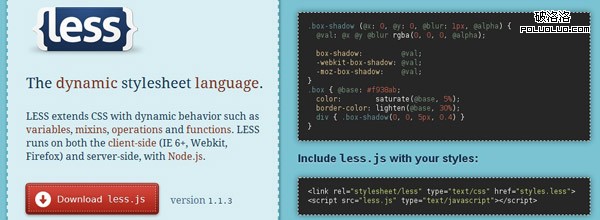
LessCSS 是一套動態的樣式表語言,它替 CSS 補上了變數、組合(mixin)、函數與運算等能力,讓樣式表也能像程式一樣組織與複用。
兩種使用方式
第一種是在頁面直接引入 less.js,樣式檔改用 .less 副檔名撰寫,這種做法需要執行環境支援:
<link rel="stylesheet/less" type="text/css" href="styles.less">
<script src="less.js" type="text/javascript"></script>
第二種是在伺服器端用 Node.js 編譯,先安裝再編譯:
$ npm install less
$ lessc styles.less > styles.css
正式專案建議走第二條路:預先編譯成純 CSS,瀏覽器端不必多載一支腳本,也能搭配快取與壓縮流程。
一、變數
// LESS
@color: #4D926F;

#header { color: @color; }
h2      { color: @color; }

/* 編譯後的 CSS */
#header { color: #4D926F; }
h2      { color: #4D926F; }
二、組合(Mixin)
// LESS
.rounded-corners (@radius: 5px) {
    border-radius: @radius;
    -webkit-border-radius: @radius;
    -moz-border-radius: @radius;
}
#header { .rounded-corners; }
#footer { .rounded-corners(10px); }

/* 編譯後的 CSS */
#header {
    border-radius: 5px;
    -webkit-border-radius: 5px;
    -moz-border-radius: 5px;
}
#footer {
    border-radius: 10px;
    -webkit-border-radius: 10px;
    -moz-border-radius: 10px;
}
三、巢狀選擇器
// LESS
#header {
    h1 { font-size: 26px; font-weight: bold; }
    p  { font-size: 12px;
         a { text-decoration: none;
             &:hover { border-width: 1px }
         }
    }
}

/* 編譯後的 CSS */
#header h1     { font-size: 26px; font-weight: bold; }
#header p      { font-size: 12px; }
#header p a    { text-decoration: none; }
#header p a:hover { border-width: 1px; }
四、運算與內建函數
// LESS
@the-border: 1px;
@base-color: #111;
@red:        #842210;

#header {
    color: @base-color * 3;
    border-left: @the-border;
    border-right: @the-border * 2;
}
#footer {
    color: @base-color + #003300;
    border-color: desaturate(@red, 10%);
}

/* 編譯後的 CSS */
#header { color: #333; border-left: 1px; border-right: 2px; }
#footer { color: #114411; border-color: #7d2717; }
五、用 @import 引入外部檔案
@import "lib.less";
@import "lib";
有了 import,樣式就能拆成多個模組,頁面需要哪一塊就引入哪一塊。也可以把 CSS3 的新特性做成函式庫,圓角、陰影之類只需定義一次;再把主要文字、邊框、背景色抽成變數,日後改版換色只要改一處。
現階段的不足
- CSS3 屬性不會自動補上其他瀏覽器的私有前綴,仍需自行處理相容性。
- 在 Windows 環境下搭配 Node.js 的支援度過去較弱(近年已有明顯改善)。
- 編輯器與 IDE 對 .less 語法的縮排與語法高亮支援不夠友善。
- 上一篇文章: 前端開發工具清單:我日常在用的十款利器
- 下一篇文章: 網頁排版的隱形陷阱:UTF-8 下中文字距與對齊跑掉怎麼修