探討讀取 style 元素定義樣式表的瀏覽器相容問題
編輯:CSS詳解
程式碼如下:
<html>
<head>
<meta http-equiv="content-type" content="text/html;charset=utf-8" />
<title>JavaScript Sample</title>
<style type="text/css">
div{color:#FF0000;font-weight:bold;}
p{color:#000000;font-size: 14px;}
</style>
</head>
<body>
<div id="div1">請點擊<a href="#">網站鏈接</a>
</div>
<script type="text/javascript">
var o = document.styleSheets[0];
var ol = o.rules[1];
alert(ol.style.color);
ol.style.color = "green";
alert(ol.style.color);
</script>
</body>
</html>
在測試上述程式碼時,Google Chrome 與 IE 中都能正常運行,以下是 Chrome 中的運行截圖:


然而,把它放到 Firefox(火狐 29)中卻無法運行,不但沒有彈框,還出現如下錯誤:
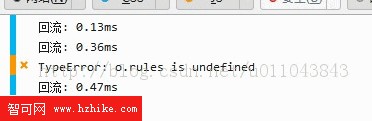
問題在於:rules 方法在 Firefox 中並未定義。因此把 rules 換成 cssRules 方法後,就能正常運行:
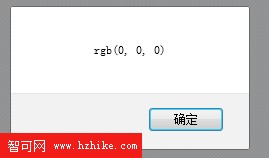

值得一提的是,cssRules 在 Google Chrome 與 IE 中同樣相容,因此若要撰寫跨瀏覽器的程式碼,建議統一改用 cssRules 來存取樣式表規則。
- 上一篇文章: CSS 定位的四種類型簡介
- 下一篇文章: CSS 清除浮動大全:8 種方法完整整理