div 內文字加粗:font-weight:bold 實作與範例
編輯:布局基本知識
要讓 div 內的文字變粗體,屬性是 font-weight,最常搭配的值是 bold。
一、基本語法
div { font-weight: bold; }
這段會讓該 div 內所有文字呈現粗體。
二、範例一:對所有 div 加粗
<!DOCTYPE html>
<html>
<head>
<meta http-equiv="Content-Type" content="text/html; charset=utf-8" />
<title>div 字體加粗範例</title>
<style>
div { font-weight: bold; }
</style>
</head>
<body>
<div>常將 font-weight 設為 bold 來實現文字加粗</div>
<p>我在 p 標籤內,不會被加粗</p>
</body>
</html>
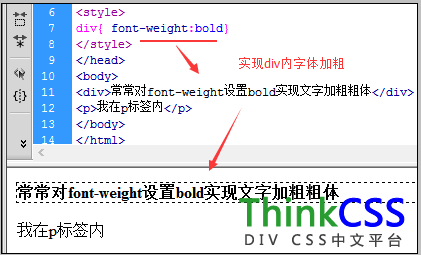
注意 p 標籤不受影響,因為選擇器只指定了 div。
三、範例二:只讓特定 div 加粗
<!DOCTYPE html>
<html>
<head>
<meta http-equiv="Content-Type" content="text/html; charset=utf-8" />
<title>div 字體加粗範例</title>
<style>
.exp { font-weight: bold; }
</style>
</head>
<body>
<div>我在 div 內,正常字重</div>
<div class="exp">我也在 div 內,但用 class 設為加粗</div>
<p>我在 p 標籤內</p>
</body>
</html>
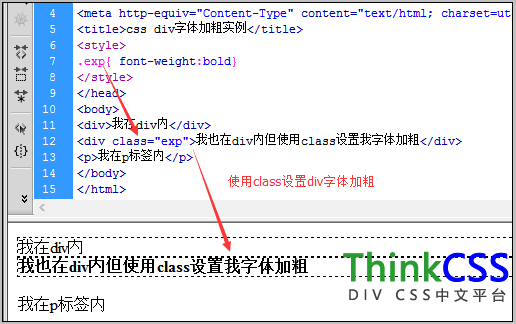
實務上幾乎都用這種寫法——用 class 或 id 精準控制哪些元素需要粗體,而非對整個標籤下手。
四、bold 以外的選擇
font-weight 接受 100~900 的數值。需要更細緻的字重層級時可用 300、500、800。但要注意:多數中文字型只內含「細體 / 常規 / 粗體」等少數字重,寫 500 時瀏覽器會自動映射到最接近的版本,不會真的產生五種粗細。
另外,若語意上想表達「這段很重要」,該用 <strong> 而非僅靠 CSS 加粗——前者對螢幕閱讀器有意義。
- 上一篇文章: HTML 註解符號怎麼寫?語法與注意事項
- 下一篇文章: CSS font-family 微軟雅黑的安全設定方法