div 設定 float 浮動的兩種方法
編輯:布局基本知識
div 設定 float 浮動 CSS 樣式
對 DIV 設定浮動,有以下兩種方法:
1、直接在 DIV 標籤上使用 float:
<div style="float:left">div內使用style設置CSS float</div>
2、透過 class 或 id 引入外部樣式來設定 float:
 <!DOCTYPE html>
<html>
<head>
<meta http-equiv="Content-Type" content="text/html; charset=utf-8" />
<title>div float</title>
<style>
#box{ margin:0 auto; width:400px; overflow:hidden}
.left{ float:left; border:1px solid #F00}
#right{ float:right; border:2px solid #00F}
</style>
</head>
<body>
<div id="box">
 <div class="left">class設置浮動</div>
 <div id="right">id設置外部樣式float</div>
</div>
</body>
</html>
div 設定 float 樣式示例截圖:
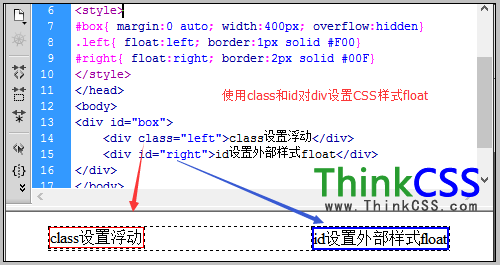
div 使用 id 或 class 設定 float 浮動樣式
以上示範了使用 id 和 class 對 div 設定 float:left(靠左)與 float:right(靠右)的樣式應用。
- 上一篇文章: CSS padding 與寬度 width 的關係解析
- 下一篇文章: CSS width 百分比寬度設定全解析