前提條件與預期結果
目前只有少數瀏覽器支援 WebGL。下面的範例是在 Windows 下的 Chrome 16/23 以及 Android 下的 Firefox 17 進行測試。若你使用非相容的瀏覽器開啟,將會看到一個警告提示。
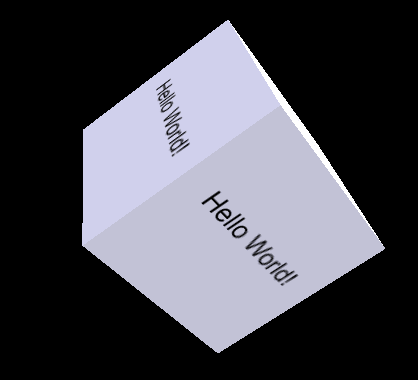
圖 1:帶有 Hello world 文字動畫的 WebGL 立方體
在相容 HTML5 的瀏覽器上,你將會看到如下圖所示的、帶有動畫效果的立方體:
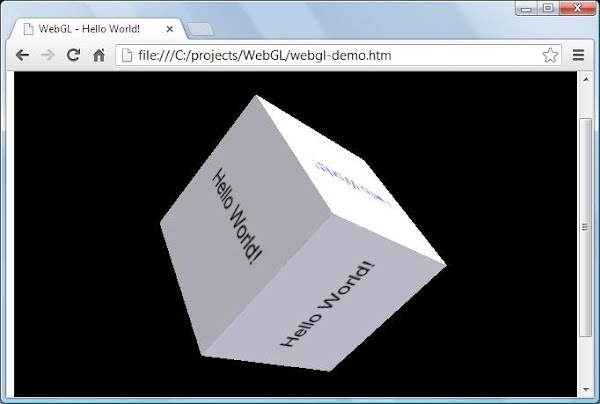
圖 2:範例執行的螢幕截圖
該程式碼以「Lighting in WebGL - How to simulate lighting effects in your WebGL context」這篇教學為基礎,特此致謝。在範例初次運行時,動畫立方體是透過一個靜態的 Bitmap 圖形物件渲染的。
下面的程式碼示範如何在程式中動態渲染文字:
// TODO #1 建立貼圖的新方法
function createCubeTexture(text) {
...
}
這裡使用 gl.pixelStorei(gl.UNPACK_FLIP_Y_WEBGL, true); 非常重要,用來確保寫入文字時不會前後顛倒。剩下的部分就不難理解了:
// TODO #2 將建立好的貼圖指定給顯示
cubeTexture = createCubeTexture("Hello World!");
原始碼
// File #1: webgl-demo.htm
<html>
<head>
<title>WebGL - Hello World!</title>
<meta http-equiv="Content-Type" content="text/html; charset=utf-8">
<script src="sylvester.js" type="text/javascript"></script>
<script src="glUtils.js" type="text/javascript"></script>
<script src="webgl-demo.js" type="text/javascript"></script>
<!-- Fragment shader program -->
<script id="shader-fs" type="x-shader/x-fragment">
varying highp vec2 vTextureCoord;
varying highp vec3 vLighting;
uniform sampler2D uSampler;
void main(void) {
highp vec4 texelColor = texture2D(uSampler, vec2(vTextureCoord.s, vTextureCoord.t));
gl_FragColor = vec4(texelColor.rgb * vLighting, texelColor.a);
}
</script>
<!-- Vertex shader program -->
<script id="shader-vs" type="x-shader/x-vertex">
attribute highp vec3 aVertexNormal;
attribute highp vec3 aVertexPosition;
attribute highp vec2 aTextureCoord;
uniform highp mat4 uNormalMatrix;
uniform highp mat4 uMVMatrix;
uniform highp mat4 uPMatrix;
varying highp vec2 vTextureCoord;
varying highp vec3 vLighting;
void main(void) {
gl_Position = uPMatrix * uMVMatrix * vec4(aVertexPosition, 1.0);
vTextureCoord = aTextureCoord;
// Apply lighting effect
highp vec3 ambientLight = vec3(0.6, 0.6, 0.6);
highp vec3 directionalLightColor = vec3(0.5, 0.5, 0.75);
highp vec3 directionalVector = vec3(0.85, 0.8, 0.75);
highp vec4 transformedNormal = uNormalMatrix * vec4(aVertexNormal, 1.0);
highp float directional = max(dot(transformedNormal.xyz, directionalVector), 0.0);
vLighting = ambientLight + (directionalLightColor * directional);
}
</script>
</head>
<body onload="start()">
<canvas id="glcanvas" width="640" height="480">
Your browser doesn't appear to support the HTML5 <code><canvas></code> element.
</canvas>
</body>
</html>
// File #02: webgl-demo.js
var canvas;
var gl;
var cubeVerticesBuffer;
var cubeVerticesTextureCoordBuffer;
var cubeVerticesIndexBuffer;
var cubeRotation = 0.0;
var lastCubeUpdateTime = 0;
var cubeImage;
var cubeTexture;
var mvMatrix;
var shaderProgram;
var vertexPositionAttribute;
var vertexNormalAttribute;
var textureCoordAttribute;
var perspectiveMatrix;
// start:當 canvas 建立後呼叫,讓一切開始運作
function start() {
canvas = document.getElementById("glcanvas");
initWebGL(canvas); // 初始化 GL context
if (gl) {
gl.clearColor(0.0, 0.0, 0.0, 1.0); // 清成黑色、完全不透明
gl.clearDepth(1.0);
gl.enable(gl.DEPTH_TEST);
gl.depthFunc(gl.LEQUAL); // 近的物體遮擋遠的物體
initShaders();
initBuffers();
cubeTexture = createCubeTexture("Hello World!");
setInterval(drawScene, 15);
}
}
// 初始化 WebGL,回傳 GL context,若不可用則回傳 null
function initWebGL() {
gl = null;
try {
gl = canvas.getContext("experimental-webgl");
}
catch(e) {
}
if (!gl) {
alert("Unable to initialize WebGL. Your browser may not support it.");
}
}
// 初始化所需的 buffers,此 demo 只有一個物件——一個簡單的二維立方體
function initBuffers() {
cubeVerticesBuffer = gl.createBuffer();
gl.bindBuffer(gl.ARRAY_BUFFER, cubeVerticesBuffer);
var vertices = [
// Front face
-1.0, -1.0, 1.0,
1.0, -1.0, 1.0,
1.0, 1.0, 1.0,
-1.0, 1.0, 1.0,
// Back face
-1.0, -1.0, -1.0,
-1.0, 1.0, -1.0,
1.0, 1.0, -1.0,
1.0, -1.0, -1.0,
// Top face
-1.0, 1.0, -1.0,
-1.0, 1.0, 1.0,
1.0, 1.0, 1.0,
1.0, 1.0, -1.0,
// Bottom face
-1.0, -1.0, -1.0,
1.0, -1.0, -1.0,
1.0, -1.0, 1.0,
-1.0, -1.0, 1.0,
// Right face
1.0, -1.0, -1.0,
1.0, 1.0, -1.0,
1.0, 1.0, 1.0,
1.0, -1.0, 1.0,
// Left face
-1.0, -1.0, -1.0,
-1.0, -1.0, 1.0,
-1.0, 1.0, 1.0,
-1.0, 1.0, -1.0
];
gl.bufferData(gl.ARRAY_BUFFER, new Float32Array(vertices), gl.STATIC_DRAW);
cubeVerticesNormalBuffer = gl.createBuffer();
gl.bindBuffer(gl.ARRAY_BUFFER, cubeVerticesNormalBuffer);
var vertexNormals = [
0.0, 0.0, 1.0, 0.0, 0.0, 1.0, 0.0, 0.0, 1.0, 0.0, 0.0, 1.0,
0.0, 0.0, -1.0, 0.0, 0.0, -1.0, 0.0, 0.0, -1.0, 0.0, 0.0, -1.0,
0.0, 1.0, 0.0, 0.0, 1.0, 0.0, 0.0, 1.0, 0.0, 0.0, 1.0, 0.0,
0.0, -1.0, 0.0, 0.0, -1.0, 0.0, 0.0, -1.0, 0.0, 0.0, -1.0, 0.0,
1.0, 0.0, 0.0, 1.0, 0.0, 0.0, 1.0, 0.0, 0.0, 1.0, 0.0, 0.0,
-1.0, 0.0, 0.0, -1.0, 0.0, 0.0, -1.0, 0.0, 0.0, -1.0, 0.0, 0.0
];
gl.bufferData(gl.ARRAY_BUFFER, new Float32Array(vertexNormals), gl.STATIC_DRAW);
cubeVerticesTextureCoordBuffer = gl.createBuffer();
gl.bindBuffer(gl.ARRAY_BUFFER, cubeVerticesTextureCoordBuffer);
var textureCoordinates = [
0.0, 0.0, 1.0, 0.0, 1.0, 1.0, 0.0, 1.0,
0.0, 0.0, 1.0, 0.0, 1.0, 1.0, 0.0, 1.0,
0.0, 0.0, 1.0, 0.0, 1.0, 1.0, 0.0, 1.0,
0.0, 0.0, 1.0, 0.0, 1.0, 1.0, 0.0, 1.0,
0.0, 0.0, 1.0, 0.0, 1.0, 1.0, 0.0, 1.0,
0.0, 0.0, 1.0, 0.0, 1.0, 1.0, 0.0, 1.0
];
gl.bufferData(gl.ARRAY_BUFFER, new Float32Array(textureCoordinates), gl.STATIC_DRAW);
cubeVerticesIndexBuffer = gl.createBuffer();
gl.bindBuffer(gl.ELEMENT_ARRAY_BUFFER, cubeVerticesIndexBuffer);
var cubeVertexIndices = [
0, 1, 2, 0, 2, 3,
4, 5, 6, 4, 6, 7,
8, 9, 10, 8, 10, 11,
12, 13, 14, 12, 14, 15,
16, 17, 18, 16, 18, 19,
20, 21, 22, 20, 22, 23
];
gl.bufferData(gl.ELEMENT_ARRAY_BUFFER, new Uint16Array(cubeVertexIndices), gl.STATIC_DRAW);
}
// 建立 cube 貼圖(動態繪製文字)
function createCubeTexture(text) {
var canvas = document.createElement('canvas');
canvas.id = "hiddenCanvas";
canvas.width = 512;
canvas.height = 512;
canvas.style.display = "none";
var body = document.getElementsByTagName("body")[0];
body.appendChild(canvas);
var cubeImage = document.getElementById('hiddenCanvas');
var ctx = cubeImage.getContext('2d');
ctx.beginPath();
ctx.rect(0, 0, ctx.canvas.width, ctx.canvas.height);
ctx.fillStyle = 'white';
ctx.fill();
ctx.fillStyle = 'black';
ctx.font = "65px Arial";
ctx.textAlign = 'center';
ctx.fillText(text, ctx.canvas.width / 2, ctx.canvas.height / 2);
ctx.restore();
var texture = gl.createTexture();
gl.bindTexture(gl.TEXTURE_2D, texture);
gl.texParameteri(gl.TEXTURE_2D, gl.TEXTURE_MAG_FILTER, gl.LINEAR);
gl.texParameteri(gl.TEXTURE_2D, gl.TEXTURE_MIN_FILTER, gl.LINEAR_MIPMAP_NEAREST);
gl.pixelStorei(gl.UNPACK_FLIP_Y_WEBGL, true);
handleTextureLoaded(cubeImage, texture);
return texture;
}
function handleTextureLoaded(image, texture) {
gl.bindTexture(gl.TEXTURE_2D, texture);
gl.texImage2D(gl.TEXTURE_2D, 0, gl.RGBA, gl.RGBA, gl.UNSIGNED_BYTE, image);
gl.texParameteri(gl.TEXTURE_2D, gl.TEXTURE_MAG_FILTER, gl.LINEAR);
gl.texParameteri(gl.TEXTURE_2D, gl.TEXTURE_MIN_FILTER, gl.LINEAR_MIPMAP_NEAREST);
gl.generateMipmap(gl.TEXTURE_2D);
gl.bindTexture(gl.TEXTURE_2D, null);
}
// 繪製場景
function drawScene() {
gl.clear(gl.COLOR_BUFFER_BIT | gl.DEPTH_BUFFER_BIT);
perspectiveMatrix = makePerspective(45, 640.0/480.0, 0.1, 100.0);
loadIdentity();
mvTranslate([0.0, 0.0, -6.0]);
mvPushMatrix();
mvRotate(cubeRotation, [1, 0, 1]);
gl.bindBuffer(gl.ARRAY_BUFFER, cubeVerticesBuffer);
gl.vertexAttribPointer(vertexPositionAttribute, 3, gl.FLOAT, false, 0, 0);
gl.bindBuffer(gl.ARRAY_BUFFER, cubeVerticesTextureCoordBuffer);
gl.vertexAttribPointer(textureCoordAttribute, 2, gl.FLOAT, false, 0, 0);
gl.bindBuffer(gl.ARRAY_BUFFER, cubeVerticesNormalBuffer);
gl.vertexAttribPointer(vertexNormalAttribute, 3, gl.FLOAT, false, 0, 0);
gl.activeTexture(gl.TEXTURE0);
gl.bindTexture(gl.TEXTURE_2D, cubeTexture);
gl.uniform1i(gl.getUniformLocation(shaderProgram, "uSampler"), 0);
gl.bindBuffer(gl.ELEMENT_ARRAY_BUFFER, cubeVerticesIndexBuffer);
setMatrixUniforms();
gl.drawElements(gl.TRIANGLES, 36, gl.UNSIGNED_SHORT, 0);
mvPopMatrix();
var currentTime = (new Date).getTime();
if (lastCubeUpdateTime) {
var delta = currentTime - lastCubeUpdateTime;
cubeRotation += (30 * delta) / 1000.0;
}
lastCubeUpdateTime = currentTime;
}
// 初始化 shaders
function initShaders() {
var fragmentShader = getShader(gl, "shader-fs");
var vertexShader = getShader(gl, "shader-vs");
shaderProgram = gl.createProgram();
gl.attachShader(shaderProgram, vertexShader);
gl.attachShader(shaderProgram, fragmentShader);
gl.linkProgram(shaderProgram);
if (!gl.getProgramParameter(shaderProgram, gl.LINK_STATUS)) {
alert("Unable to initialize the shader program.");
}
gl.useProgram(shaderProgram);
vertexPositionAttribute = gl.getAttribLocation(shaderProgram, "aVertexPosition");
gl.enableVertexAttribArray(vertexPositionAttribute);
textureCoordAttribute = gl.getAttribLocation(shaderProgram, "aTextureCoord");
gl.enableVertexAttribArray(textureCoordAttribute);
vertexNormalAttribute = gl.getAttribLocation(shaderProgram, "aVertexNormal");
gl.enableVertexAttribArray(vertexNormalAttribute);
}
// 依 script 的 id 載入 shader 程式
function getShader(gl, id) {
var shaderScript = document.getElementById(id);
if (!shaderScript) {
return null;
}
var theSource = "";
var currentChild = shaderScript.firstChild;
while(currentChild) {
if (currentChild.nodeType == 3) {
theSource += currentChild.textContent;
}
currentChild = currentChild.nextSibling;
}
var shader;
if (shaderScript.type == "x-shader/x-fragment") {
shader = gl.createShader(gl.FRAGMENT_SHADER);
} else if (shaderScript.type == "x-shader/x-vertex") {
shader = gl.createShader(gl.VERTEX_SHADER);
} else {
return null;
}
gl.shaderSource(shader, theSource);
gl.compileShader(shader);
if (!gl.getShaderParameter(shader, gl.COMPILE_STATUS)) {
alert("An error occurred compiling the shaders: " + gl.getShaderInfoLog(shader));
return null;
}
return shader;
}
// 矩陣工具函式
function loadIdentity() { mvMatrix = Matrix.I(4); }
function multMatrix(m) { mvMatrix = mvMatrix.x(m); }
function mvTranslate(v) { multMatrix(Matrix.Translation($V([v[0], v[1], v[2]])).ensure4x4()); }
function setMatrixUniforms() {
var pUniform = gl.getUniformLocation(shaderProgram, "uPMatrix");
gl.uniformMatrix4fv(pUniform, false, new Float32Array(perspectiveMatrix.flatten()));
var mvUniform = gl.getUniformLocation(shaderProgram, "uMVMatrix");
gl.uniformMatrix4fv(mvUniform, false, new Float32Array(mvMatrix.flatten()));
var normalMatrix = mvMatrix.inverse();
normalMatrix = normalMatrix.transpose();
var nUniform = gl.getUniformLocation(shaderProgram, "uNormalMatrix");
gl.uniformMatrix4fv(nUniform, false, new Float32Array(normalMatrix.flatten()));
}
var mvMatrixStack = [];
function mvPushMatrix(m) {
if (m) { mvMatrixStack.push(m.dup()); mvMatrix = m.dup(); }
else { mvMatrixStack.push(mvMatrix.dup()); }
}
function mvPopMatrix() {
if (!mvMatrixStack.length) { throw("Can't pop from an empty matrix stack."); }
mvMatrix = mvMatrixStack.pop();
return mvMatrix;
}
function mvRotate(angle, v) {
var inRadians = angle * Math.PI / 180.0;
var m = Matrix.Rotation(inRadians, $V([v[0], v[1], v[2]])).ensure4x4();
multMatrix(m);
}
- 上一篇文章: HTML5 電池狀態 API 入門指南
- 下一篇文章: 深入解析 HTML5 中的 template 標籤