CSS3多列布局
編輯:HTML5詳解
在CSS3中,也新增了一些關於文本布局的幾個比較簡單的屬性。通過這些新增的屬性,我們可以對文本進行簡單的排版,就想報紙和雜志那樣。
新增的部分屬性,以及浏覽器支持情況:
注:
- 在Firefox浏覽器中,要加(-moz-)前綴。
- 在Chrome和Safari浏覽器中,要加(-webkit-)前綴。
- 對於IE浏覽器,只支持IE10以及以上版本。
新增的屬性以及描述:
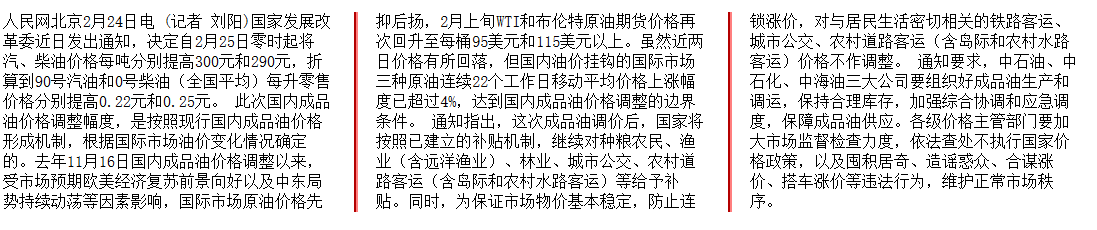
通過這幾個新增屬性的定義,我可以對文本進行簡單的排版(Firefox浏覽器)
*{
	-moz-column-count: 3;
	-moz-column-gap: 40px;
	-moz-column-rule: 4px outset #ff0000;"
}
上面的CSS樣式是元素中的文本分為3列,列之間的距離為40px,列之間用顏色為#ff0000、寬度為4px的線分開。
同樣,我們也可以對一些元素中的內容進行排版。
例如我們可以對列表進行排版:
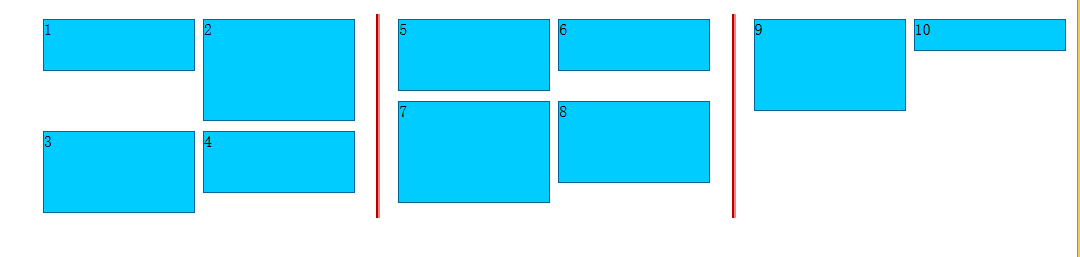
部分代碼為(Firefox浏覽器):
<!DOCTYPE HTML>
<html>
<head>
<meta http-equiv="Content-Type" content="text/html; charset=utf-8">
<style>
ul {
    -moz-column-count: 3;
    -moz-column-gap: 40px;
    -moz-column-rule: 4px outset #ff0000;
}
li {
    background: #0CF;
    border: #069 1px solid;
    display: inline-block;
    width: 150px;
    margin: 5px 0;
}
</style>
</head>
<body>

<ul>
    <li style="height:50px">1</li>
    <li style="height:100px">2</li>
    <li style="height:80px">3</li>
    <li style="height:60px">4</li>
    <li style="height:70px">5</li>
    <li style="height:50px">6</li>
    <li style="height:100px">7</li>
    <li style="height:80px">8</li>
    <li style="height:90px">9</li>
    <li style="height:30px">10</li>
</ul>
</body>
</Html>
小編推薦
熱門推薦