用 jTopo 為 Canvas 圖形加入滑鼠事件
編輯:HTML5詳解
Canvas 的事件問題
原生 Canvas 繪製的圖形本身不是 DOM 元素,因此不能直接附加滑鼠事件。jTopo 將圖形節點物件化,讓事件處理變得容易。
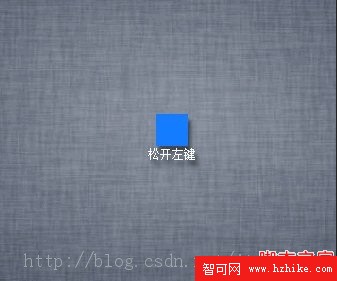
建立節點並綁定事件
var node = new JTopo.Node('Hello');
node.setLocation(409, 269);
node.mousedown(function(event) {
  if (event.button == 2) {
    node.text = '按下右鍵';
  } else if (event.button == 1) {
    node.text = '按下中鍵';
  } else if (event.button == 0) {
    node.text = '按下左鍵';
  }
});
node.mouseup(function(event) {
  if (event.button == 2) {
    node.text = '放開右鍵';
  } else if (event.button == 1) {
    node.text = '放開中鍵';
  } else if (event.button == 0) {
    node.text = '放開左鍵';
  }
});
其他常用事件
node.click(function(event) { console.log('單擊'); });
node.dbclick(function(event) { console.log('雙擊'); });
node.mousedrag(function(event) { console.log('拖曳'); });
node.mouseover(function(event) { console.log('滑鼠移入'); });
node.mousemove(function(event) { console.log('滑鼠移動'); });
node.mouseout(function(event) { console.log('滑鼠移出'); });
透過這些事件,可製作節點選取、拖曳、提示文字與互動流程圖。
- 上一篇文章: 十款值得收藏的 HTML5 開發工具與資源
- 下一篇文章: HTML5 雨滴特效:用 Canvas 模擬晶瑩雨滴