jQuery expander 外掛:六款圖片翻轉展開特效
編輯:JavaScript綜合知識
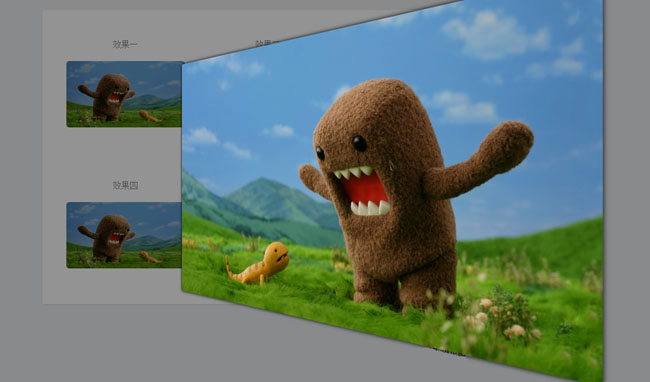
點一下縮圖,圖片就從原位「長大」鋪滿整個視窗,再點一下縮回原處——這種展開效果在作品集與商品頁上特別好用。這裡介紹的 expander 外掛一次提供了六種翻轉動畫風格,畫面相當有質感。
引入資源
<link href="css/expander.css" rel="stylesheet">
<link href="css/theme.css" rel="stylesheet">
<script src="js/jquery-latest.min.js" type="text/javascript"></script>
<script src="js/expander.min.js"></script>
expander.css 負責容器與動畫的過渡定義,theme.css 提供深色/淺色遮罩主題,兩者都要引入,少一個就會出現「有動畫但沒有背景遮罩」的情況。
HTML:用 data 屬性宣告設定
這個外掛最漂亮的地方是它的 API 設計——所有參數都寫在 data-expander 屬性裡,值是一個 JSON 字串:
<section class="main">
  <article>
    <div class="imgContainer">
      <h5>效果一</h5>
      <img src="images/chinaz.jpg" data-expander='{animation:"default"}'>
    </div>
    <div class="imgContainer">
      <h5>效果二</h5>
      <img src="images/chinaz.jpg" data-expander='{animation:"diamond"}'>
    </div>
    <div class="imgContainer">
      <h5>效果三</h5>
      <img src="images/chinaz.jpg" data-expander='{animation:"turn3d"}'>
    </div>
    <div class="imgContainer">
      <h5>效果四</h5>
      <img src="images/chinaz.jpg" data-expander='{animation:"flip3d"}'>
    </div>
    <div class="imgContainer">
      <h5>效果五</h5>
      <img src="images/chinaz.jpg" data-expander='{animation:"rotate"}'>
    </div>
    <div class="imgContainer">
      <h5>效果六</h5>
      <img src="images/chinaz.jpg" data-expander='{animation:"fade"}'>
    </div>
  </article>
</section>
六種 animation 值分別是 default、diamond、turn3d、flip3d、rotate、fade。除了 animation,還可以搭配 theme(dark/light)、speed(normal 等)、以及 url(展開時改用另一張高解析圖,很適合縮圖/原圖的情境)。
用進場動畫做開場
<script>
var index = 0;
var timeout = setInterval(function () {
    if (index > 10) {
        window.clearInterval(timeout);
    }
    $("article").eq(index).addClass("show");
    index++;
}, 300);

// 也可以用觸發事件的方式程式化展開
function showFoo() {
    $("#fooId").trigger("expand");
}
</script>
expander 對外暴露了 expand 與 retract 兩個自訂事件,因此除了點擊,你也可以用 trigger() 在任何時機(例如輪播自動播放、或滑到某個區塊時)觸發展開與收合。
使用提醒
這類全屏展開的效果,在行動裝置上要注意兩件事:一是 3D 翻轉在舊型 Android 手機上可能掉幀,建議在媒體查詢中降級為 fade;二是展開後記得鎖定背景捲動,否則使用者滾動會發現底層頁面在動。另外別忘了為 img 加上有意義的 alt 文字,鍵盤使用者也需要能用 Tab 聚焦並以 Enter 展開。