使用AngularJS 應用訪問 Android 手機的圖片庫
編輯:JavaScript綜合知識
本文介紹如何借助 AngularJS 調用 Android App 暴露的 REST API,來訪問手機的圖片庫,做出一個能在瀏覽器中瀏覽手機圖片的應用。
背景
Android 和 iOS 有很多支持遠程訪問的 App,但開發者往往缺少遠程訪問手機特性的 API。myMoKit 就是為填補這一軟件空缺而開發的。
使用方式
使用很簡單,只要透過 web URL 引用 myMoKit 服務,就能看到所有暴露的 REST API 列表與流媒體。
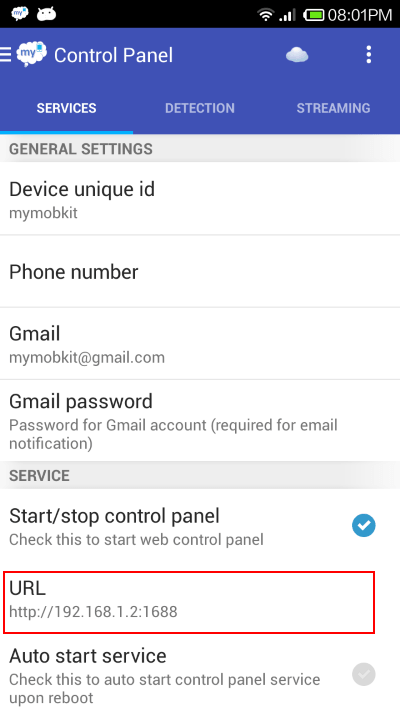
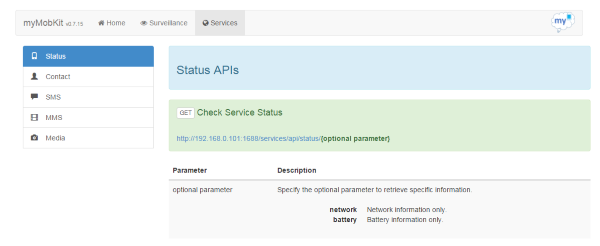
用 $resource 創建資源
透過 AngularJS 的 $resource 服務,可以很方便地調用這些 REST API。先創建一個返回媒體列表的資源:
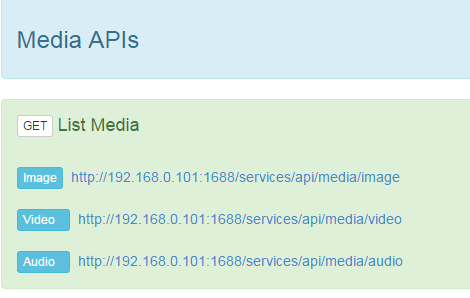
angular.module('resources.media').factory( 'Media', [ '$rootScope', '$resource', '$location', '$http', function($rootScope, $resource, $location, $http) {
var mediaServices = {};
mediaServices.getAllMedia = function(media) {
var path = $rootScope.host + '/services/api/media/' + media;
return $resource(path, {}, { get : { method : 'GET', isArray : false } });
};
return mediaServices;
} ]);
獲取圖片與視頻
var getAllImages = function(){Media.getAllMedia('image').get().$promise.then(
function success(resp, headers) { $scope.allImages = resp; $scope.images = $scope.allImages.images; },
function err(httpResponse) { $scope.errorMsg = httpResponse.status; }
);
};
var getAllVideos = function(){
Media.getAllMedia('video').get().$promise.then(
function success(resp, headers) { $scope.allVideos = resp; $scope.videos = $scope.allVideos.videos; },
function err(httpResponse) { $scope.errorMsg = httpResponse.status; }
);
};
在頁面展示
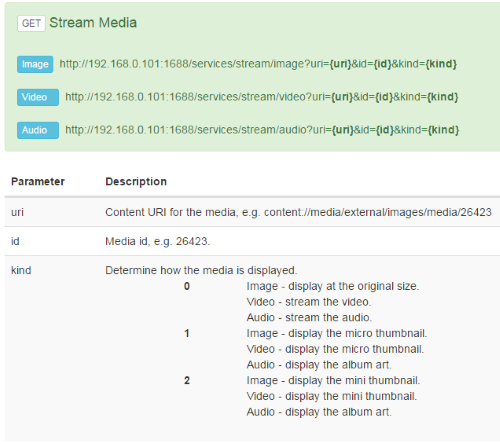
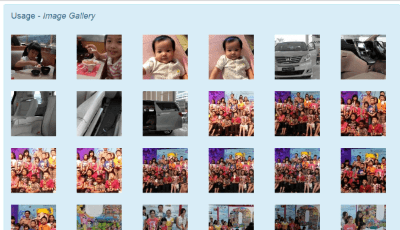
透過 ng-repeat 遍歷圖片數組,即可在瀏覽器中展示一系列圖片:
<li class="col-lg-2 col-md-2 col-sm-3 col-xs-4" ng-repeat="image in images" style="margin-bottom:25px">
<img class="img-responsive" ng-click="showImage($index)" ng-src="{{streamImageLink}}?uri={{image.contentUri}}&&id={{image.id}}&kind=1" />
</li>
</ul>
以上就是本文的全部內容,希望對你有所幫助。
- 上一篇文章: nodejs中實現阻塞實例
- 下一篇文章: jQuery實現防止提交按鈕被雙擊的方法