做前端一年多,累積了些心得,今天把關於 JS 載入優化的實驗結果整理出來分享。工具方面我習慣用 Chrome 搭配 Fiddler 看請求瀑布。
一、原始寫法
<%@ Page Language="C#" AutoEventWireup="true" CodeBehind="Default.aspx.cs" Inherits="JsLoad.Default" %>

<!DOCTYPE html PUBLIC "-//W3C//DTD XHTML 1.0 Transitional//EN"
  "https://www.w3.org/TR/xhtml1/DTD/xhtml1-transitional.dtd">
<html xmlns="https://www.w3.org/1999/xhtml">
<head id="head">
  <title></title>
  <link href="Styles/Site.css" rel="stylesheet" type="text/css" />
  <script src="jquery/jquery-1.4.1.js" type="text/javascript"></script>
  <script src="js/hello.js" type="text/javascript"></script>
  <script src="js/world.js" type="text/javascript"></script>
</head>
<body>
  <img src="1.jpg" width="200" height="300" />
</body>
</html>
大概九成的開發者會把 js 放在 head 裡,但很少人深究後果。多數瀏覽器以單一執行緒處理「UI 更新」與「JS 執行」,也就是當解析器遇到 script 標籤時,頁面的下載與渲染都必須停下來等它跑完。對使用者而言,就是看著一片空白或鎖住的畫面乾等。
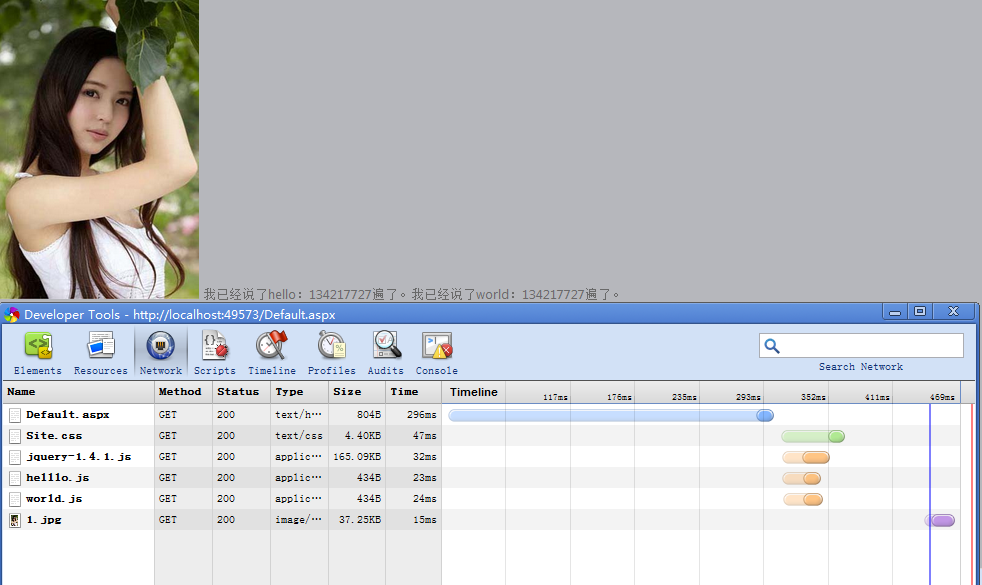
從上面的瀑布圖可以看出一點:三個 js 檔是並行下載的。IE8、Firefox 3.5、Chrome 2 都實作了 script 的預先下載,這當然是好事,但它仍會阻礙其他資源的載入。圖中 1.jpg 的下載是在 js 執行完之後才開始,正好印證了這一點。
二、第一步優化:把 script 移到 body 尾端
既然 script 會阻擋渲染,那就把它移到 </body> 之前,讓前面的 HTML 能先完整呈現,使用者不會看到長時間的空白。
<head id="head">
  <title></title>
  <link href="Styles/Site.css" rel="stylesheet" type="text/css" />
</head>
<body>
  <img src="1.jpg" width="200" height="300" />
  <script src="jquery/jquery-1.4.1.js" type="text/javascript"></script>
  <script src="js/hello.js" type="text/javascript"></script>
  <script src="js/world.js" type="text/javascript"></script>
</body>
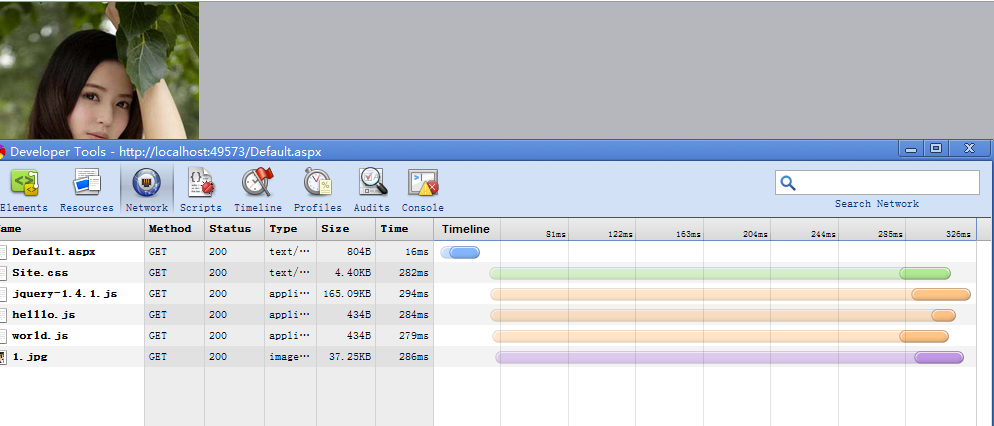
1.jpg 與三個 js 幾乎同時開始下載,總時間從 469ms 降到 326ms。
三、第二步優化:合併檔案減少請求
三個 js 代表三次 HTTP 請求,而每個請求都要帶完整標頭,往返成本不低。解法有兩種:
第一,直接合併,把 hello.js 與 world.js 併成一個檔。
第二,用工具自動處理,例如 PHP 端的 Minify。
淘寶這類大型網站普遍採用第二種做法,把多個 js 打包成一個請求。

四、第三步優化:無阻塞載入
不論是移到尾端還是合併檔案,本質上都還屬於「阻塞模式」。當頁面越來越複雜、js 檔越來越多,就需要改成「無阻塞」——頁面完整呈現之後才追加 script,也就是等 window.onload 觸發後再動態插入。這裡有個關鍵前提:你的 js 之間是否有嚴格執行順序要求。
情況一:沒有順序要求
用 jQuery 動態追加即可:
<body>
  <img src="1.jpg" width="200" height="300" />
  <script src="jquery/jquery-1.4.1.js" type="text/javascript"></script>
  <script type="text/javascript">
    window.onload = function () {
        $("#head").append("<script src='js/hello.js' type='text/javascript'><\/script>")
        $("#head").append("<script src='js/world.js' type='text/javascript'><\/script>");
    }
  </script>
</body>
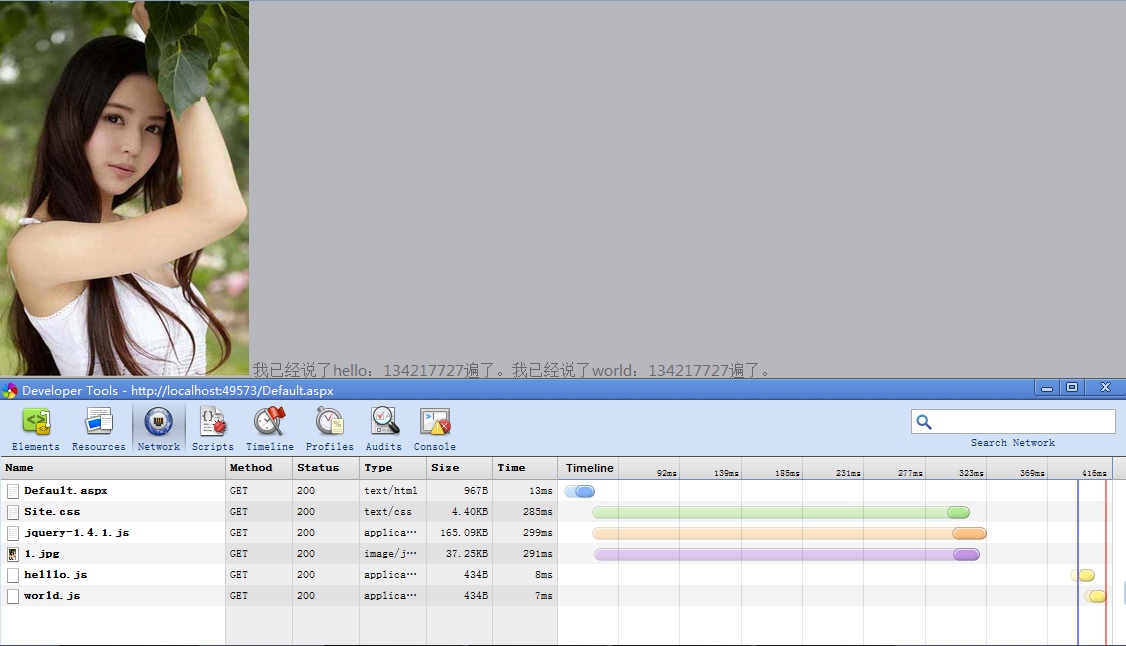
圖中 hello.js 與 world.js 落在藍線(DOMContentLoaded)之後才載入,因此完全不會造成頁面鎖定。
情況二:有順序要求
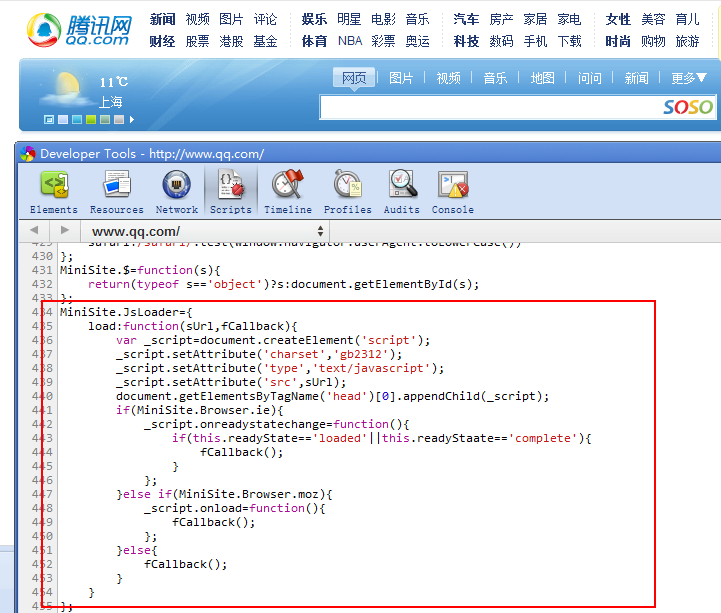
為什麼順序會成為問題?因為在 IE 系列中,動態插入的 script 只會按伺服器回傳的順序執行,而不保證插入順序。也就是說你不能確定 hello.js 一定在 world.js 之前跑完。解法是串成回呼鏈:
<body>
  <img src="1.jpg" width="200" height="300" />
  <script type="text/javascript">
    function loadScript(url, callback) {
        var script = document.createElement("script");
        script.type = "text/javascript";

        if (script.readyState) {          // 舊版 IE
            script.onreadystatechange = function () {
                if (script.readyState == "loaded" || script.readyState == "complete") {
                    script.onreadystatechange = null;
                    callback();
                }
            };
        } else {                          // 標準瀏覽器
            script.onload = function () { callback(); };
        }

        script.src = url;
        document.getElementById("head").appendChild(script);
    }

    // 依序載入:先 jQuery,再 hello.js,最後 world.js
    loadScript("jquery/jquery-1.4.1.js", function () {
        loadScript("js/hello.js", function () {
            loadScript("js/world.js", function () {
                // 全部載入完成後的收尾工作
            });
        });
    });
  </script>
</body>
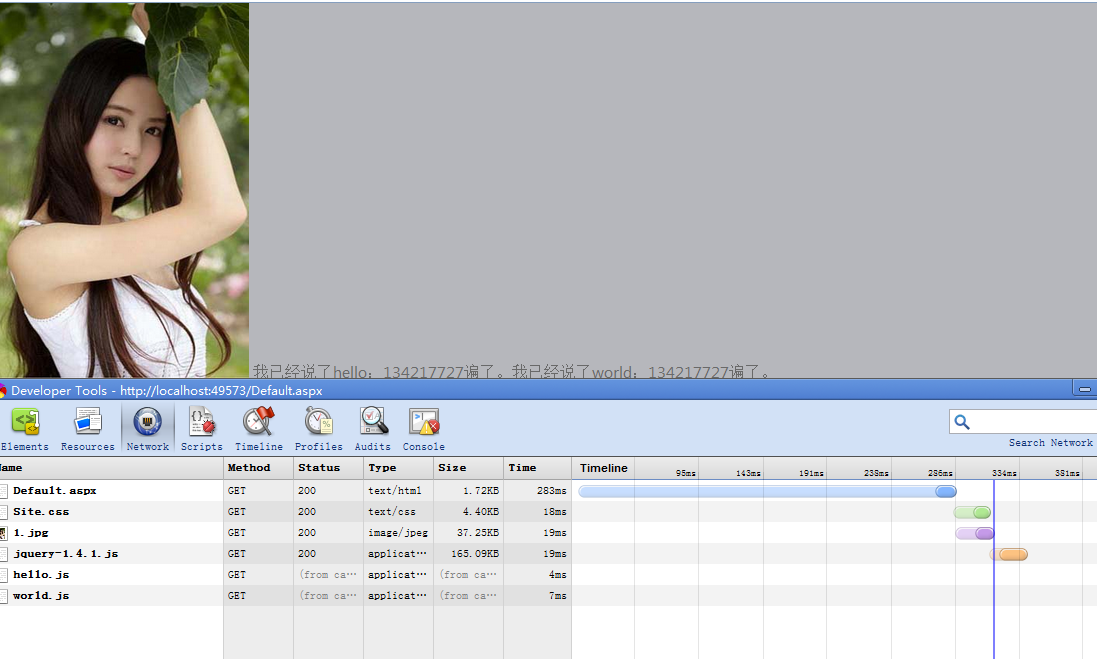
頁面完全載入的時間約 310ms,比一開始的 469ms 改善明顯。
補充:今天的標準做法
回呼地獄已經不必再手寫了。現代有兩個原生方案:
<!-- async:下載完成立即執行,順序不保證,適合獨立腳本(如統計程式) -->
<script async src="js/analytics.js"></script>

<!-- defer:並行下載,等 HTML 解析完才依序執行,適合有依賴關係的腳本 -->
<script defer src="js/app.js"></script>

<!-- type="module":ES Module 預設等同 defer,且有嚴格模式與作用域隔離 -->
<script type="module" src="js/main.js"></script>
另外,async 與 defer 只對外部腳本有效,內嵌 script 加上去不會有任何作用。若需要動態載入並確保順序,script.onload 搭配 Promise 就能寫得比回呼鏈清楚得多。
- 上一篇文章: JavaScript 抽象工廠模式詳解
- 下一篇文章: 四種為 WordPress 加上雪花飄落效果的方法