瀏覽器預設的滾動條外觀不受控:IE 只能靠 CSS 做點粗淺調整,Webkit 核心可以控制顯示效果,Firefox 則完全不容許使用者定義樣式。對追求體驗一致性的前端開發者來說,這不是終點——用標準 HTML 元素自己模擬一條,才是解法。
jscroll 是什麼
jscroll 是一個可自訂樣式的滾動條元件,預設提供一種外觀(部分樣式取自 Google Web Store,並用到 CSS3 的圓角與陰影)。為了讓不支援 CSS3 的 IE6/7/8 也能有一致的外觀,引入了 PIE.htc 作為 hack。
功能與相容性
它重現了系統滾動條的幾乎全部行為:
- 拖曳滾動條檢視內容
- 滾動滑鼠滾輪
- 點擊滾動條可達區域的上方/下方觸發滾動
- 鍵盤上下鍵滾動
Firefox、Chrome、IE9+ 等支援 CSS3 與新 API 的瀏覽器完全沒問題;IE6/7/8 靠 PIE.htc 彌補樣式,不支援的 API 則用舊 API 折抵。相容性最差的反而是 IE6:因為引入了 PIE.htc,它不支援點擊可達區域滾動,也不支援鍵盤上下鍵。這是取捨——不引入 hack 檔,所有操作都正常,但外觀就不一致了。
使用方式
自訂滾動條最適合的場景是彈出層或頁面上的某個局部區域,不建議套用到整個頁面的滾動條。使用時給元素加上自訂屬性:
<div data-scroll="true" data-width="300" data-height="200">
    ...內容...
</div>
data-scroll 告知程式要接管這個元素,data-width/data-height 則指定可視範圍的寬高。jscroll 會據此計算內容顯示寬度與滾動條高度,並掛上互動事件。
實作解析
核心邏輯不到 400 行,但依賴一組基礎方法,因此需一併引入 squid.js;樣式則獨立在 jscroll-1.0.css 中,方便自行擴充。
init:找出需要接管的元素
init: function (selector, context) {
    selector = selector || 'data-scroll';
    context  = context  || document;

    var elems = squid.getElementsByAttribute(selector, context);
    this.initView(elems);
}
selector 預設 data-scroll,context 預設當前 document。要注意的是:不論寫成 data-scroll="true" 或 "false",都會被自訂滾動條取代——因為 getElementsByAttribute() 只判斷屬性是否存在而忽略值。這個方法遠不如 jQuery 選擇器或 querySelectorAll() 強大,但在這裡只做最基本的支援已足夠。
initView:逐一建立
initView: function (elems) {
    var i = 0, length = elems.length, elem;

    for (; i < length; i++) {
        elem = elems[i];
        if (this.hasScroll(elem)) {
            this.create(elem);
        }
    }
    this.initEvent();
}
hasScroll:真的需要滾動條嗎
// 是否有滾動條
hasScroll: function (elem) {
    return elem.offsetHeight < elem.scrollHeight;
}
這裡忽略 margin 與 padding,因為 jscroll 產生的滾動條兩者皆為 0。
create:組出整體結構
create: function (elem) {
    var wrapper,
        list,
        s,                                    // 滾動條元素
        height = elem['data-height'] || elem.getAttribute('data-height'),
        width  = elem['data-width']  || elem.getAttribute('data-width'),
        value;

    // 外層容器
    wrapper = document.createElement('div');
    wrapper.className = 'jscroll-wrapper';
    squid.css(wrapper, { height: height + 'px', width: width + 'px' });

    // 原元素改為絕對定位,撐開內容
    squid.addClass(elem, 'jscroll-body');
    squid.css(elem, {
        overflow: 'visible',
        position: 'absolute',
        height: 'auto',
        width: (width - 40) + 'px',
        padding: '0 20px 0 23px'
    });

    // 滾動條可達區域
    list = document.createElement('div');
    list.className = 'jscroll-list unselectable';
    list.unselectable = 'on';
    squid.css(list, { height: (height - 5) + 'px' });

    // 滾動條本身
    s = document.createElement('div');
    s.className = 'jscroll-drag unselectable';
    s.unselectable = 'on';
    s.setAttribute('tabindex', '1');
    s.setAttribute('hidefocus', true);

    list.appendChild(s);
    wrapper.appendChild(list);

    // 用新結構取代原元素,再把原元素放回列表層內
    elem.parentNode.replaceChild(wrapper, elem);
    wrapper.insertBefore(elem, list);

    // 依內容比例算出滾動條高度
    value = this.scrollbarHeight(elem, height);
    squid.css(s, { height: value + 'px' });

    this.regEvent(wrapper);
}
scrollbarHeight:按比例算高度
scrollbarHeight: function (elem, height) {
    var value = elem.scrollHeight;
    return (height / value) * height;
}
initEvent:拖曳的核心
initEvent: function () {
    var that = this, _default, elem, top, min, max, prev, parent, sbody, unit;

    // 拖曳中:讓內容跟著移動
    squid.on(document, 'mousemove', function (event) {
        elem = that.scrolling.elem;
        if (elem !== null) {
            squid.addClass(elem, 'scrolling');
            top    = event.clientY - that.scrolling.diffy;
            parent = that.ie6 ? elem.parentNode.parentNode : elem.parentNode;
            min    = that.limits[elem].min;
            max    = that.limits[elem].max;
            prev   = parent.previousSibling;
            sbody  = prev.tagName.toLowerCase() === 'div' ? prev : prev.previousSibling;
            _default = parseInt(sbody['data-height'] || sbody.getAttribute('data-height'), 10);
            unit   = (sbody.scrollHeight - _default) / max;   // 每 1px 滾動條對應多少內容位移

            squid.addClass(sbody.parentNode, 'unselectable');
            if (top < min) { top = min; } else if (top > max) { top = max; }
            elem.style.top = top + 'px';
            that.doScroll(sbody, top * unit);
        }
    });

    // 放開滑鼠:結束拖曳
    squid.on(document, 'mouseup', function () {
        elem = that.scrolling.elem;
        if (elem) {
            prev  = that.ie6 ? elem.parentNode.parentNode.previousSibling
                             : elem.parentNode.previousSibling;
            sbody = prev.tagName.toLowerCase() === 'div' ? prev : prev.previousSibling;
            squid.removeClass(sbody.parentNode, 'unselectable');
        }
        that.scrolling.elem = null;
        that.scrolling.diffy = 0;
    });
}
程式裡到處可見的 that.ie6 判斷,是因為 PIE.htc 為了讓 CSS3 生效而改變了 DOM 結構,取得父節點時要多跳一層。這是為了一致外觀所付的代價。
regEvent:滾輪、點擊與鍵盤
這個方法是元件的核心,負責三件事:
- 在含滾動條的區域內滾動滾輪,內容跟著上下翻(
mousewheel/Firefox 的DOMMouseScroll,並preventDefault()阻止頁面本身捲動)。 - 點擊滾動條可達區域(上方或下方)時滾動;按住不放會連續滾動,這由
setInterval搭配mouseHandle()實作,間隔 80ms。 - 點擊滾動條使其取得焦點(
tabindex加上click裡呼叫focus()),之後上下鍵即可控制位置,每次移動 18px。
// 拖曳與點擊可達區域
squid.on(list, 'mousedown', function (event) {
    var target = event.target, y = event.clientY;
    if (target.tagName.toLowerCase() === 'shape') target = s;   // PIE.htc 的相容處理

    if (target === s) {
        s.setCapture && s.setCapture();          // IE 專屬的滑鼠捕獲
        that.scrolling.diffy = y - s.offsetTop;
        that.scrolling.elem  = s;
    } else if (target.className.match('jscroll-list')) {
        firing   = true;
        interval = setInterval(function () {
            if (firing) { that.mouseHandle(list, y, unit); }
        }, 80);
    }
});

squid.on(list, 'mouseup', function () {
    s.releaseCapture && s.releaseCapture();
    firing = false;
    clearInterval(interval);
});

squid.on(s, 'keydown', function (event) {
    var keyCode = event.keyCode, state = false;
    cur = parseInt(s.style.top || 0, 10);
    switch (keyCode) {
        case 38: top = cur - speed; if (top < min) top = min; state = true; break;  // 上
        case 40: top = cur + speed; if (top > max) top = max; state = true; break;  // 下
    }
    if (state) {
        s.style.top = top + 'px';
        that.doScroll(sbody, top * unit);
    }
    event.preventDefault();
});
mouseHandle:點擊可達區域的位移計算
它比對滑鼠點擊位置的頁面座標與滾動條元素的位置,判斷點到的是上方還是下方區域,再決定方向。另有 distance = 20 的閾值:當點擊位置距滾動條頂端或底端小於 20px 時,直接吸附到最小或最大值。步長 step = 10。
mouseHandle: function (elem, place, unit) {
    var prev = elem.previousSibling,
        a = prev.tagName.toLowerCase() === 'div' ? prev : prev.previousSibling,
        n = elem.firstChild,
        s = this.ie6 ? n.lastChild
                     : (n.tagName.toLowerCase() === 'div' ? n : n.nextSibling),
        height, value, top, sTop, min, max,
        step     = 10,
        distance = 20;

    min = this.limits[s].min;
    max = this.limits[s].max;
    height = s.offsetHeight;
    top    = parseInt(s.style.top || 0, 10);
    value  = squid.getOffset(elem).top;
    sTop   = squid.getOffset(s).top;

    if (place > sTop) {                       // 點擊下方區域,往下滾
        if (value + elem.offsetHeight - place < distance &&
            (elem.offsetHeight - height - top) < distance) {
            top = max;
        } else {
            top = (sTop + height + step) <= place ? top + step : place - value - height;
        }
    } else {                                  // 點擊上方區域,往上滾
        if (place - value < distance && top < distance) {
            top = min;
        } else {
            top = (sTop - place >= step) ? top - step : place - value;
        }
    }

    if (top < min) { top = min; } else if (top > max) { top = max; }
    s.style.top = top + 'px';
    this.doScroll(a, top * unit);
}
實際顯示效果
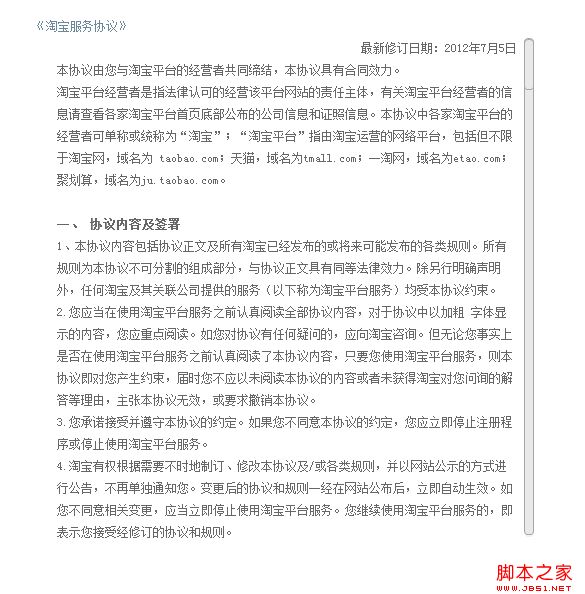
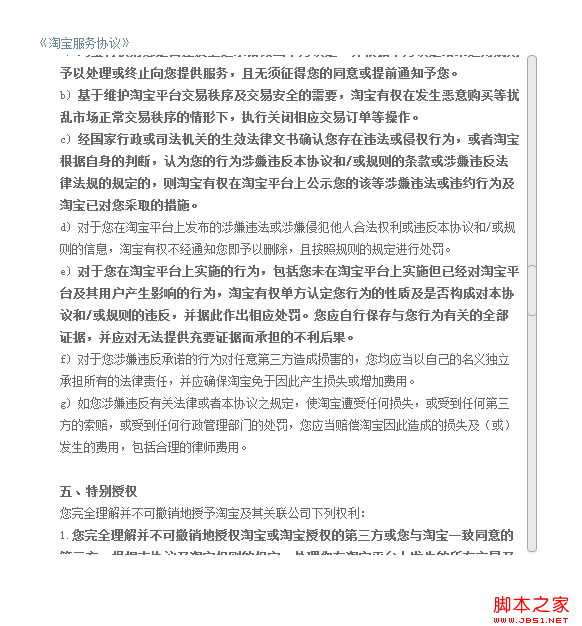
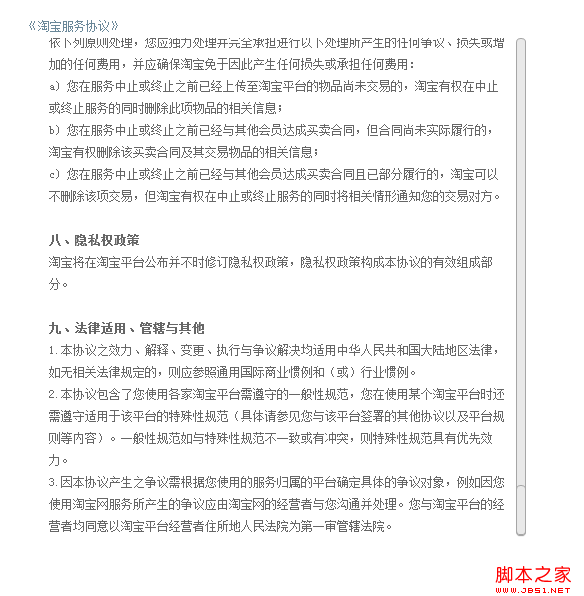
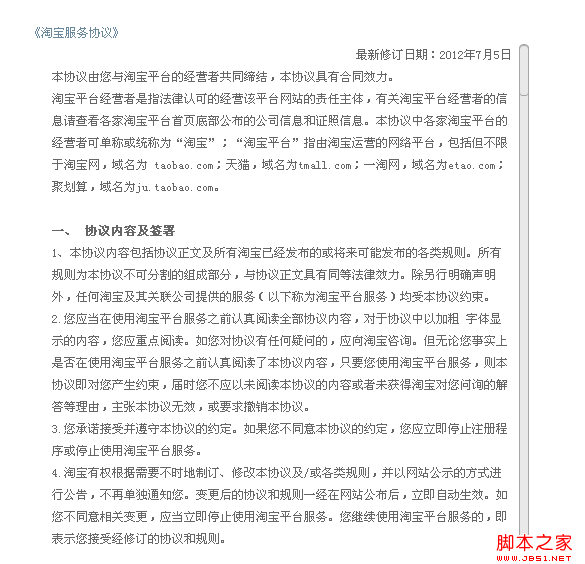
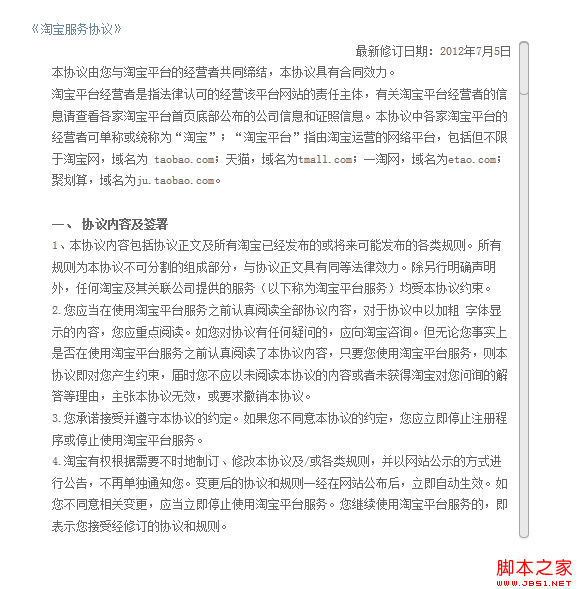
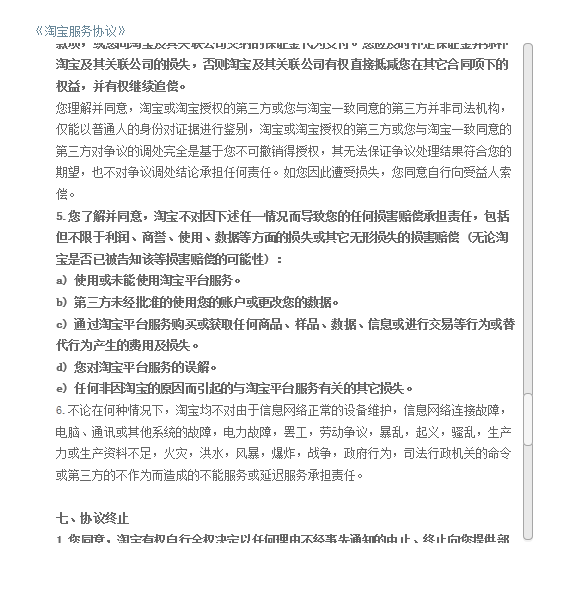
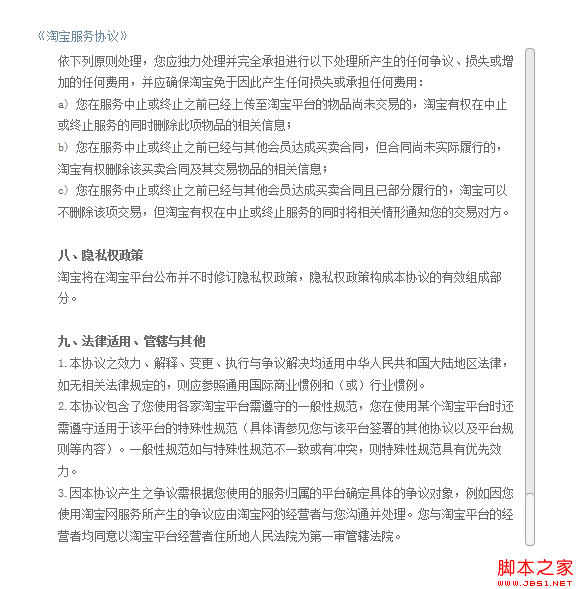
demo 的內容取自淘寶網使用者註冊協議。Firefox、Chrome 等新版瀏覽器的相容性與外觀都沒問題,以下只列 IE 低版本的實測截圖。
IE6:
IE7:
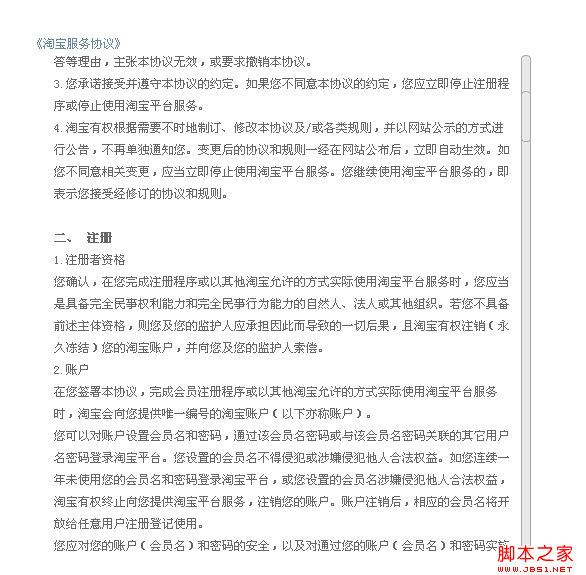
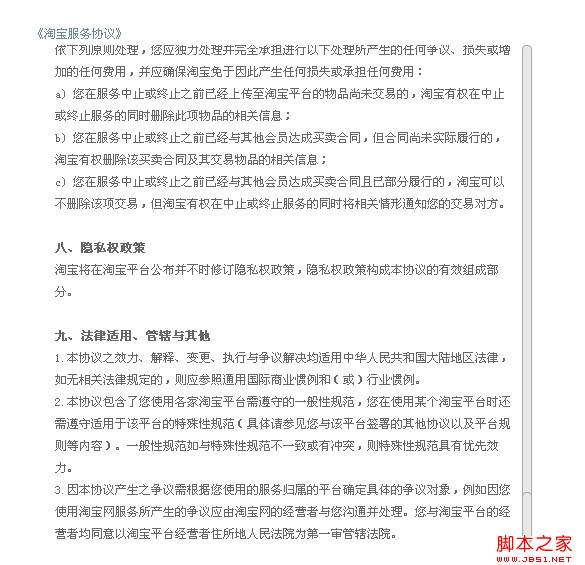
IE9:
總結與注意事項
這個元件牽涉最多的其實是兩件事:位置計算與事件綁定。前者靠 offsetHeight/scrollHeight 的比例換算,後者則要在 mousedown、mousemove、mouseup、mousewheel、keydown 之間維持狀態一致。
使用提醒: PIE.htc 的路徑必須正確,且建議用絕對路徑引用,否則 IE6/7/8 下不會有 CSS3 效果(那麼程式裡為它做的相容處理就白做了)。若要改路徑,請在 jscroll-1.0.css 中調整。
最後要補一句現實:這套元件的價值主要在示範「如何用標準元素完整模擬一個原生控制項」。在今天的專案裡,若只是想美化滾動條,::-webkit-scrollbar 與 Firefox 的 scrollbar-width/scrollbar-color 已經能覆蓋大部分需求,成本遠低於自製;只有在需要高度客製外觀(例如半透明浮動樣式、特殊的拖曳手感)時,才值得走自製這條路,而且務必保留鍵盤操作與 aria 角色標記,別讓無障礙性在美化的過程中流失。