jQuery實現的網格線繪制方法
編輯:關於JavaScript
本文實例講述了jQuery實現的網格線繪制方法。分享給大家供大家參考,具體如下:
效果圖如下:
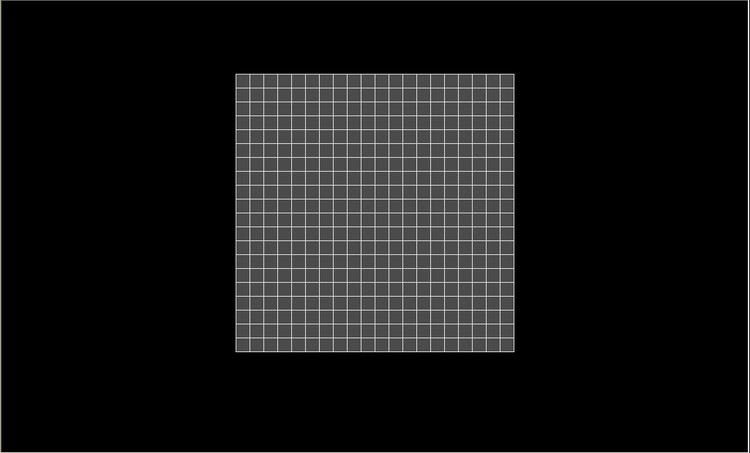
代碼如下:
<!DOCTYPE HTML PUBLIC "-//W3C//DTD HTML 4.01//EN"
"http://www.w3.org/TR/html4/strict.dtd">
<html>
 <head>
 <meta http-equiv="Content-Type" content="text/html; charset=utf-8">
 <title>測試頁面</title>
 <script type ="text/javascript" src='jquery-1.7.2.js'></script>
 <style type = "text/css">
  body{
  background:#000000;
  }
  #fa{
  width:380px;
  height:380px;
  margin:100px auto;
  background:#4b4b4b;
  }
 </style>
 <script type = "text/javascript">
  $(function(){
   var table = document.createElement("table");
   var tbody = document.createElement("tbody");
   table.style.borderCollapse = "collapse";
   for(var i = 0;i<20;i++){
   var tr = document.createElement("tr");
   for(var j = 0;j<20;j++){
    var td = document.createElement("td");
    var text = document.createTextNode("");
    td.style.border = "1px solid #dfdfdf";
    td.style.padding = "9px";
    td.appendChild(text);
    tr.appendChild(td);
   }
   table.appendChild(tr);
   }
   document.getElementById("fa").appendChild(table);
  })
 </script>
 </head>
 <body>
 <input type = "button" value = "測試按鈕" id = "test"/>
 <div id = "fa"></div>
 </body>
</html>
小編推薦
熱門推薦