Vue.js第二天學習筆記(vue-router)
編輯:關於JavaScript
vue中vue-router的使用:
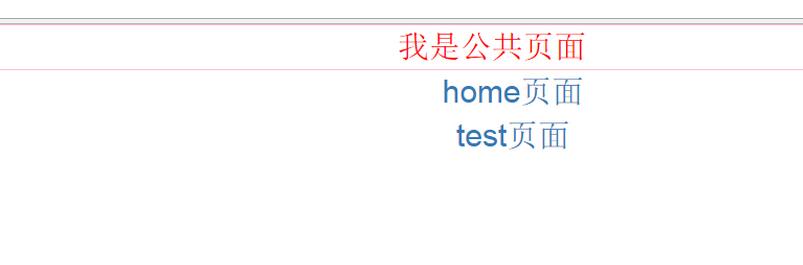
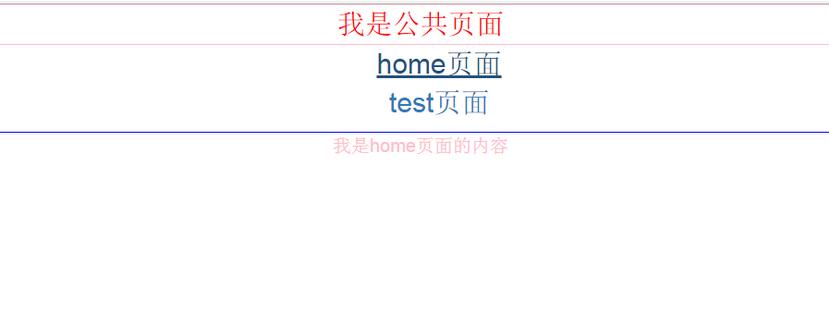

main.js如何配置(es6的寫法):在引用之前記得先 npm 下所需要的vue
import Vue from 'vue'
import App from './App.vue'
import Router from 'vue-router'
import Resource from 'vue-resource'
//import VueTouch from 'vue-touch'
var VueTouch = require('vue-touch')

//引入home頁面
import homepage from './page/home.vue'
//引入test頁面
import test from './page/test.vue'

Vue.use(Router);
Vue.use(Resource);
Vue.use(VueTouch);

var router = new Router({
 abstract: true,
 hashbang: false
});
//實現頁面跳轉
router.map({
 '/home':{
 component:homepage
 },
 '/test':{
 component:test
 },

})

router.start(App, '#app')
// router.go('test'); 默認直接跳轉到 test 頁面
index.html中引入app.vue和build.js
<!DOCTYPE html>
<html>
<head>
 <meta http-equiv="Content-Type" content="text/html; charset=utf-8" />
 <title>vue.js學習筆記(2)</title>
 <link rel="stylesheet" type="text/css" href="style/bootstrap.css">
</head>
<body>
 <!--此處注意加載順序,需要先加載dom在加載js,否則會'Cannot find element: #app'-->
 <div id='app'></div>
 <script src="static/build.js"></script>
</body>
</html>
<style>
body {
}
</style>
app.vue引入router
<template>
<div class='all-container'>
 <div class="public-content">我是公共頁面</div>
 <div class='menu'>
 <ul class="list">
 <li><a v-link='"/home"'>home頁面</a></li>
 <li><a v-link='"/test"'>test頁面</a></li>
 </ul>
 </div>
 <router-view transition='animation' class='container' keep-alive></router-view>
</div>
</template>
home.vue
<template>
<div class="home">
 <div class="htmleaf-content">
 我是home頁面的內容
 </div>
</div>
</template>
test.vue
<template>
<div class="test">
 <div class="test-content">
我是test頁面的內容
</div>
</div>

</template>
最後用webpack 將程序打包.關於webpack大家可以看看
Vue.js——60分鐘webpack項目模板快速入門
webpack主頁
本文已被整理到了《Vue.js前端組件學習教程》,歡迎大家學習閱讀。
以上就是本文的全部內容,希望對大家的學習有所幫助,也希望大家多多支持。
小編推薦
熱門推薦