js+canvas簡單繪制圓圈的方法
編輯:關於JavaScript
本文實例講述了js+canvas簡單繪制圓圈的方法。分享給大家供大家參考,具體如下:
運行效果截圖如下:
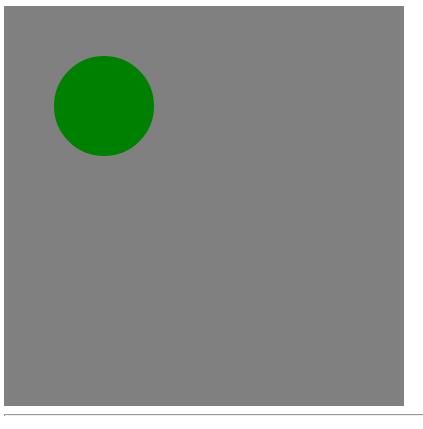
具體代碼如下:
<!DOCTYPE html PUBLIC "-//W3C//DTD XHTML 1.0 Transitional//EN"
"http://www.w3.org/TR/xhtml1/DTD/xhtml1-transitional.dtd">
<html xmlns="http://www.w3.org/1999/xhtml">
<head>
  <title>canvas畫圓圈</title>
  <script type="text/javascript" >
  function drawCircle(id){
    var canvas = document.getElementById(id);
    if(canvas ) {
      var context = canvas.getContext("2d");
      context.fillStyle = "gray";
      context.strokeStyle = "black";
      context.fillRect(0, 0, 400, 400);
      context.beginPath();
      context.arc(100, 100, 50, 0, Math.PI*2, true);
      context.closePath();
      context.fillStyle = "green";
      context.fill();
    } else {
      return;
    }
  }
  window.onload = function () {
    drawCircle("canvas");
  }
  </script>
</head>
<body>
<canvas id="canvas" width="400" style="background:red;" height="400"></canvas>
<hr />
</body>
</html>
更多關於JavaScript相關內容感興趣的讀者可查看本站專題:《JavaScript動畫特效與技巧匯總》及《JavaScript運動效果與技巧匯總》
希望本文所述對大家JavaScript程序設計有所幫助。
- 上一頁:js+canvas繪制矩形的方法
- 下一頁:談一談javascript閉包
小編推薦
熱門推薦