JS實現的鼠標跟隨代碼(卡通手型點擊效果)
編輯:關於JavaScript
本文實例講述了JS實現帶有小手點擊效果的鼠標跟隨代碼。分享給大家供大家參考,具體如下:
一個跟隨鼠標的小手效果,鼠標移在哪裡,小手就跟著移向哪裡,會出現手的效果,放在鏈接上的時候,手會變化,兩只手很可愛哦,JS鼠標跟隨代碼分享與大家。
運行效果截圖如下:
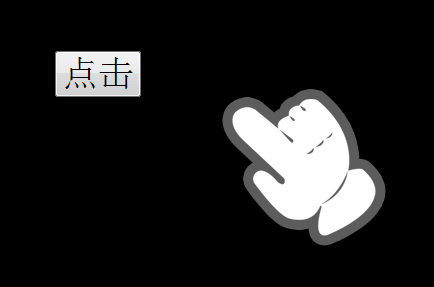
在線演示地址如下:
http://demo.jb51.net/js/2015/js-handle-style-focus-codes/
具體代碼如下:
<!DOCTYPE html PUBLIC "-//W3C//DTD XHTML 1.0 Transitional//EN"
"http://www.w3.org/TR/xhtml1/DTD/xhtml1-transitional.dtd">
<html xmlns="http://www.w3.org/1999/xhtml">
<head>
<meta http-equiv="Content-Type" content="text/html; charset=utf-8" />
<title>可愛的鼠標跟隨</title>
<style>
html{ background:#000;}
body,html,input{ cursor:none;}
body,html{ height:100%;}
#cursor{ position:absolute; left:100px; top:100px; display:block;}
</style>
<script>
 window.onload = function(){
  var oCursor = document.getElementById("cursor");
  document.onmousemove=function (ev){
   var oEvent=ev||event,
    oWidth = document.documentElement.clientWidth,
    oHeight = document.documentElement.clientHeight,
    scrollTop=document.documentElement.scrollTop + oEvent.clientY,
    scrollLeft=document.documentElement.scrollLeft + oEvent.clientX;
   if(scrollTop > oHeight-oCursor.offsetHeight){
    oCursor.style.top = oHeight-oCursor.offsetHeight+'px';
   }else if(scrollTop < 0){
    oCursor.style.top = 0;
   }else{
    oCursor.style.top = scrollTop+'px';
   }
   if(scrollLeft > oWidth-oCursor.offsetWidth){
    oCursor.style.left = oWidth-oCursor.offsetWidth+'px';
   }else{
    oCursor.style.left = scrollLeft+'px';
   }
   document.onmousedown = function(){
    oCursor.innerHTML = "<img src='images/cursor_hover.png' />";
    return false;
   }
   document.onmouseup = function(){
    oCursor.innerHTML = "<img src='images/cursor.png' />";
   }
  };
 }
</script>
</head>
<body>
<div id="cursor"><img src="images/cursor.png" /></div>
<input type="button" style="font-size:36px; margin:100px;" value="點擊" onclick="window.open('http://www.baidu.com')" />
</body>
</html>
希望本文所述對大家JavaScript程序設計有所幫助。
小編推薦
熱門推薦