用 JavaScript 正則表達式匹配中文標點符號的實作教學
編輯:關於JavaScript
在表單驗證、輸入過濾等常見場景中,我們時常需要判斷使用者輸入的字元是否屬於中文標點符號。本文將透過一個完整的範例,帶大家動手實作以 JavaScript 正則表達式辨識中文標點的方法,內容簡潔實用,值得參考。
先來看看實際運行後的效果:
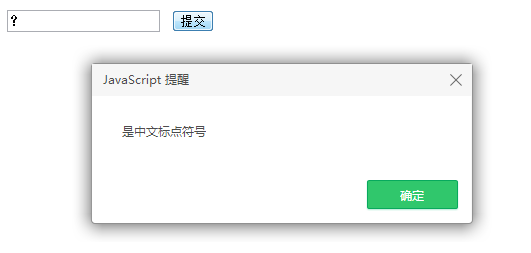
核心思路是利用 Unicode 編碼範圍來撰寫正則,逐一比對中文標點對應的編碼。完整程式碼如下:
<html> <head> <meta http-equiv="content-type" content="text/html;charset=utf-8"> <title>js正則匹配中文標點符號</title> <head> <body> <input type="text" id="textBox" maxlength="1" /> <input type="button" onclick="checkText()" value="提交" /> <script type="text/javascript"> function checkText() { var text = document.getElementById('textBox').value; //匹配這些中文標點符號 。 ? ! , 、 ; : “ ” ‘ ' ( ) 《 》 〈 〉 【 】 『 』 「 」 ﹃ ﹄ 〔 〕 … — ~ ﹏ ¥ var reg = /[\u3002|\uff1f|\uff01|\uff0c|\u3001|\uff1b|\uff1a|\u201c|\u201d|\u2018|\u2019|\uff08|\uff09|\u300a|\u300b|\u3008|\u3009|\u3010|\u3011|\u300e|\u300f|\u300c|\u300d|\ufe43|\ufe44|\u3014|\u3015|\u2026|\u2014|\uff5e|\ufe4f|\uffe5]/; if(reg.test(text)){ alert('是中文標點符號'); }else{ alert('不是中文標點符號'); } } </script> </body> </html>
這段程式透過 reg.test(text) 進行比對,只要輸入內容命中集合中的任一編碼,便會提示為中文標點符號。
補充:兩款好用的正則表達式線上工具
JavaScript 正則表達式線上測試工具:
https://tools.jb51.net/regex/javascript
正則表達式線上產生工具:
https://tools.jb51.net/regex/create_reg
希望本文的分享能對大家在 JavaScript 設計上的實作有所幫助。