JavaScript 動態插入 CSS:建立 style 並新增樣式規則
編輯:關於JavaScript
在撰寫元件時,常會希望把元件相關的 CSS 封裝在 JavaScript 中,讓樣式與行為更集中,也方便動態調整。動態插入 CSS 主要可以分成兩個步驟:建立 style 物件,再透過 stylesheet 的 insertRule 或 addRule 新增規則。
查看 document.styleSheets
開啟開發者工具後,可以看到頁面目前的樣式表。透過 link 標籤引入的 CSS 與 style 標籤內嵌的 CSS,都會出現在 document.styleSheets 中。
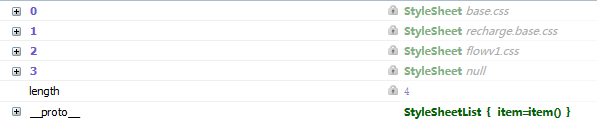
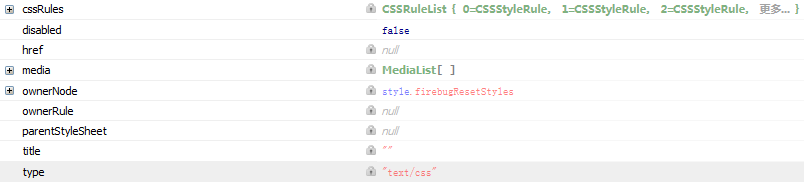
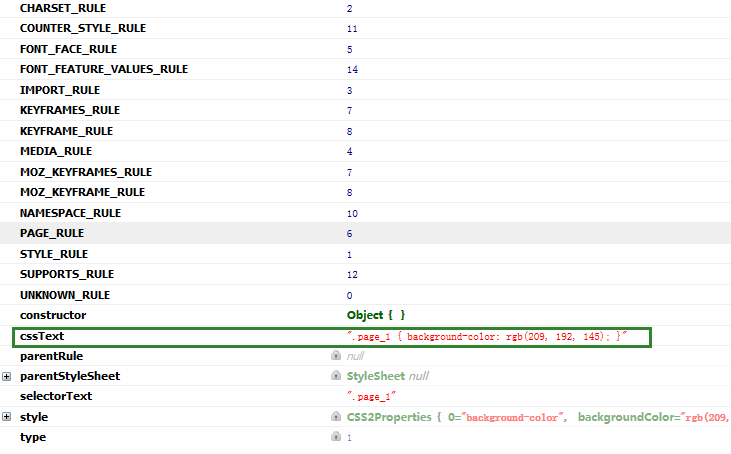
每個樣式表都有若干 cssRule,而其中的 cssText 就是對應的樣式原始碼。
建立 style 物件
function createStyleSheet() {
  var head = document.head || document.getElementsByTagName('head')[0];
  var style = document.createElement('style');
  style.type = 'text/css';
  head.appendChild(style);
  return style.sheet || style.styleSheet;
}
注意:在舊版 IE 中通常使用 style.styleSheet,其他瀏覽器則使用 style.sheet。
新增 CSS 規則
var sheet = createStyleSheet();

function addCssRule(selector, rules, index) {
  index = index || 0;

  if (sheet.insertRule) {
    sheet.insertRule(selector + '{' + rules + '}', index);
  } else if (sheet.addRule) {
    sheet.addRule(selector, rules, index);
  }
}

addCssRule('.box', 'color: red; font-size: 16px;');
標準瀏覽器支援 insertRule,舊版 IE 則使用 addRule。若只需要支援現代瀏覽器或行動裝置,可以簡化相容性判斷。
這種方式很適合元件化開發,能把樣式集中在 JavaScript 邏輯中,讓元件更容易被抽離與重用。
- 上一篇文章: JavaScript 圖片預加載實作:提前載入與尺寸就緒
- 下一篇文章: JavaScript 表單提交與 submit 按鈕的差異分析