js 網頁煙花效果
編輯:JavaScript基礎知識
今天制作了一個網頁煙花效果。
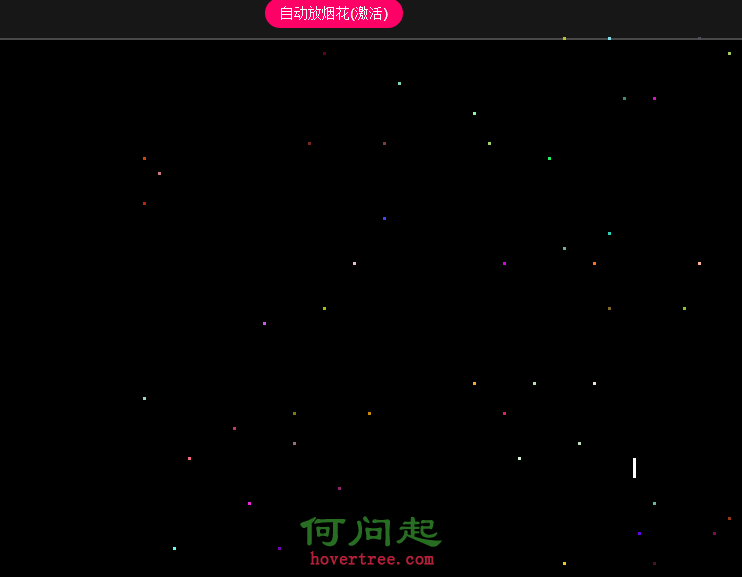
下面是制作思路和基本代碼。
手動釋放煙花:
1)煙花從底部往上飛入
2)煙火飛到目標位置後產生爆炸效果
3)爆炸效果產生多個炮灰
4)炮灰往四周擴散
5)炮灰飛出屏幕後消失
自動煙花:
設置定時器讓其定時釋放。
查看效果 <html>
<head>
<titlt><網頁煙花效果/title>
<meta charset = "utf-8" />
</head>
<body>
<div id="tips">
<a id="auto" href="javascript:;" class="">自動放煙花</a>
</div>
</body>
</html>
<style type="text/css">
    html,body{overflow:hidden;height:100%;}
    body,div,p{margin:0;padding:0;}
    body{background:#000;font:12px/1.5 arial;color:#7A7A7A;}
    a{text-decoration:none;outline:none;}
    #tips,#copyright{position:absolute;width:100%;height:50px;text-align:center;background:#171717;border:2px solid #484848;}
    #tips{top:0;border-width:0 0 2px;}
    #tips a{font:14px/30px arial;color:#FFF;background:#F06;display:inline-block;margin:10px 5px 0;padding:0 15px;border-radius:15px;}
    #tips a.active{background:#FE0000;}
    #copyright{bottom:0;line-height:50px;border-width:2px 0 0;}
    #copyright a{color:#FFF;background:#7A7A7A;padding:2px 5px;border-radius:10px;}
    #copyright a:hover{background:#F90;}
    p{position:absolute;top:55px;width:100%;text-align:center;}
    .fire {
        width: 3px;
        height: 30px;
        background: white;
        position: absolute;top:100%;
    }
    .spark {
        position: absolute;
        width: 3px;
        height: 3px;
    }
</style>
<script src="../common.js"></script>
<script>
    window.onload = function(){

        var win = document.documentElement;
        document.onclick = function(e){
            e = e || window.event;

            fire({x:e.clientX,y:e.clientY});
        }

        // 自動放煙花
        var timer;
        $('#auto').onclick = function(e){
            e = e || window.event;

            // 阻止冒泡
            e.stopPropagation();

            this.autoFire = !this.autoFire;

            if(!this.autoFire) {
                clearInterval(timer);
                this.innerHTML = this.innerHTML.replace('(激活)','');
                return;
            }
            this.innerHTML += '(激活)';
            timer = setInterval(function(){
                var x = getRandomNum(10,win.offsetWidth-10);
                var y = getRandomNum(100,win.offsetHeight-100);
                fire({x:x,y:y});
            },2000);


        }

        // 煙花飛入函數
        function fire(coord){
            // 生成煙花
            var fireworks = document.createElement('div');
            fireworks.className = 'fire';
            fireworks.style.left = coord.x + 'px';
            document.body.appendChild(fireworks);

            // 煙花飛入點擊位置,並改變煙花高度
            animate(fireworks,{top:coord.y,height:3},function(){
                //煙花飛入動畫結束後
                // 清除煙花元素
                document.body.removeChild(fireworks);

                // 爆炸效果
                bomb({x:coord.x,y:coord.y});
            });
        }

        // 爆炸效果函數
        function bomb(coord){
            var num = 50;
            for(var i=0;i<num;i++){
                var _s = new Spark(coord)
                _s.init();
            }
        }


        function Spark(coord){
            // 初始化火花
            this.init = function(){
                var _spark = document.createElement('div');
                _spark.className = 'spark';
                _spark.style.backgroundColor = getRandomColor();
                _spark.style.top = coord.y + 'px';
                _spark.style.left = coord.x + 'px';
                document.body.appendChild(_spark);

                // 保存火花到this
                this.spark = _spark;

                var xSpeed = getRandomNum(-20,20);
                var ySpeed = getRandomNum(-20,20);

                this.move(xSpeed,ySpeed);
            }
        }

        // 火花運動
        Spark.prototype.move = function(xSpeed,ySpeed){
            var self = this;
            var _spark = this.spark;
            this.timer = setInterval(function(){
                _spark.style.top = _spark.offsetTop + ySpeed++ + 'px';
                _spark.style.left = _spark.offsetLeft + xSpeed + 'px';

                // 火花超出屏幕後,清除定時器,並清對應除頁面元素
                if(_spark.offsetTop<0 || _spark.offsetTop > win.offsetHeight || _spark.offsetLeft < 0 || _spark.offsetLeft > win.offsetWidth){
                    clearInterval(self.timer);
                    document.body.removeChild(_spark);
                }
            },20);
        }
    }
</script>
上面的js代碼中我導入了自己封裝外部js文件
一個是獲取隨機顏色,一個是獲取隨機數,另外還有一個是選擇器。
你們測試的時候可以復制進去都只有幾句下面是其代碼:
function $(selector){
if(document.querySelectorAll){
var list = document.querySelectorAll(selector);
// 如果得到的列表只有一個,則直接返回element元素節點
return list.length==1 ? list[0] : list;
}else{
// 判斷selector是否為id
if(/^#document.querySelector\w+/.test(selector)){
return document.getElementById(selector.substring(1));
}
// selector是否為類選擇器
else if(/^\.\w+/.test(selector)){
return document.getElementsByClassName(selector.substring(1));
}else{
return document.getElementsByTagName(selector);
}
}
}
function getRandomNum(min,max){
    return parseInt(Math.random()*(max-min + 1)) + min;
}

/*
    獲取隨機顏色
 */
function getRandomColor(){
    return 'rgb('+ getRandomNum(0,255) + ','+ getRandomNum(0,255) + ','+ getRandomNum(0,255) + ')';
}
小編推薦
熱門推薦