純CSS繪制各種各樣的幾何圖形
編輯:CSS特效代碼
今天在國外的網站上看到了很多看似簡單卻又非常強大的純 CSS 繪制的圖形,裡面有最簡單的矩形、圓形和三角形,也有各種常見的多邊形,甚至是陰陽太極和網站小圖標,真的非常強大,分享給大家。
Square (正方形)

#square {
        width: 100px;
        height: 100px;
        background: red;
}
實際效果:http://hovertree.com/texiao/css3/35/
Rectangle (矩形)

#rectangle {
        width: 200px;
        height: 100px;
        background: red;
}
實際效果:http://hovertree.com/texiao/css3/35/2.htm
Circle (圓形)
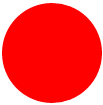
#circle {
        width: 100px;
        height: 100px;
        background: red;
        -moz-border-radius: 50px;
        -webkit-border-radius: 50px;
        border-radius: 50px;
}
/* 可以使用百分比值(大於 50%),但是低版本的 Android 不支持 */
實際效果:http://hovertree.com/texiao/css3/35/3.htm
Oval (橢圓形)
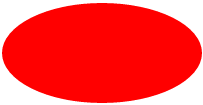
#oval {
        width: 200px;
        height: 100px;
        background: red;
        -moz-border-radius: 100px / 50px;
        -webkit-border-radius: 100px / 50px;
        border-radius: 100px / 50px;
}
/* 可以使用百分比值(大於 50%),但是低版本的 Android 不支持 */
代碼運行實際效果:http://hovertree.com/texiao/css3/35/4.htm
Triangle Up (向上的三角形)
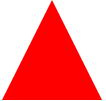
#triangle-up {
        width: 0;
        height: 0;
        border-left: 50px solid transparent;
        border-right: 50px solid transparent;
        border-bottom: 100px solid red;
}
代碼運行實際效果:
http://hovertree.com/texiao/css3/35/5.htm
Triangle Down (向下三角形)
#triangle-down {
        width: 0;
        height: 0;
        border-left: 50px solid transparent;
        border-right: 50px solid transparent;
        border-top: 100px solid red;
}
代碼運行實際效果:
http://hovertree.com/texiao/css3/35/6.htm
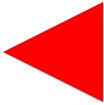
Triangle Left (向左的三角形)
#triangle-left {
        width: 0;
        height: 0;
        border-top: 50px solid transparent;
        border-right: 100px solid red;
        border-bottom: 50px solid transparent;
}
代碼運行實際效果:
http://hovertree.com/texiao/css3/35/7.htm
Triangle Right (向右的三角形)
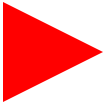
#triangle-right {
        width: 0;
        height: 0;
        border-top: 50px solid transparent;
        border-left: 100px solid red;
        border-bottom: 50px solid transparent;
}
代碼運行實際效果:
http://hovertree.com/texiao/css3/35/8.htm
Triangle Top Left (向左上的三角形)

#triangle-topleft {
        width: 0;
        height: 0;
        border-top: 100px solid red;
        border-right: 100px solid transparent;
}
代碼運行實際效果:
http://hovertree.com/texiao/css3/35/9.htm
Triangle Top Right (向右上的三角形)
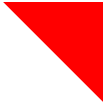
#triangle-topright {
        width: 0;
        height: 0;
        border-top: 100px solid red;
        border-left: 100px solid transparent;
}
代碼運行實際效果:
http://hovertree.com/texiao/css3/35/10.htm
Triangle Bottom Left (向左下的三角形)
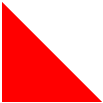
#triangle-bottomleft {
        width: 0;
        height: 0;
        border-bottom: 100px solid red;
        border-right: 100px solid transparent;
}
代碼運行實際效果:
http://hovertree.com/texiao/css3/35/11.htm
Triangle Bottom Right (向右下的三角形)

#triangle-bottomright {
        width: 0;
        height: 0;
        border-bottom: 100px solid red;
        border-left: 100px solid transparent;
}
代碼運行實際效果:
http://hovertree.com/texiao/css3/35/12.htm
Curved Tail Arrow (彎尾箭頭)


#curvedarrow {
        position: relative;
        width: 0;
        height: 0;
        border-top: 9px solid transparent;
        border-right: 9px solid red;
        -webkit-transform: rotate(10deg);
        -moz-transform: rotate(10deg);
        -ms-transform: rotate(10deg);
        -o-transform: rotate(10deg);
}
#curvedarrow:after {
        content: "";
        position: absolute;
        border: 0 solid transparent;
        border-top: 3px solid red;
        border-radius: 20px 0 0 0;
        top: -12px;
        left: -9px;
        width: 12px;
        height: 12px;
        -webkit-transform: rotate(45deg);
        -moz-transform: rotate(45deg);
        -ms-transform: rotate(45deg);
        -o-transform: rotate(45deg);
}
代碼運行實際效果:
http://hovertree.com/texiao/css3/35/13.htm
http://hovertree.com/texiao/css3/35/13b.htm
Trapezoid (梯形)
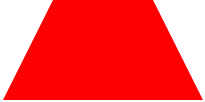
#trapezoid {
        border-bottom: 100px solid red;
        border-left: 50px solid transparent;
        border-right: 50px solid transparent;
        height: 0;
        width: 100px;
}
代碼運行實際效果:
http://hovertree.com/texiao/css3/35/14.htm
Parallelogram (平行四邊形)

#parallelogram {
        width: 150px;
        height: 100px;
        -webkit-transform: skew(20deg);
        -moz-transform: skew(20deg);
        -o-transform: skew(20deg);
        background: red;
}
代碼運行實際效果:
http://hovertree.com/texiao/css3/35/15.htm
Star (6-points)(六角星)

#star-six {
        width: 0;
        height: 0;
        border-left: 50px solid transparent;
        border-right: 50px solid transparent;
        border-bottom: 100px solid red;
        position: relative;
}
#star-six:after {
        width: 0;
        height: 0;
        border-left: 50px solid transparent;
        border-right: 50px solid transparent;
        border-top: 100px solid red;
        position: absolute;
        content: "";
        top: 30px;
        left: -50px;
}
代碼運行實際效果:
http://hovertree.com/texiao/css3/35/16.htm
Star (5-points)(五角星)

#star-five {
        margin: 50px 0;
        position: relative;
        display: block;
        color: red;
        width: 0px;
        height: 0px;
        border-right:  100px solid transparent;
        border-bottom: 70px  solid red;
        border-left:   100px solid transparent;
        -moz-transform:    rotate(35deg);
        -webkit-transform: rotate(35deg);
        -ms-transform:     rotate(35deg);
        -o-transform:      rotate(35deg);
}
#star-five:before {
        border-bottom: 80px solid red;
        border-left: 30px solid transparent;
        border-right: 30px solid transparent;
        position: absolute;
        height: 0;
        width: 0;
        top: -45px;
        left: -65px;
        display: block;
        content: '';
        -webkit-transform: rotate(-35deg);
        -moz-transform:    rotate(-35deg);
        -ms-transform:     rotate(-35deg);
        -o-transform:      rotate(-35deg);
}
#star-five:after {
        position: absolute;
        display: block;
        color: red;
        top: 3px;
        left: -105px;
        width: 0px;
        height: 0px;
        border-right: 100px solid transparent;
        border-bottom: 70px solid red;
        border-left: 100px solid transparent;
        -webkit-transform: rotate(-70deg);
        -moz-transform:    rotate(-70deg);
        -ms-transform:     rotate(-70deg);
        -o-transform:      rotate(-70deg);
        content: '';
}
代碼運行實際效果:
http://hovertree.com/texiao/css3/35/17.htm
Pentagon (五邊形)

#pentagon {
        position: relative;
        width: 54px;
        border-width: 50px 18px 0;
        border-style: solid;
        border-color: red transparent;
}
#pentagon:before {
        content: "";
        position: absolute;
        height: 0;
        width: 0;
        top: -85px;
        left: -18px;
        border-width: 0 45px 35px;
        border-style: solid;
        border-color: transparent transparent red;
}
代碼運行實際效果:
http://hovertree.com/texiao/css3/35/18.htm
Hexagon (六邊形)

#hexagon {
        width: 100px;
        height: 55px;
        background: red;
        position: relative;
}
#hexagon:before {
        content: "";
        position: absolute;
        top: -25px;
        left: 0;
        width: 0;
        height: 0;
        border-left: 50px solid transparent;
        border-right: 50px solid transparent;
        border-bottom: 25px solid red;
}
#hexagon:after {
        content: "";
        position: absolute;
        bottom: -25px;
        left: 0;
        width: 0;
        height: 0;
        border-left: 50px solid transparent;
        border-right: 50px solid transparent;
        border-top: 25px solid red;
}
代碼運行實際效果:
http://hovertree.com/texiao/css3/35/19.htm
Octagon (八邊形)
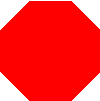
#octagon {
        width: 100px;
        height: 100px;
        background: red;
        position: relative;
}
#octagon:before {
        content: "";
        position: absolute;
        top: 0;
        left: 0;
        border-bottom: 29px solid red;
        border-left: 29px solid #fff;
        border-right: 29px solid #fff;
        width: 42px;
        height: 0;
}
#octagon:after {
        content: "";
        position: absolute;
        bottom: 0;
        left: 0;
        border-top: 29px solid red;
        border-left: 29px solid #fff;
        border-right: 29px solid #fff;
        width: 42px;
        height: 0;
}
代碼運行實際效果:
http://hovertree.com/texiao/css3/35/20.htm
Heart (心形)

#heart {
        position: relative;
        width: 100px;
        height: 90px;
}
#heart:before,
#heart:after {
        position: absolute;
        content: "";
        left: 50px;
        top: 0;
        width: 50px;
        height: 80px;
        background: red;
        -moz-border-radius: 50px 50px 0 0;
        border-radius: 50px 50px 0 0;
        -webkit-transform: rotate(-45deg);
        -moz-transform: rotate(-45deg);
        -ms-transform: rotate(-45deg);
        -o-transform: rotate(-45deg);
        transform: rotate(-45deg);
        -webkit-transform-origin: 0 100%;
        -moz-transform-origin: 0 100%;
        -ms-transform-origin: 0 100%;
        -o-transform-origin: 0 100%;
        transform-origin: 0 100%;
}
#heart:after {
        left: 0;
        -webkit-transform: rotate(45deg);
        -moz-transform: rotate(45deg);
        -ms-transform: rotate(45deg);
        -o-transform: rotate(45deg);
        transform: rotate(45deg);
        -webkit-transform-origin: 100% 100%;
        -moz-transform-origin: 100% 100%;
        -ms-transform-origin: 100% 100%;
        -o-transform-origin: 100% 100%;
        transform-origin :100% 100%;
}
代碼運行實際效果:
http://hovertree.com/texiao/css3/35/21.htm
Infinity (無限符圖形)

#infinity {
        position: relative;
        width: 212px;
        height: 100px;
}
#infinity:before,
#infinity:after {
        content: "";
        position: absolute;
        top: 0;
        left: 0;
        width: 60px;
        height: 60px;
        border: 20px solid red;
        -moz-border-radius: 50px 50px 0 50px;
        border-radius: 50px 50px 0 50px;
        -webkit-transform: rotate(-45deg);
        -moz-transform: rotate(-45deg);
        -ms-transform: rotate(-45deg);
        -o-transform: rotate(-45deg);
        transform: rotate(-45deg);
}
#infinity:after {
        left: auto;
        right: 0;
        -moz-border-radius: 50px 50px 50px 0;
        border-radius: 50px 50px 50px 0;
        -webkit-transform: rotate(45deg);
        -moz-transform: rotate(45deg);
        -ms-transform: rotate(45deg);
        -o-transform: rotate(45deg);
        transform: rotate(45deg);
}
代碼運行實際效果:
http://hovertree.com/texiao/css3/35/22.htm
Diamond Square (菱形)
#diamond {
        width: 0;
        height: 0;
        border: 50px solid transparent;
        border-bottom-color: red;
        position: relative;
        top: -50px;
}
#diamond:after {
        content: '';
        position: absolute;
        left: -50px;
        top: 50px;
        width: 0;
        height: 0;
        border: 50px solid transparent;
        border-top-color: red;
}
代碼運行實際效果:
http://hovertree.com/texiao/css3/35/23.htm
Diamond Shield(鑽石盾牌)
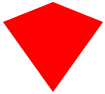
#diamond-shield {
        width: 0;
        height: 0;
        border: 50px solid transparent;
        border-bottom: 20px solid red;
        position: relative;
        top: -50px;
}
#diamond-shield:after {
        content: '';
        position: absolute;
        left: -50px; top: 20px;
        width: 0;
        height: 0;
        border: 50px solid transparent;
        border-top: 70px solid red;
}
代碼運行實際效果:
http://hovertree.com/texiao/css3/35/24.htm
Diamond Narrow

#diamond-narrow {
        width: 0;
        height: 0;
        border: 50px solid transparent;
        border-bottom: 70px solid red;
        position: relative;
        top: -50px;
}
#diamond-narrow:after {
        content: '';
        position: absolute;
        left: -50px; top: 70px;
        width: 0;
        height: 0;
        border: 50px solid transparent;
        border-top: 70px solid red;
}
代碼運行實際效果:
http://hovertree.com/texiao/css3/35/25.htm
Cut Diamond (鑽石形)
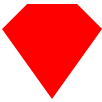
#cut-diamond {
        border-style: solid;
        border-color: transparent transparent red transparent;
        border-width: 0 25px 25px 25px;
        height: 0;
        width: 50px;
        position: relative;
        margin: 20px 0 50px 0;
}
#cut-diamond:after {
        content: "";
        position: absolute;
        top: 25px;
        left: -25px;
        width: 0;
        height: 0;
        border-style: solid;
        border-color: red transparent transparent transparent;
        border-width: 70px 50px 0 50px;
}
代碼運行實際效果:
http://hovertree.com/texiao/css3/35/26.htm
Egg (雞蛋)
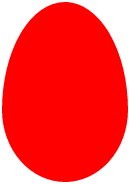
#egg {
        display:block;
        width: 126px;
        height: 180px;
        background-color: red;
        -webkit-border-radius: 63px 63px 63px 63px / 108px 108px 72px 72px;
        border-radius:         50%  50%  50%  50%  / 60%   60%   40%  40%;
}
代碼運行實際效果:
http://hovertree.com/texiao/css3/35/27.htm
Pac-Man (吃豆人)
#pacman {
        width: 0px;
        height: 0px;
        border-right: 60px solid transparent;
        border-top: 60px solid red;
        border-left: 60px solid red;
        border-bottom: 60px solid red;
        border-top-left-radius: 60px;
        border-top-right-radius: 60px;
        border-bottom-left-radius: 60px;
        border-bottom-right-radius: 60px;
}
代碼運行實際效果:
http://hovertree.com/texiao/css3/35/28.htm
Talk Bubble(聊天框)

#talkbubble {
        width: 120px;
        height: 80px;
        background: red;
        position: relative;
        -moz-border-radius:    10px;
        -webkit-border-radius: 10px;
        border-radius:         10px;
}
#talkbubble:before {
        content:"";
        position: absolute;
        right: 100%;
        top: 26px;
        width: 0;
        height: 0;
        border-top: 13px solid transparent;
        border-right: 26px solid red;
        border-bottom: 13px solid transparent;
}
代碼運行實際效果:
http://hovertree.com/texiao/css3/35/29.htm
12 Point Burst(爆炸形狀)

#burst-12 {
        background: red;
        width: 80px;
        height: 80px;
        position: relative;
        text-align: center;
}
#burst-12:before, #burst-12:after {
        content: "";
        position: absolute;
        top: 0;
        left: 0;
        height: 80px;
        width: 80px;
        background: red;
}
#burst-12:before {
        -webkit-transform: rotate(30deg);
        -moz-transform: rotate(30deg);
        -ms-transform: rotate(30deg);
        -o-transform: rotate(30deg);
}
#burst-12:after {
        -webkit-transform: rotate(60deg);
        -moz-transform: rotate(60deg);
        -ms-transform: rotate(60deg);
        -o-transform: rotate(60deg);
}
代碼運行實際效果:
http://hovertree.com/texiao/css3/35/30.htm
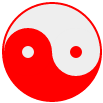
Yin Yang (陰陽八卦)
#yin-yang {
        width: 96px;
        height: 48px;
        background: #eee;
        border-color: red;
        border-style: solid;
        border-width: 2px 2px 50px 2px;
        border-radius: 100%;
        position: relative;
}
#yin-yang:before {
        content: "";
        position: absolute;
        top: 50%;
        left: 0;
        background: #eee;
        border: 18px solid red;
        border-radius: 100%;
        width: 12px;
        height: 12px;
}
#yin-yang:after {
        content: "";
        position: absolute;
        top: 50%;
        left: 50%;
        background: red;
        border: 18px solid #eee;
        border-radius:100%;
        width: 12px;
        height: 12px;
}
代碼運行實際效果:
http://hovertree.com/texiao/css3/35/31.htm
Badge Ribbon (徽章絲帶)

#badge-ribbon {
        position: relative;
        background: red;
        height: 100px;
        width: 100px;
        -moz-border-radius:    50px;
        -webkit-border-radius: 50px;
        border-radius:         50px;
}
#badge-ribbon:before,
#badge-ribbon:after {
        content: '';
        position: absolute;
        border-bottom: 70px solid red;
        border-left: 40px solid transparent;
        border-right: 40px solid transparent;
        top: 70px;
        left: -10px;
        -webkit-transform: rotate(-140deg);
        -moz-transform:    rotate(-140deg);
        -ms-transform:     rotate(-140deg);
        -o-transform:      rotate(-140deg);
}
#badge-ribbon:after {
        left: auto;
        right: -10px;
        -webkit-transform: rotate(140deg);
        -moz-transform:    rotate(140deg);
        -ms-transform:     rotate(140deg);
        -o-transform:      rotate(140deg);
}
代碼運行實際效果:
http://hovertree.com/texiao/css3/35/32.htm
Space Invader(太空入侵者)
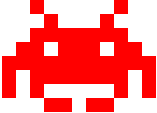
#space-invader{
        box-shadow:
        0 0 0 1em red,
        0 1em 0 1em red,
    -2.5em 1.5em 0 .5em red,
        2.5em 1.5em 0 .5em red,
    -3em -3em 0 0 red,
        3em -3em 0 0 red,
    -2em -2em 0 0 red,
        2em -2em 0 0 red,
    -3em -1em 0 0 red,
    -2em -1em 0 0 red,
        2em -1em 0 0 red,
        3em -1em 0 0 red,
    -4em 0 0 0 red,
    -3em 0 0 0 red,
        3em 0 0 0 red,
        4em 0 0 0 red,
    -5em 1em 0 0 red,
    -4em 1em 0 0 red,
        4em 1em 0 0 red,
        5em 1em 0 0 red,
    -5em 2em 0 0 red,
        5em 2em 0 0 red,
    -5em 3em 0 0 red,
    -3em 3em 0 0 red,
        3em 3em 0 0 red,
        5em 3em 0 0 red,
    -2em 4em 0 0 red,
    -1em 4em 0 0 red,
        1em 4em 0 0 red,
        2em 4em 0 0 red;
        background: red;
        width: 1em;
        height: 1em;
        overflow: hidden;
        margin: 50px 0 70px 65px;
  }
代碼運行實際效果:
http://hovertree.com/texiao/css3/35/33.htm
TV Screen(電視屏幕)

#tv {
        position: relative;
        width: 200px;
        height: 150px;
        margin: 20px 0;
        background: red;
        border-radius: 50% / 10%;
        color: white;
        text-align: center;
        text-indent: .1em;
}
#tv:before {
        content: '';
        position: absolute;
        top: 10%;
        bottom: 10%;
        right: -5%;
        left: -5%;
        background: inherit;
        border-radius: 5% / 50%;
}
代碼運行實際效果:
http://hovertree.com/texiao/css3/35/34.htm
Chevron(雪佛龍)
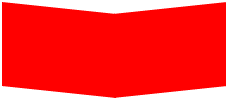
#chevron {
        position: relative;
        text-align: center;
        padding: 12px;
        margin-bottom: 6px;
        height: 60px;
        width: 200px;
}
#chevron:before {
        content: '';
        position: absolute;
        top: 0;
        left: 0;
        height: 100%;
        width: 51%;
        background: red;
        -webkit-transform: skew(0deg, 6deg);
        -moz-transform: skew(0deg, 6deg);
        -ms-transform: skew(0deg, 6deg);
        -o-transform: skew(0deg, 6deg);
        transform: skew(0deg, 6deg);
}
#chevron:after {
        content: '';
        position: absolute;
        top: 0;
        right: 0;
        height: 100%;
        width: 50%;
        background: red;
        -webkit-transform: skew(0deg, -6deg);
        -moz-transform: skew(0deg, -6deg);
        -ms-transform: skew(0deg, -6deg);
        -o-transform: skew(0deg, -6deg);
        transform: skew(0deg, -6deg);
}
代碼運行實際效果:
http://hovertree.com/texiao/css3/35/35.htm
Magnifying Glass(放大鏡)

#magnifying-glass{
        font-size: 10em; /* This controls the size. */
        display: inline-block;
        width: 0.4em;
        height: 0.4em;
        border: 0.1em solid red;
        position: relative;
        border-radius: 0.35em;
}
#magnifying-glass::before{
        content: "";
        display: inline-block;
        position: absolute;
        right: -0.25em;
        bottom: -0.1em;
        border-width: 0;
        background: red;
        width: 0.35em;
        height: 0.08em;
        -webkit-transform: rotate(45deg);
        -moz-transform: rotate(45deg);
        -ms-transform: rotate(45deg);
        -o-transform: rotate(45deg);
}
代碼運行實際效果:
http://hovertree.com/texiao/css3/35/36.htm
Facebook Icon(Facebook 圖標)
#facebook-icon {
        background: red;
        text-indent: -999em;
        width: 100px;
        height: 110px;
        border-radius: 5px;
        position: relative;
        overflow: hidden;
        border: 15px solid red;
        border-bottom: 0;
}
#facebook-icon::before {
        content: "/20";
        position: absolute;
        background: red;
        width: 40px;
        height: 90px;
        bottom: -30px;
        right: -37px;
        border: 20px solid #eee;
        border-radius: 25px;
}
#facebook-icon::after {
        content: "/20";
        position: absolute;
        width: 55px;
        top: 50px;
        height: 20px;
        background: #eee;
        right: 5px;
}
代碼運行實際效果:
http://hovertree.com/texiao/css3/35/37.htm
何問起圖標(HoverTreeLogo)

<!DOCTYPE html>
<html>
<head>
    <meta http-equiv="Content-Type" content="text/html; charset=utf-8" />
    <meta name="viewport" content="width=device-width, initial-scale=1" />
    <title>CSS畫圖之何問起Logo_何問起</title>
    <base target="_blank" />
    <meta charset="utf-8" />
<style>
#hovertreelogo {
position: relative;
font-size: 72px;
text-align: center;
width: 76px;
height: 76px;
color: #34a853;
font-family: Arial;
margin:20px;
}
#hovertreesmile {
position:absolute;
color: #fbbc05;
font-size: 76px;
transform: rotate(90deg);
width: 76px;
height: 76px;
top:46px;
left:14px;
font-family:'Times New Roman', Times, serif
}

#hovertreelogo:before {
content: 'h';
position: absolute;
right: 46px;
width: 76px;
height: 76px;
color: #ea4335;
font-family: Arial;
top: 12px;
transform: rotate(0deg);
font-size:66px;
}
#hovertreelogo:after {
content: '↑';
position: absolute;
left: 58px;
width: 66px;
height: 66px;
color: #4285f4;
font-family: Arial;
transform: rotate(30deg);
top: 10px;
font-size:60px;
}

a {
color: blue;
}
body {
margin: 40px;
}
</style>
</head>
<body>
    <div id="hovertreelogo">?<div id="hovertreesmile">)</div></div>
    <br />
    上面是使用CSS模擬的何問起LOGO,下面是原圖。
    <br /><br />
    <img src="http://hovertree.comhttps://divcss.yunyiwangluo.com/divcssbuju/UploadFiles_7251/201612/2016122916551662.png" alt="logo" />
    <br />
    <a href="http://hovertree.com/h/bjaf/jtkqnsc1.htm">原文</a> <a href="http://hovertree.com">首頁</a> <a href="http://hovertree.com/menu/texiao/">更多特效</a>
</body>
</html>
代碼運行實際效果:
http://hovertree.com/texiao/css3/35/hovertreelogo.htm
手機掃描二維碼查看效果:

Cone (圓錐形)
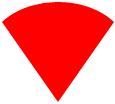
#cone {
        width: 0;
        height: 0;
        border-left: 70px solid transparent;
        border-right: 70px solid transparent;
        border-top: 100px solid red;
        -moz-border-radius: 50%;
        -webkit-border-radius: 50%;
        border-radius: 50%;
}
代碼運行實際效果:
http://hovertree.com/texiao/css3/35/38.htm
Moon (月亮)

#moon {
        width: 80px;
        height: 80px;
        border-radius: 50%;
        box-shadow: 15px 15px 0 0 red;
}
代碼運行實際效果:
http://hovertree.com/texiao/css3/35/39.htm
Cross(十字架)

#cross {
        background: red;
        height: 100px;
        position: relative;
        width: 20px;
}
#cross:after {
        background: red;
        content: "";
        height: 20px;
        left: -40px;
        position: absolute;
        top: 40px;
        width: 100px;
}
代碼運行實際效果:
http://hovertree.com/texiao/css3/35/40.htm
以上就是純 CSS 繪制的各種圖形,感受到 CSS 的強大了。
- 上一頁:原來css中的border還可以這樣玩
- 下一頁:CSS制作翻牌特效
小編推薦
熱門推薦