DIV+CSS 讓浮動元素在容器內垂直居中
編輯:布局實例
場景:在一個固定高度的 DIV 中,有一個浮動的元素,希望將它垂直居中。
原始代碼如下:
<!DOCTYPE html>
<html>
<head>
<title></title>
<style type="text/css">
.wrapper{
  width: 400px;
  height: 300px;
  background-color: #1f8dd6;
}
button{
  float: right;
  display: inline-block;
  height: 50px;
  width: 100px;
  line-height: 50px;
}
</style>
</head>
<body>
<div class="wrapper">
  <button>float right.</button>
</div>
</body>
</html>
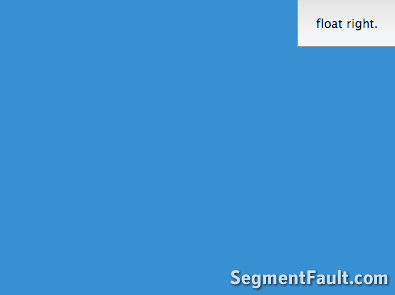
此時 button 只是單純浮動到右側,並未垂直居中:
我的做法是在 button 外層包一個 span,改成浮動這個 span,並讓 span 的高與行高都與外層 DIV 相同:
span{
  float: right;
  height: 300px;
  line-height: 300px;
}
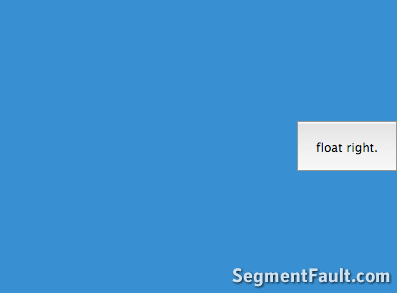
調整後效果如下:
完整代碼:
<!DOCTYPE html>
<html>
<head>
<title></title>
<style type="text/css">
.wrapper{
  width: 400px;
  height: 300px;
  background-color: #1f8dd6;
}
span{
  float: right;
  height: 300px;
  line-height: 300px;
}
button{
  float: right;
  display: inline-block;
  height: 50px;
  width: 100px;
  line-height: 50px;
}
</style>
</head>
<body>
<div class="wrapper">
  <span>
    <button>float right.</button>
  </span>
</div>
</body>
</html>- 上一篇文章: DIV+CSS 垂直居中的五種經典實現方法
- 下一篇文章: 優化 CSS 渲染性能的實用寫法