background-attachment 基礎:讓背景圖固定不動
編輯:關於CSS
background-attachment 是 CSS 中用來控制背景圖滾動行為的屬性。它決定背景圖片是跟隨元素一起滾動,還是固定在原地不動。
屬性說明
語法:
background-attachment: scroll | fixed;
說明:這個屬性只有兩個取值。
- scroll — 背景圖像隨對象滾動而滾動,是默認選項
- fixed — 背景圖像固定在頁面不動,只有其他內容隨滾動條滾動
(較新的規範還補充了 local 值,用於處理元素自身可滾動的場景,本文聚焦最常用的兩個。)
示例
<!DOCTYPE html>
<html xmlns="https://www.w3.org/1999/xhtml">
<head>
<title></title>
<style type="text/css">
#div1 {
  width: 160px;
  height: 1200px;
  border: 1px solid gray;
  background-image: url("cartoongirl.gif");
  background-repeat: no-repeat;
  background-attachment: fixed;
}
</style>
</head>
<body>
<div id="div1"></div>
</body>
</html>
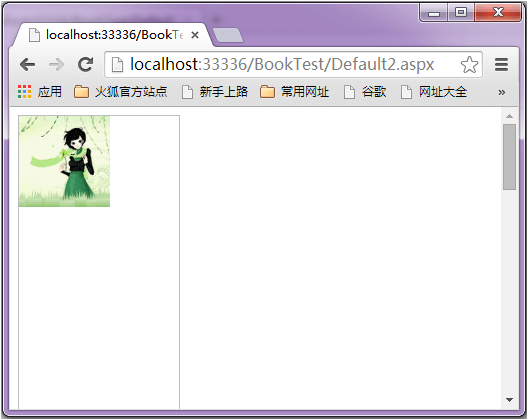
在瀏覽器中預覽效果如下:
效果分析
在瀏覽器中拖動右側的滾動條會發現,背景圖片在頁面中固定不動,而 div 本身則隨頁面向上滾走。把 background-attachment 改回 scroll,背景就會跟著元素一起離開視區。
一個兼容性坑
在 IE 或 360 瀏覽器中,設置了 background-attachment: fixed 之後如果再設置 background-position,可能導致圖片無法正常顯示。建議在 Chrome、Firefox 中做交叉驗證。
典型應用場景
fixed 最常見的用法是製作視差滾動(parallax)效果——讓背景相對於前景內容以不同速度移動,營造出縱深感。經典寫法是給首屏加一個全屏背景並設置 fixed:
.hero {
  height: 100vh;
  background-image: url(bg.jpg);
  background-size: cover;
  background-position: center;
  background-attachment: fixed;
}
需要注意,background-attachment: fixed 在 iOS Safari 上支持不佳(會出現縮放異常),移動端通常需要改用 position: fixed 的偽元素或 translate3d 方案來替代。