HTML5 Canvas 彩色小球碰撞運動特效(可切換背景色)
編輯:網頁特效代碼
這是一個以 Canvas 搭配物件導向思維寫成的小球動畫:上百顆彩色小球在畫布中各自以不同速度飛行,撞到邊界就反彈,而且還能一鍵切換背景主題。
效果預覽
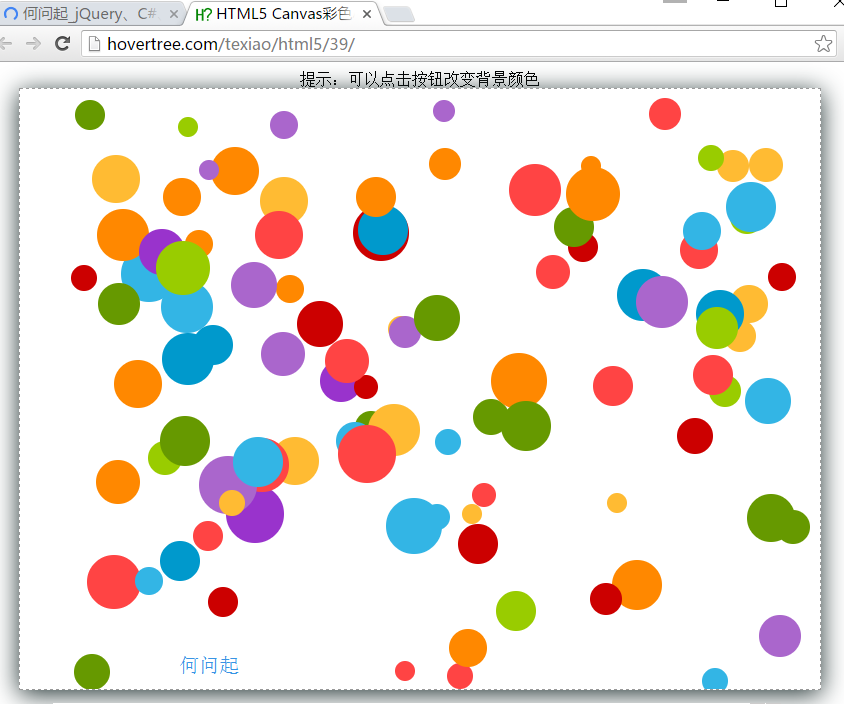
實作思路
每顆球都被抽象成一個 Ball 物件,屬性包含半徑、顏色、目前座標、速度以及控制正反向的兩個旗標。移動行為掛在 Ball.prototype.moveBall 上,每次呼叫就重繪一次位置;當座標超出畫布可視範圍減去半徑的瞬間,旗標翻轉,速度方向隨之反向,這就是碰撞的判定方式。
主流程用 setInterval 每 30 毫秒清空畫布並重繪全部 100 顆球,藉此形成連續動畫。背景色切換則直接改動 canvas 元素的 style.backgroundColor,在深色與淺色之間來回切換。
核心程式碼
<style>
#hovertreeball {
    border: 1px dashed #999;
    box-shadow: 0px 4px 40px #233;
    background: black;
}
</style>

<canvas id="hovertreeball" width="800" height="600"></canvas>
<button id="hovertreechange">改變背景顏色</button>
var canvas = document.getElementById("hovertreeball");
var context = canvas.getContext("2d");
var maxWidth = canvas.width, maxHeight = canvas.height;
var colors = ["#33B5E5","#0099CC","#AA66CC","#9933CC","#99CC00",
"#669900","#FFBB33","#FF8800","#FF4444","#CC0000"];
function random(min, max) {
return Math.floor(Math.random() * (max - min) + min);
}
function Ball() {
this.a = true; this.b = true;
this.r = random(10, 30);
this.ballColor = { color: colors[Math.floor(Math.random() * colors.length)] };
this.vx = random(30, maxWidth - 30);
this.vy = random(30, maxHeight - 30);
this.ispeed = random(1, 10);
this.ispeed2 = random(1, 10);
}
Ball.prototype.moveBall = function () {
context.beginPath();
if (this.a) { this.vx += this.ispeed; if (this.vx >= maxWidth - this.r) this.a = false; }
else { this.vx -= this.ispeed; if (this.vx <= this.r) this.a = true; }
if (this.b) { this.vy += this.ispeed2; if (this.vy >= maxHeight - this.r) this.b = false; }
else { this.vy -= this.ispeed2; if (this.vy <= this.r) this.b = true; }
context.fillStyle = this.ballColor.color;
context.arc(this.vx, this.vy, this.r, 0, Math.PI * 2, false);
context.fill();
};
var Aball = [];
for (var i = 0; i < 100; i++) { Aball[i] = new Ball(); }
setInterval(function () {
context.clearRect(0, 0, canvas.width, canvas.height);
for (var i = 0; i < 100; i++) { Aball[i].moveBall(); }
}, 30);
function hovertreecolor() {
canvas.style.backgroundColor =
(canvas.style.backgroundColor != "white") ? "white" : "black";
}可延伸的方向
目前的版本只處理了球與邊界的碰撞,球與球之間並不會互相影響。若想再進一步,可以加入兩球距離判斷與速度交換的邏輯,畫面會更接近真實的物理碰撞。
適用瀏覽器:360、FireFox、Chrome、Safari、Opera、傲游、搜狗、世界之窗;不支援 IE8 及以下版本。
- 上一篇文章: grumble.js:可自訂任意角度的氣泡提示框
- 下一篇文章: jQuery 可關閉、可重播的泰山壓頂廣告效果