TinyEditor:輕量級所見即所得 HTML 編輯器
編輯:HTML和Xhtml
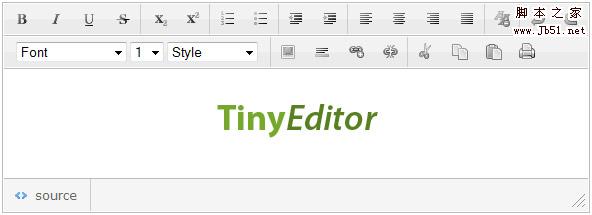
TinyEditor 特色
- 使用 JavaScript 編寫,不依賴其他類庫。
- 輕量級,調用檔案約 8KB。
- 可處理常見 HTML 格式化需求,輸出標記相對簡潔。
- 使用 CSS Sprite 減少 HTTP 請求。
- 支援主流瀏覽器,可用於個人或商業專案。
基本用法
先建立 textarea:
<textarea id="input" style="width:400px; height:200px"></textarea>再初始化編輯器:
new TINY.editor.edit('editor', {
  id: 'input',
  width: 584,
  height: 175,
  cssclass: 'te',
  controlclass: 'tecontrol',
  rowclass: 'teheader',
  dividerclass: 'tedivider',
  controls: ['bold', 'italic', 'underline', 'strikethrough', '|', 'subscript', 'superscript', '|', 'orderedlist', 'unorderedlist', '|', 'outdent', 'indent', '|', 'leftalign', 'centeralign', 'rightalign', 'blockjustify', '|', 'unformat', '|', 'undo', 'redo', 'n', 'font', 'size', 'style', '|', 'image', 'hr', 'link', 'unlink', '|', 'cut', 'copy', 'paste', 'print'],
  footer: true,
  fonts: ['Verdana', 'Arial', 'Georgia', 'Trebuchet MS'],
  xhtml: true,
  cssfile: 'style.css',
  content: 'starting content',
  css: 'body{background-color:#ccc}',
  bodyid: 'editor',
  footerclass: 'tefooter',
  toggle: { text: '源代碼', activetext: '可視化', cssclass: 'toggle' },
  resize: { cssclass: 'resize' }
});
提交前注意
送出表單前,應先呼叫 instance.post(),確保編輯區中的可視化內容已轉換為標記文字。TinyEditor 設定高度可配置,適合需要輕量所見即所得輸入的後台或簡易編輯場景。
線上範例:https://sandbox.leigeber.com/tinyeditor/