HTML 遮罩層實作教學:打造 Loading 提示與模態視窗
編輯:HTML和Xhtml
在 Web 頁面開發中,遮罩層(Overlay)是一項非常實用的技巧。它最常見的用途有兩個:一是防止使用者重複點擊或操作,同時顯示 Loading 動畫提示資料正在處理中;二是作為模態視窗(Modal)的背景,讓彈出的內容更加聚焦。
實作思路
核心做法其實很單純:用一個 DIV 鋪滿整個頁面作為半透明遮罩層,再用另一個 DIV 承載 Loading 的 GIF 動圖並置中顯示。以下範例除了示範基本的顯示與隱藏,還示範了如何從 iframe 子頁面呼叫父視窗的遮罩層函式。
index.html
<!DOCTYPE html>
<html lang="zh-CN">
<head>
  <meta charset="utf-8">
  <title>HTML遮罩層</title>
  <link rel="stylesheet" href="css/index.css">
</head>
<body>
  <div class="header" id="header">
    <div class="title-outer"><span class="title">HTML遮罩層使用</span></div>
  </div>
  <div class="body" id="body">
    <iframe id="iframeRight" name="iframeRight" width="100%" height="100%"
      scrolling="no" frameborder="0" onload="rightIFrameLoad(this)"
      src="body.html"></iframe>
  </div>
  <!-- 遮罩層 DIV -->
  <div id="overlay" class="overlay"></div>
  <!-- Loading 提示 DIV -->
  <div id="loadingTip" class="loading-tip"><img src="images/loading.gif" /></div>
  <!-- 模擬模態窗口 DIV -->
  <div class="modal" id="modalDiv"></div>
  <script type="text/javascript" src="js/jquery-1.10.2.js"></script>
  <script type="text/javascript" src="js/index.js"></script>
</body>
</html>
index.css
* { margin: 0; padding: 0; }
html, body { width: 100%; height: 100%; font-size: 14px; }
div.header { width: 100%; height: 100px; border-bottom: 1px dashed blue; }
.overlay {
  position: absolute; top: 0px; left: 0px; z-index: 10001;
  display: none; filter: alpha(opacity=60);
  background-color: #777; opacity: 0.5; -moz-opacity: 0.5;
}
.loading-tip { z-index: 10002; position: fixed; display: none; }
.loading-tip img { width: 100px; height: 100px; }
.modal {
  position: absolute; width: 600px; height: 360px;
  border: 1px solid rgba(0, 0, 0, 0.2);
  box-shadow: 0px 3px 9px rgba(0, 0, 0, 0.5);
  display: none; z-index: 10003; border-radius: 6px;
}
index.js
// 瀏覽器相容:取得視窗可視區高度
function getWindowInnerHeight() {
  return window.innerHeight
    || (document.documentElement && document.documentElement.clientHeight)
    || (document.body && document.body.clientHeight);
}
// 瀏覽器相容:取得視窗可視區寬度
function getWindowInnerWidth() {
  return window.innerWidth
    || (document.documentElement && document.documentElement.clientWidth)
    || (document.body && document.body.clientWidth);
}
// 顯示遮罩層
function showOverlay() {
  $('.overlay').css({'height': $(document).height(), 'width': $(document).width()});
  $('.overlay').show();
}
// 顯示 Loading 提示
function showLoading() {
  showOverlay();
  $("#loadingTip").css('top', (getWindowInnerHeight() - $("#loadingTip").height()) / 2 + 'px');
  $("#loadingTip").css('left', (getWindowInnerWidth() - $("#loadingTip").width()) / 2 + 'px');
  $("#loadingTip").show();
}
// 隱藏 Loading 提示
function hideLoading() {
  $('.overlay').hide();
  $("#loadingTip").hide();
}
// 模擬彈出模態窗口
function showModal(innerHtml) {
  var dialog = $('#modalDiv');
  dialog.html(innerHtml);
  dialog.css({
    'top': (getWindowInnerHeight() - dialog.height()) / 2 + 'px',
    'left': (getWindowInnerWidth() - dialog.width()) / 2 + 'px'
  });
  dialog.find('.btn-close').click(function () { closeModal(); });
  showOverlay();
  dialog.show();
}
// 關閉模態窗口
function closeModal() {
  $('.overlay').hide();
  $('#modalDiv').hide();
  $('#modalDiv').html('');
}
body.html(iframe 子頁面)
子頁面透過 window.top 呼叫父視窗的方法,即可共用同一組遮罩層:
<script type="text/javascript">
function showOverlay() {
  window.top.window.showLoading();       // 呼叫父視窗顯示 Loading
  setTimeout(function () {
    window.top.window.hideLoading();     // 3 秒後模擬關閉
  }, 3000);
}
function showModal() {
  window.top.showModal($('#modalContent').html()); // 呼叫父視窗彈出模態框
}
</script>
運行結果
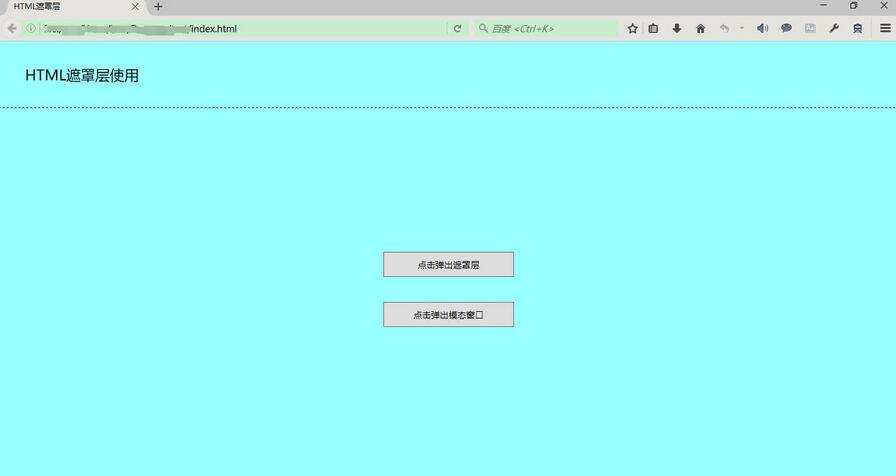
初始化畫面:
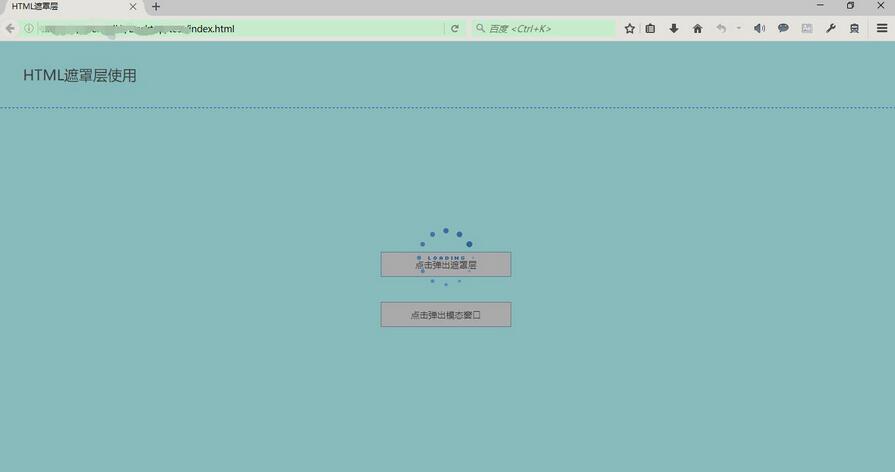
顯示遮罩層與 Loading 提示:
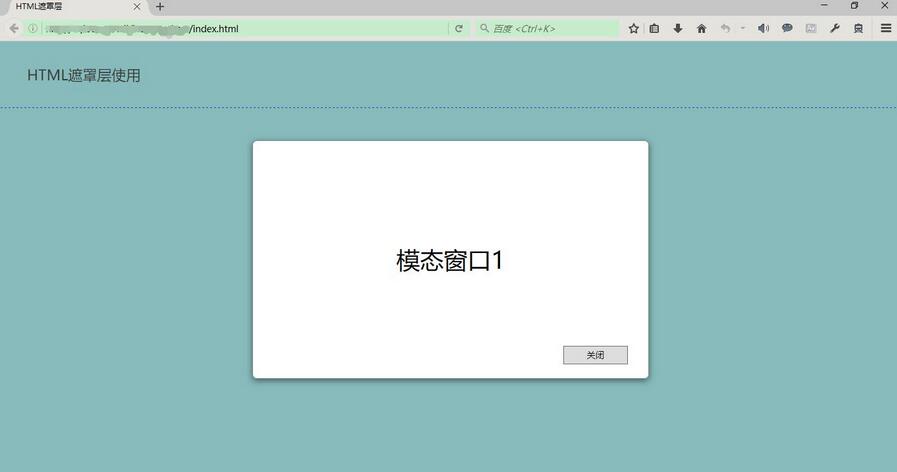
顯示遮罩層並彈出模態視窗:
以上就是本文的全部內容,希望對大家的學習有所幫助。
相關文章
-
window.showModalDialog 模態視窗用法完整解析 12 個經典的 Lightbox 彈出層方案比較:從 Thickbox 到 LITBox JS 關閉模態視窗後自動刷新父頁面的做法 jQuery UI Dialog 對話框用法完整指南 window.showModalDialog 回傳值的取得與常見問題 showModalDialog 模態視窗:概念、參數與父子視窗互動 純 CSS 加少量 JS 打造可拖曳的模態視窗 JQueryDialog:可拖曳的 JavaScript 模態視窗完整解析 jQuery 居中彈出層實作:Panel、Overlay 與通用對話框封裝 用 jQuery 實作 overlay 遮罩層:單例模式與 ajax 全域錯誤處理