用 HTML 與 CSS 打造簡潔美觀的登入頁面
編輯:HTML和Xhtml
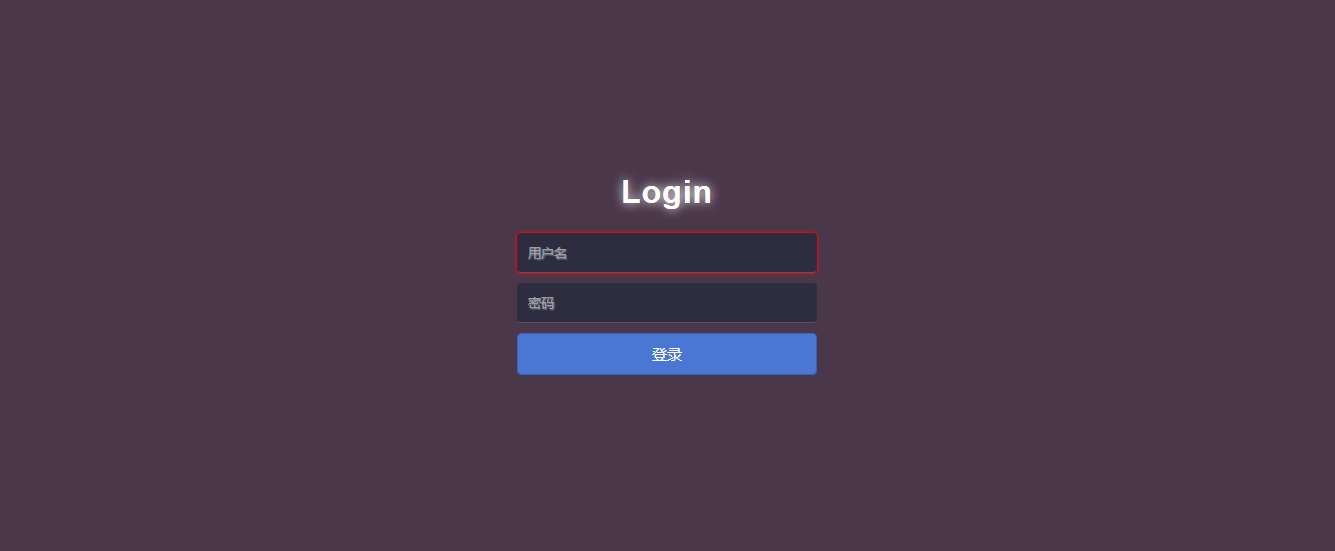
一個好的登入頁面,往往就是使用者對網站的第一印象。本文用純 HTML 加上一點 CSS,就能做出一個簡潔又帶有質感的登入表單。先來看看成品:
HTML 結構
<!DOCTYPE html>
<html lang="en">
<head>
  <meta charset="UTF-8">
  <title>Login</title>
  <link rel="stylesheet" type="text/css" href="Login.css"/>
</head>
<body>
  <div id="login">
    <h1>Login</h1>
    <form method="post">
      <input type="text" required="required" placeholder="用戶名" name="u">
      <input type="password" required="required" placeholder="密碼" name="p">
      <button class="but" type="submit">登錄</button>
    </form>
  </div>
</body>
</html>
CSS 樣式
html { width: 100%; height: 100%; overflow: hidden; }
body {
  width: 100%; height: 100%;
  font-family: 'Open Sans', sans-serif;
  margin: 0; background-color: #4A374A;
}
#login {
  position: absolute; top: 50%; left: 50%;
  margin: -150px 0 0 -150px;
  width: 300px; height: 300px;
}
#login h1 {
  color: #fff; text-shadow: 0 0 10px;
  letter-spacing: 1px; text-align: center;
}
input {
  width: 278px; height: 18px; margin-bottom: 10px;
  outline: none; padding: 10px; font-size: 13px; color: #fff;
  text-shadow: 1px 1px 1px;
  border-top: 1px solid #312E3D; border-left: 1px solid #312E3D;
  border-right: 1px solid #312E3D; border-bottom: 1px solid #56536A;
  border-radius: 4px; background-color: #2D2D3F;
}
.but {
  width: 300px; min-height: 20px; display: block;
  background-color: #4a77d4; border: 1px solid #3762bc;
  color: #fff; padding: 9px 14px; font-size: 15px;
  line-height: normal; border-radius: 5px; margin: 0;
}
重點:placeholder 屬性
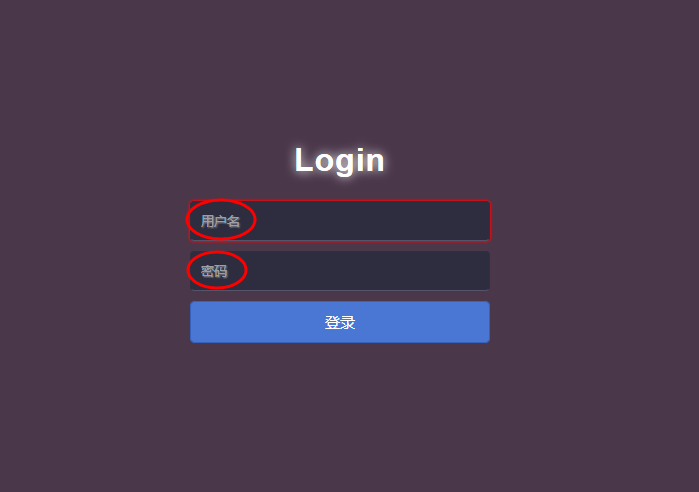
表單中的 placeholder="用戶名" 與 placeholder="密碼" 是關鍵,它的作用是「占位提示文字」——當輸入框為空時顯示灰色提示,一旦開始輸入便自動消失,能讓表單更親切易用。
以上就是本文的全部內容,希望對大家的學習有所幫助。