本文分享一個用原生 JavaScript 結合 HTML5 Canvas 製作的彈跳小球動畫,畫面中是一隻可愛的小飛龍在彩色邊框內不斷彈跳。感興趣的小伙伴可以動手試試。
演示地址:https://runjs.cn/detail/yjpvqhal
整個效果的核心是:定義一個帶漸變色的方形區域作為球場,讓小球在邊界內運動,並在撞到邊框時反轉速度分量,從而實現反彈。碰撞檢測通過判斷小球的下一個位置是否越界來完成。
<html> <head> <meta charset="utf-8"/> <title>小飛龍的跳球</title> </head> <body onload="init()"> <canvas id="game" width="400" height="400" style="border:1px solid #c3c3c3"> 你的瀏覽器不支持 html5 的畫布元素,請升級到 IE9+ 或使用 firefox、chrome 這類高級的瀏覽器! </canvas> <script> var canvas = document.getElementById('game'); var ctx = canvas.getContext('2d'); var grad; var box = {x:20,y:20,w:350,h:350,r:20}; var inbox = { bx:(box.w+box.x-box.r), by:(box.h+box.y-box.r), ix:box.x+(box.r*2), iy:box.y+(box.r*2) }; var ball = {x:50,y:50,vx:4,vy:8}; var img = new Image(); img.src = 'images/qiuqiu.png'; var hue = [[255,0,0],[255,255,0],[0,255,0],[0,255,255],[0,0,255],[255,0,0]]; function init(){ grad = ctx.createLinearGradient(box.x,box.y,box.w,box.h); for(var i=0;i<hue.length;i++){ var color = 'rgb('+hue[i][0]+','+hue[i][1]+','+hue[i][2]+')'; grad.addColorStop(i/hue.length,color); } ctx.lineWidth = box.r; ctx.fillStyle = grad; moveBall(); setInterval(moveBall,50); } function moveBallEndCheck(){ var nx = ball.x + ball.vx; var ny = ball.y + ball.vy; if(nx > inbox.bx){ ball.vx = -ball.vx; nx = inbox.bx; } if(nx < inbox.ix){ nx = inbox.ix; ball.vx = -ball.vx; } if(ny > inbox.by){ ny = inbox.by; ball.vy = -ball.vy; } if(ny < inbox.iy){ ny = inbox.iy; ball.vy = -ball.vy; } ball.x = nx; ball.y = ny; } function moveBall(){ ctx.clearRect(box.x,box.y,box.w,box.h); moveBallEndCheck(); ctx.beginPath(); ctx.drawImage(img,(ball.x-box.r),(ball.y-box.r)); ctx.fillRect(box.x,box.y,box.r,box.h); ctx.fillRect((box.x+box.w-box.r),box.y,box.r,box.h); ctx.fillRect(box.x,box.y,box.w,box.r); ctx.fillRect(box.x,(box.y+box.h-box.r),box.w,box.r); ctx.closePath(); ctx.fill(); } </script> </body> </html>
演示圖片
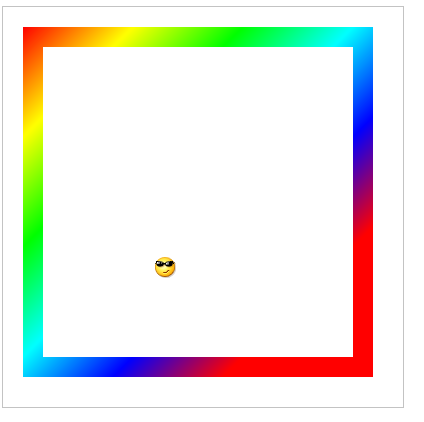
這段代碼的關鍵在於 moveBallEndCheck() 中的碰撞檢測邏輯:預先算下一步位置,若超出右/左/下/上邊界就對應翻轉 vx 或 vy 並把坐標修正到邊界上。配合 setInterval 定時重繪,就能看到小球不停地四處彈跳。掌握這個思路後,你還可以加入重力、多球碰撞等更豐富的效果。
- 上一篇文章: 解決 phpMyAdmin 導入時"文件大小超出 PHP 限制"的問題
- 下一篇文章: 用 JavaScript 實現瀏覽器全屏與退出全屏