JavaScript 拖曳功能除錯:從雛形到可用的完整修正過程
編輯:關於JavaScript
本文接續拖曳雛形,逐一解決實作中會遇到的幾個實際問題。
出發點:雛形程式
<script type="text/javascript">
window.onload = function() {
  var oDiv = document.getElementById("div1");
  var disX = 0, disY = 0;
  oDiv.onmousedown = function(ev) {
    var oEvent = ev || event;
    disX = oEvent.clientX - oDiv.offsetLeft;
    disY = oEvent.clientY - oDiv.offsetTop;
    oDiv.onmousemove = function(ev) {
      var oEvent = ev || event;
      oDiv.style.left = oEvent.clientX - disX + 'px';
      oDiv.style.top  = oEvent.clientY - disY + 'px';
    };
    oDiv.onmouseup = function() {
      oDiv.onmousemove = null;
      oDiv.onmouseup = null;
    };
  };
};
</script>
問題一:滑鼠移動太快時元素脫離控制
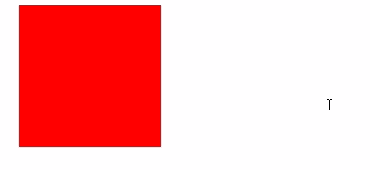
原因很直接:mousemove 是綁在 div 上的,一旦游標移出 div 範圍,事件就不再觸發。
解法是把 mousemove 掛到 document 上——不論游標移到哪裡,都仍在頁面內,事件必然會觸發:
document.onmousemove = function(ev) {
  var oEvent = ev || event;
  oDiv.style.left = oEvent.clientX - disX + 'px';
  oDiv.style.top  = oEvent.clientY - disY + 'px';
};
oDiv.onmouseup = function() {
  document.onmousemove = null;
  oDiv.onmouseup = null;
};
問題二:在 div 外放開滑鼠後仍會黏著移動
這其實是同一個問題的另一面:mouseup 也綁在 div 上,游標在外頭放開時它根本不觸發,於是 mousemove 一直沒被清掉。把 mouseup 一起搬到 document 即可:
document.onmouseup = function() {
  document.onmousemove = null;
  document.onmouseup = null;
};
問題三:低版本 Firefox 出現拖影
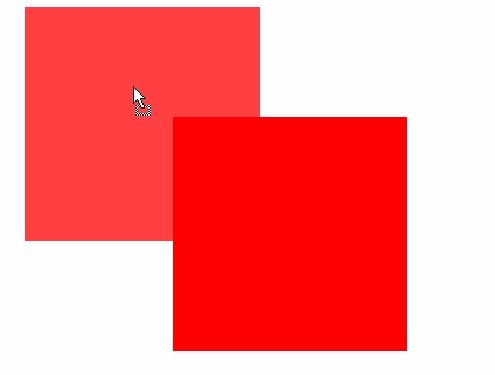
第一次拖曳正常,第二次按住移動時會出現一道殘影。原因是舊版 Firefox 對空的 div 拖曳有 bug,若 div 內有內容就正常:
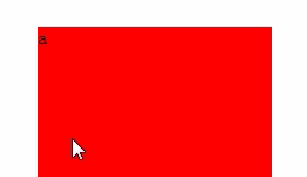
解法是在 onmousedown 中加上 return false; 阻止瀏覽器預設行為。之所以加在 mousedown,是因為拖曳是從滑鼠按下那一刻開始的:
oDiv.onmousedown = function(ev) {
  // ...
  return false;   // 阻擋預設行為,順便解決 Firefox 的 bug
};
問題四:元素會被拖出可視範圍
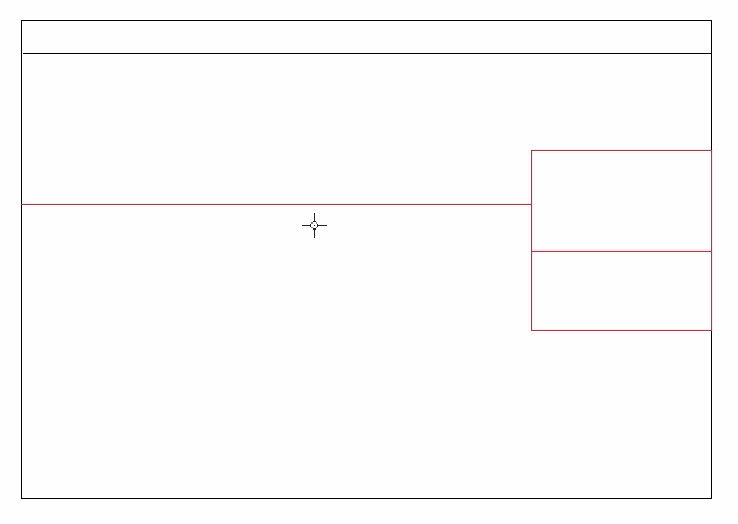
左、上兩側很單純:小於 0 就歸零。右、下兩側則要用「視窗尺寸減去元素尺寸」算出上限,超過就等於上限。
完整修正版
<script type="text/javascript">
// 拖曳空 div,低版本 Firefox 有 bug,靠 return false 繞過
window.onload = function() {
  var oDiv = document.getElementById("div1");
  var disX = 0, disY = 0;

  oDiv.onmousedown = function(ev) {
    var oEvent = ev || event;
    disX = oEvent.clientX - oDiv.offsetLeft;
    disY = oEvent.clientY - oDiv.offsetTop;

    document.onmousemove = function(ev) {
      var oEvent = ev || event;
      var oDivLeft = oEvent.clientX - disX;
      var oDivTop  = oEvent.clientY - disY;

      if (oDivLeft < 0) {
        oDivLeft = 0;
      } else if (oDivLeft > document.documentElement.clientWidth - oDiv.offsetWidth) {
        oDivLeft = document.documentElement.clientWidth - oDiv.offsetWidth;
      }
      if (oDivTop < 0) {
        oDivTop = 0;
      } else if (oDivTop > document.documentElement.clientHeight - oDiv.offsetHeight) {
        oDivTop = document.documentElement.clientHeight - oDiv.offsetHeight;
      }

      oDiv.style.left = oDivLeft + 'px';
      oDiv.style.top  = oDivTop  + 'px';
    };

    document.onmouseup = function() {
      document.onmousemove = null;
      document.onmouseup = null;
    };

    return false;   // 阻擋預設事件,解決 Firefox 的 bug
  };
};
</script>
到這裡,拖曳在功能層面已經相當完整了。若要再加上邊界吸附或限制在特定容器內,只需沿用同样的邊界判斷邏輯,把參照物件從 document 換成容器元素即可。