主頁面中的兩個 iframe 實現鼠標拖動改變大小
編輯:關於JavaScript
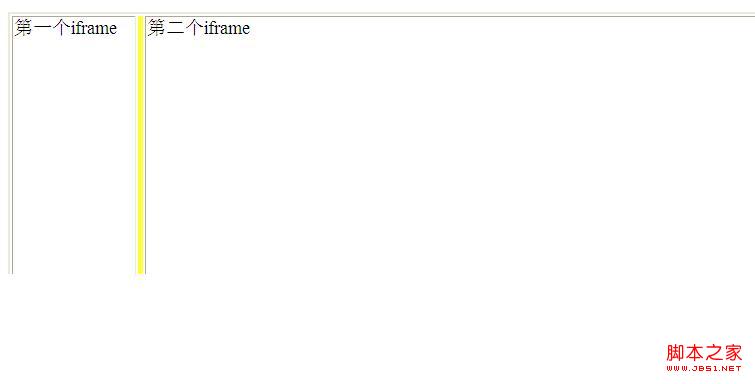
本例示範如何在一個主頁面中並排放置兩個 iframe,並透過拖動中間的分隔條來動態調整左右兩側的寬度。
關鍵在於中間那個狹窄的分隔單元格,它綁定了 mousedown、mousemove、mouseup 三個事件:
<style type="text/css">
.resizeDivClass{
    width:3px;
    margin:0px 0 0px 0;
    background:#ffff33;
    border:5px;
    cursor:e-resize;
}
</style>
<script type="text/javascript" language="javascript">
var mousedown = false;
var aaa;
function down() {
    mousedown = true;
    aaa = event.clientX - td1.offsetWidth;
    event.srcElement.setCapture();
}
function move() {
    if(mousedown == true){
        td1.style.width = Math.max(1, event.clientX - aaa);
    }
}
function up() {
    event.srcElement.releaseCapture();
    mousedown = false;
}
</script>
頁面結構用一個表格分三欄,中間那欄就是可拖動的分隔條:
<table width="100%" height="100%">
<tr>
    <td id="td1">
        第一個iframe
        <iframe style="WIDTH: 100%; HEIGHT: 100%" src="" frameBorder="0"></iframe>
    </td>
    <td class="resizeDivClass"
        onmousedown="down()" onmousemove="move()" onmouseup="up()">
    </td>
    <td>
        第二個iframe
        <iframe style="WIDTH: 100%; HEIGHT: 100%" src="" frameBorder="0"></iframe>
    </td>
</tr>
</table>
核心邏輯是:按下時用 setCapture 捕獲鼠標並記錄起始偏移量,拖動時根據鼠標當前位置重算左側 td 的寬度(用 Math.max(1, ...) 保證至少有 1 像素),放開時釋放捕獲並重置狀態。
- 上一篇文章: js 實現頁面彈出蒙板的簡單實用技巧
- 下一篇文章: 拖動 table 標題實現改變 td 大小(css + js 代碼)