解決 iframe 內 Bootstrap 模態框無法覆蓋整個頁面的問題
編輯:JavaScript技巧
這幾天做專案時頁面用到了 iframe,結果在子頁面呼叫 Bootstrap 模態框時發現:彈窗是以子頁面為基準居中的,遮罩層也只蓋住子頁面那一塊,整體視覺效果相當糟糕。於是想著能不能讓模態框改以父頁面為基準彈出,上網查了資料之後,整理出一種可行的解法。
效果對比
修改前:
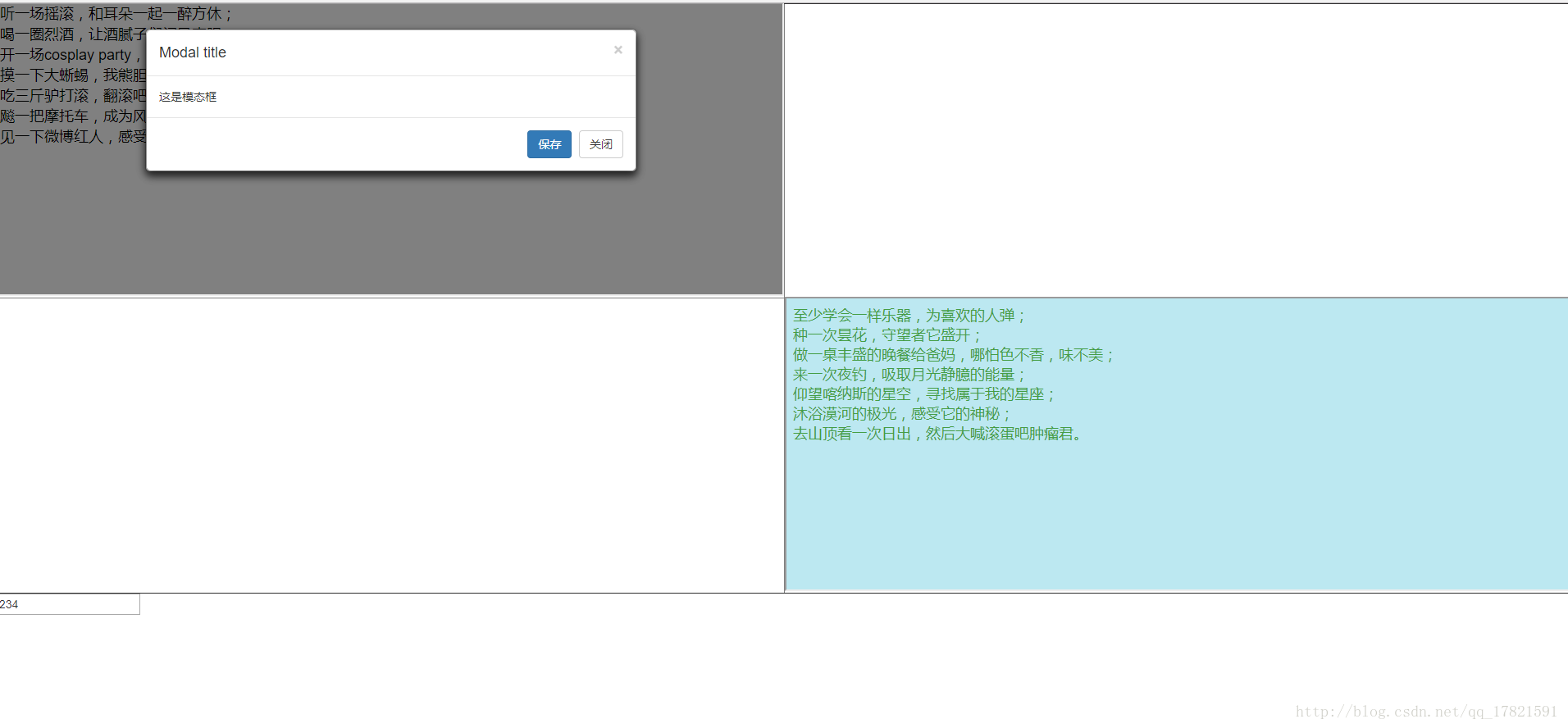
修改後:
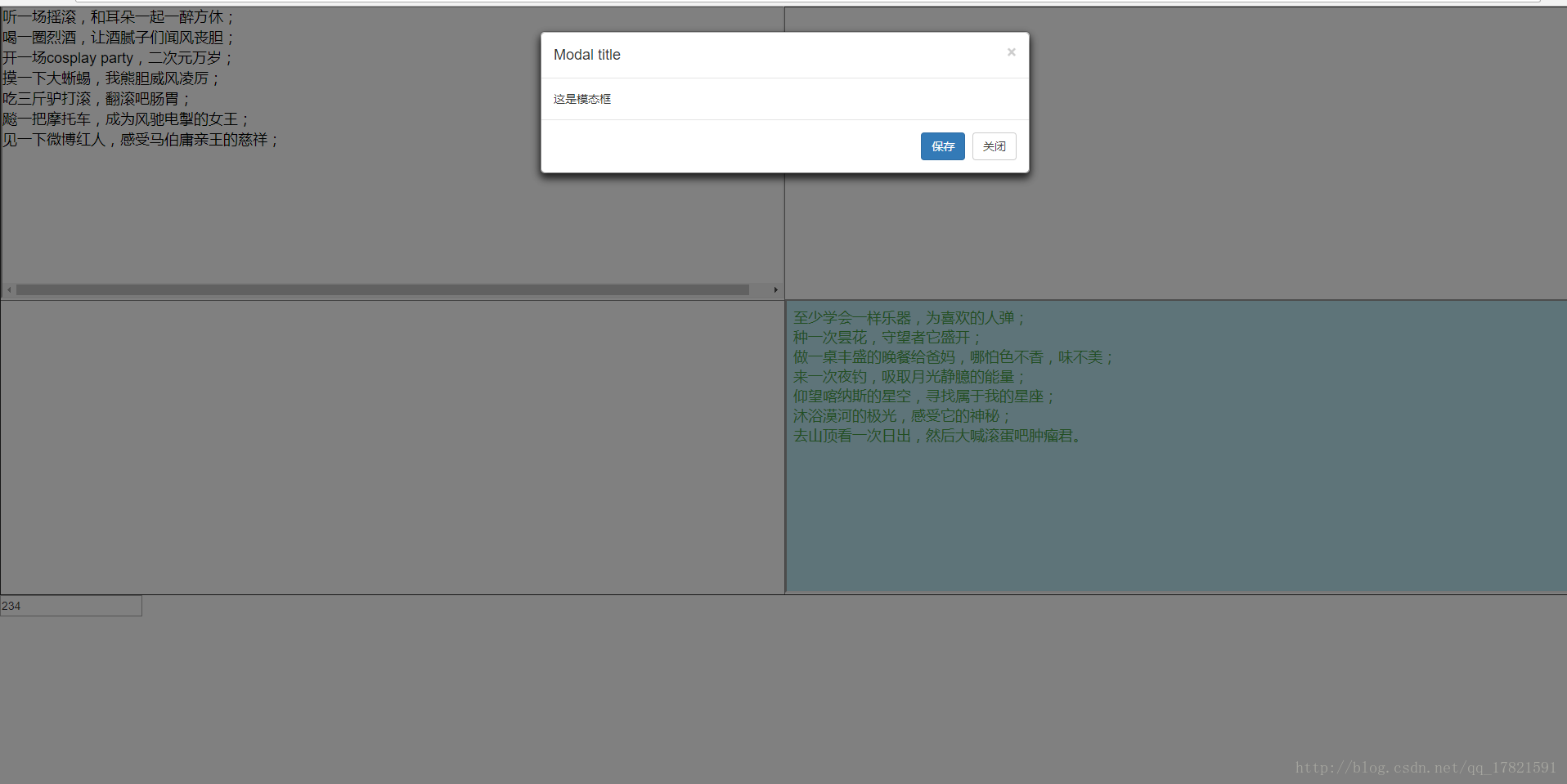
實現思路
要讓模態框在頂層頁面開啟,最直接的想法就是把 Bootstrap 模態框放到父頁面去彈。
第一步,把要彈出的那個 div 獨立成一個頁面;當子頁面需要彈窗時,改由父頁面負責顯示。
將模態框獨立成一個頁面
主頁面
<!DOCTYPE html> <html> <head> <meta charset="utf-8" /> <title></title> </head> <body> <div class="modal fade" id="ajax" role="basic" aria-hidden="true"> <div class="modal-dialog"> <div class="modal-content"> </div> </div> </div> </body> <script> $("#ajax").modal({ remote: "./model.html" }); </script> </html>
模態框頁面
<div class="modal-content"> <div class="modal-header"> <button type="button" class="close" data-dismiss="modal" aria-label="Close"><span aria-hidden="true">×</span></button> <h4 class="modal-title" id="myModalLabel">Modal title</h4> </div> <div class="modal-body"> 這是模態框 </div> <div class="modal-footer"> <button type="button" class="btn btn-primary">保存</button> <button type="button" class="btn btn-default" data-dismiss="modal">關閉</button> </div> </div>
這樣模態框的 div 就獨立成一個頁面了。
改造主頁面並加入子頁面
改造後的主頁面
<!DOCTYPE html> <html> <head> <meta charset="utf-8" /> <title></title> </head> <body> <table width="100%" height="720px" border="1"> <tr> <td> <iframe id="iframe1" name="iframe1" src="iframe1.html" width="100%" height="100%"></iframe> </td> <td></td> </tr> <tr> <td></td> <td> <iframe name="iframe2" src="iframe2.html" width="100%" height="100%"></iframe> </td> </tr> </table> <input type="text" id="textId" value="234" /> <div class="modal fade" id="ajax" role="basic" aria-hidden="true"> <div class="modal-dialog"> <div class="modal-content"> </div> </div> </div> </body> <script> function modalOut(url) { $("#ajax").modal({ remote: url; }); } </script> </html>
如此一來主頁面就有了兩個子頁面,同時把彈窗邏輯封裝進 modalOut(url) 方法中。
由子頁面觸發模態框
子頁面需要彈窗時,只要呼叫父頁面的 modalOut(url) 即可。
子頁面的 JS:
var _iframe = window.parent; _iframe.modalOut('xxx.html');
以上就是解決子頁面模態框無法覆蓋整個頁面的做法。
注意:範例中的 HTML 未載入 JS,請自行補上 Bootstrap 相關的 script。
總結
以上就是這次分享的 iframe 模態框解法,希望對你有所幫助。有疑問歡迎留言討論。
- 上一篇文章: JavaScript 在行動端判斷上滑與下滑手勢的做法
- 下一篇文章: 用 JavaScript 判斷是否為微信內建瀏覽器環境