用 JavaScript 自動隱藏手機瀏覽器地址欄的原理與代碼
編輯:關於JavaScript
用手機自帶瀏覽器打開百度、淘寶,首頁加載完畢後,頁面上方的地址欄會自動隱藏。加上這些網站針對移動端做了優化,乍看之下很難分辨這是 Web App 還是 Native App。比如下圖左側是用 Safari 打開淘寶首頁的截圖,要不是底部還有瀏覽器工具欄,還真像原生應用;實際上地址欄並沒有消失,向下拖動就會重新出現,如右圖所示。


基本原理
實現地址欄自動隱藏並不難,主要利用 window.scrollTo() 方法,把頁面向上滾動一點點,讓地址欄超出視野範圍即可:
<script>
window.onload = function () {
  setTimeout(function () {
    window.scrollTo(0, 1);
  }, 0);
};
</script>
但如果你做一個內容很少的簡單頁面(比如只有一句話),加上這段腳本會發現地址欄就是不隱藏。這是因為頁面高度不夠,根本沒有可滾動的空間,scrollTo 自然無效。
解決內容較少時的問題
解決辦法是在滾動之前,先用程序動態撐高 body 的高度:
if (document.documentElement.scrollHeight <= document.documentElement.clientHeight) {
  bodyTag = document.getElementsByTagName('body')[0];
  bodyTag.style.height = document.documentElement.clientWidth / screen.width * screen.height + 'px';
}
下面是一個完整示例(默認隱藏地址欄):
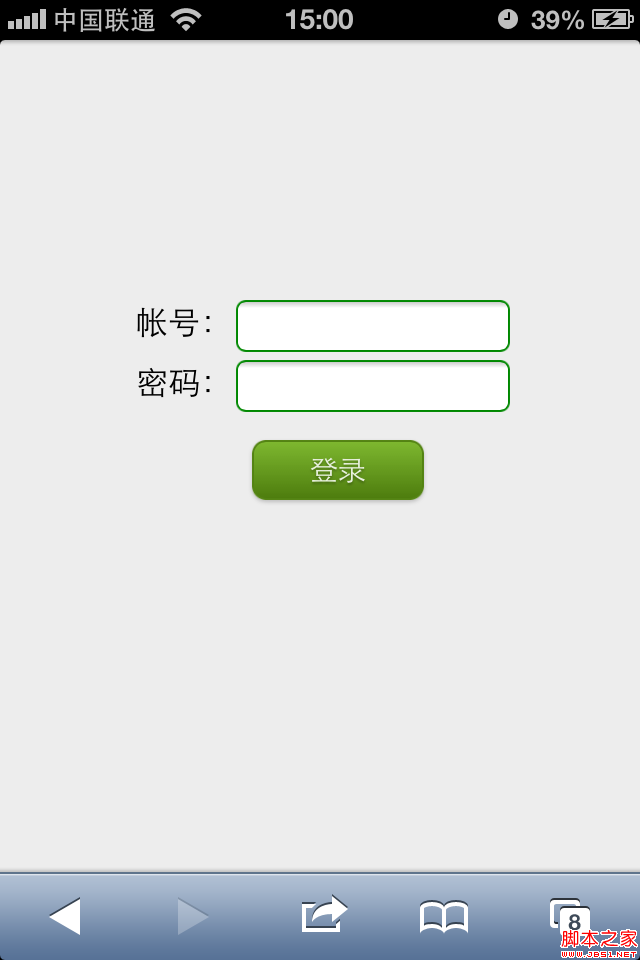
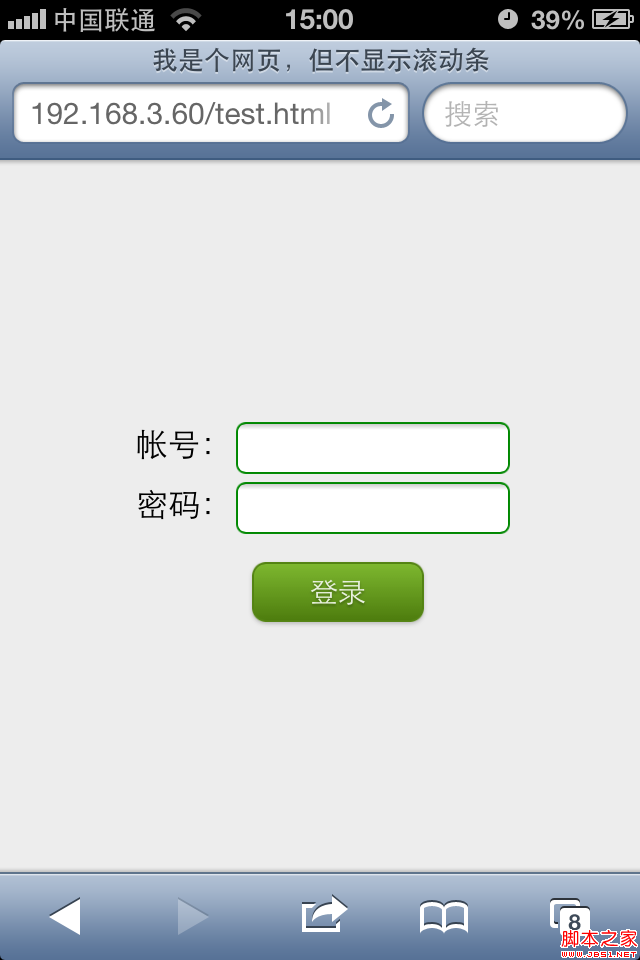
<!DOCTYPE html>
<html>
<head>
<meta charset=utf-8 />
<meta name="viewport" content="width=device-width, initial-scale=1,">
<title>我是個網頁,但不顯示滾動條</title>
<script>
window.onload = function () {
  if (document.documentElement.scrollHeight <= document.documentElement.clientHeight) {
    bodyTag = document.getElementsByTagName('body')[0];
    bodyTag.style.height = document.documentElement.clientWidth / screen.width * screen.height + 'px';
  }
  setTimeout(function () {
    window.scrollTo(0, 1);
  }, 0);
};
</script>
<style>
input {
  background: #fff;
  border: 1px solid #080;
  padding: 5px;
  -webkit-border-radius: 5px;
}
.button {
  display: inline-block;
  zoom: 1;
  *display: inline;
  vertical-align: baseline;
  margin: 0 2px;
  outline: none;
  cursor: pointer;
  text-align: center;
  text-decoration: none;
  font: 14px/100% Arial, Helvetica, sans-serif;
  padding: .5em 2em .55em;
  text-shadow: 0 1px 1px rgba(0,0,0,.3);
  -webkit-border-radius: .5em;
  -webkit-box-shadow: 0 1px 2px rgba(0,0,0,.2);
}
.green {
  color: #e8f0de;
  border: solid 1px #538312;
  background: #64991e;
  background: -webkit-gradient(linear, left top, left bottom, from(#7db72f), to(#4e7d0e));
}
</style>
</head>
<body style="background: #ededed;">
<div style="padding-top:40%;padding-left:20%">
帳號:<input type="text"><br/>
密碼:<input type="text"><br/>
<div>
<div style="padding-top:5%;padding-left:23%"><input type="button" class="button green" value="登錄"></div>
</body>
</html>
通過判斷 scrollHeight 是否小於 clientHeight 來決定是否需要撐高 body,再配合 scrollTo(0, 1) 的輕微滾動,就能在各種內容量的移動端頁面上穩定地隱藏地址欄了。
- 上一篇文章: JavaScript 顯示網頁文件的最後修改時間
- 下一篇文章: JavaScript 實現回車提交表單的兩種方法