基於JavaScript實現隨機顏色輸入框
編輯:關於JavaScript
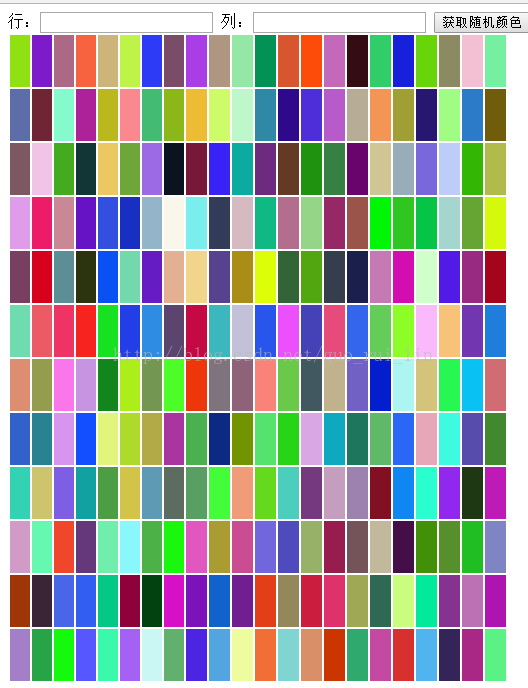
廢話不多說了額,具體代碼如下所示:
<!DOCTYPE html>
<html>
<head>
<meta charset="UTF-8">
<title></title>
<style>
table{width:500px;height:400px;}
table td{width:100px;height:50px;}
</style>
<script>
window.onload=function(){
var inps=document.getElementsByTagName('input');
var btn=document.getElementsByTagName("button")[0];
//點擊獲取table
btn.onclick=function(){
var table=document.createElement("table");
var tbody=document.createElement("tbody");
var n=inps[0].value;
var m=inps[1].value;
for(var i=1;i<=n;i++){
var tr=document.createElement("tr");
//循環時獲取顏色值
for(var j=1;j<=m;j++){
var td=document.createElement("td");
tr.appendChild(td);
var color="rgb("+parseInt(Math.random()*256)+","+parseInt(Math.random()*256)+","
+parseInt(Math.random()*256)+")";
td.style.backgroundColor=color;
}
inps[0].value="";
inps[1].value="";
tbody.appendChild(tr);
table.appendChild(tbody);
document.body.appendChild(table);
}
}
}
</script>
</head>
<body>
行:<input type="text" value=""/>
列:<input type="text" value="" />
<button>獲取隨機顏色</button>
</body>
</html>
以上所述是小編給大家介紹的基於JavaScript實現隨機顏色輸入框,希望對大家有所幫助,如果大家有任何疑問歡迎給我留言,小編會及時回復大家的!
- 上一頁:JS產生隨機數的用法小結
- 下一頁:BootStrap中<li role=
小編推薦
熱門推薦