基於Javascript實現文件實時加載進度的方法
編輯:關於JavaScript
我們首先來看看要實現的效果圖
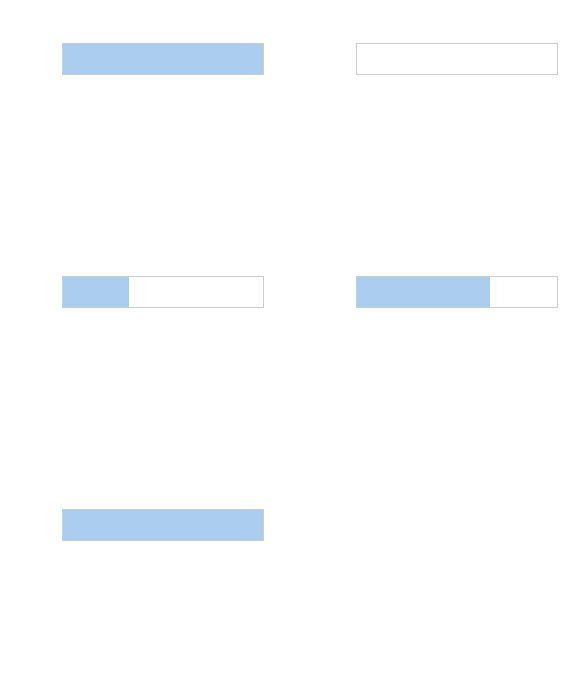
代碼如下
 <!DOCTYPE html>
<html lang="en">
<head>
 <meta charset="UTF-8">
 <title>Document</title>
 <style>
  *{margin: 0;padding: 0;}
  div{width:200px;height: 30px;border:1px solid #ccc;margin: 50px auto;}
  span{display:inline-block;height: 30px;background: #abcdef;}
 </style>
</head>
<body>

 <div>
  <span id="loading"></span>
 </div>


 <!-- 圖片需要自己添加到本地 協議要走http or https -->
 <script>
  var img_arr = ['1.jpg','2.jpg','3.png'];
  var nums = img_arr.length;
  var start = 0;
  for(var i in img_arr){
   var img = document.createElement('img');
   img.src = img_arr[i];
   (function(j){
    img.onload = function(){
     start++;
     if(start == nums){
      console.log('全部加載完成');
     }
     document.getElementById('loading').style.width = (start/nums)*100 + '%';
    };
    img.onerror = function(){
     start++;
     console.log(img_arr[j] + '失敗');
     document.getElementById('loading').style.width = (start/nums)*100 + '%';
    }
   })(i);

  }

 </script>
</body>
</html>
有些情況下,資源會加載失敗,但是頁面又需要顯示出來。這裡我是把失敗的情況就跳過了,如果有需要,可以考慮重新換資源加載
注意事項
1、測試的時候,需要把文件放到服務器上,走本地的file協議是看不到效果的
2、測試的時候,可以把網絡設置為2g或者3g,可以方便看到加載的進度,然後禁止使用緩存

拓展
這裡只監聽了img格式,如果有需要,可以把js和css都加進來
注意:監聽js或者css,需要把創建的資源追加到頁面中,要不然監聽不到onload和onerror事件
 <script>
  var script_arr = ['http://cdn.bootcss.com/jquery/3.1.0/jquery.slim.js','http://cdn.bootcss.com/jquery/3.0.0-rc1/jquery.js','http://cdn.bootcss.com/jquery/3.0.0-beta1/jquery.slim.min.js'];
  var nums = script_arr.length;
  var start = 0;
  for(var i in script_arr){
   var script = document.createElement('script');
   script.src = script_arr[i];
   (function(j){
    document.body.appendChild(script);
    script.onload = function(){
     start++;
     if(start == nums){
      console.log('全部加載完成');
     }
     document.getElementById('loading').style.width = (start/nums)*100 + '%';
    };
    script.onerror = function(){
     start++;
     console.log(srcript_arr[j] + '失敗');
     document.getElementById('loading').style.width = (start/nums)*100 + '%';
    }
   })(i);

  }

 </script>

總結
以上就是這篇文章的全部內容了,本文實現的這個功能還是很實用的,希望能對大家的學習或者工作帶來一定的幫助,如果有疑問大家可以交流。
小編推薦
熱門推薦