原生js實現百葉窗效果及原理介紹
編輯:關於JavaScript
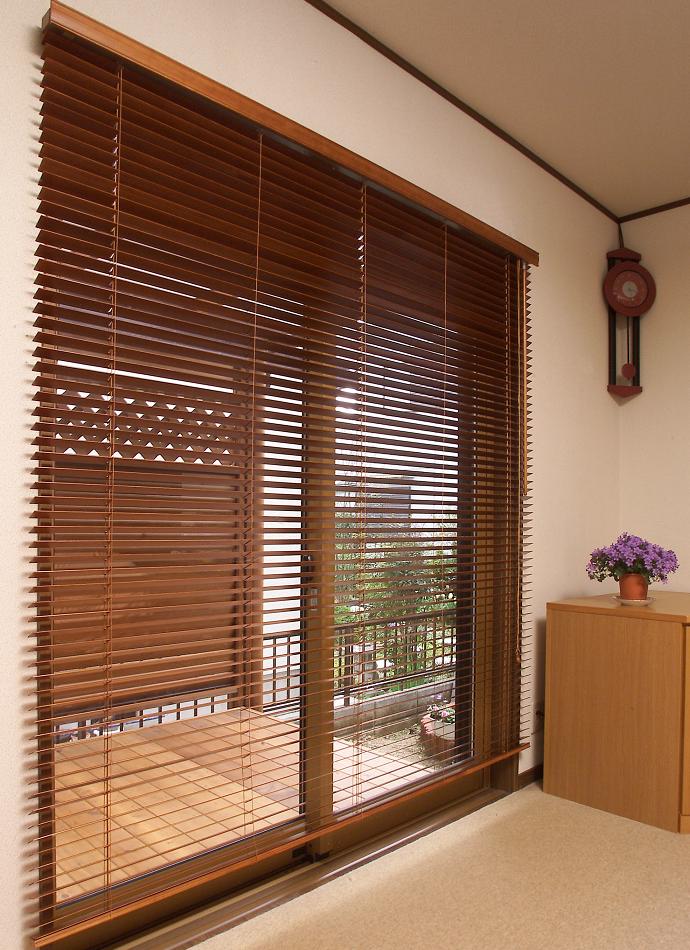
百葉窗大家都見過吧!如圖:
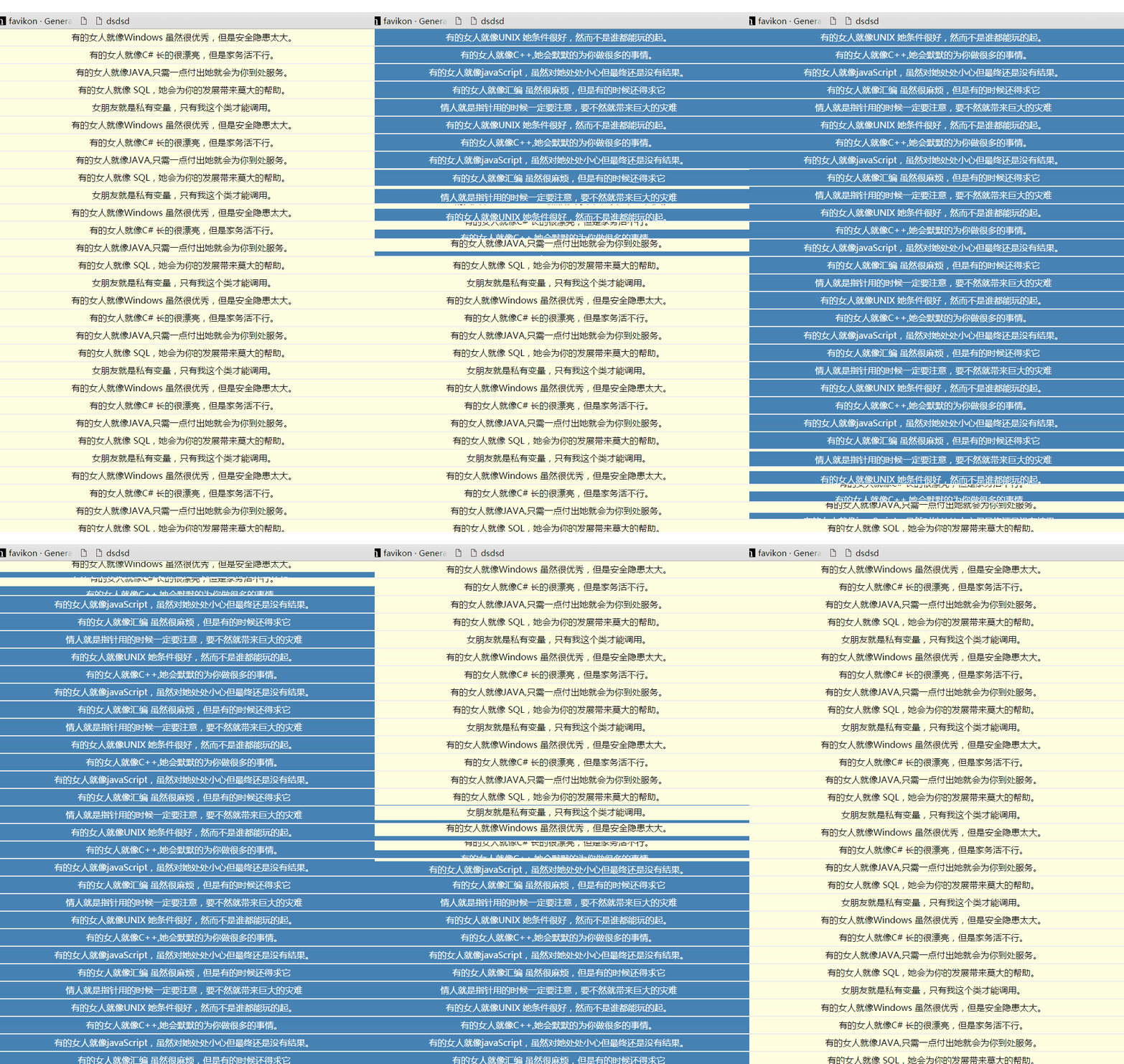

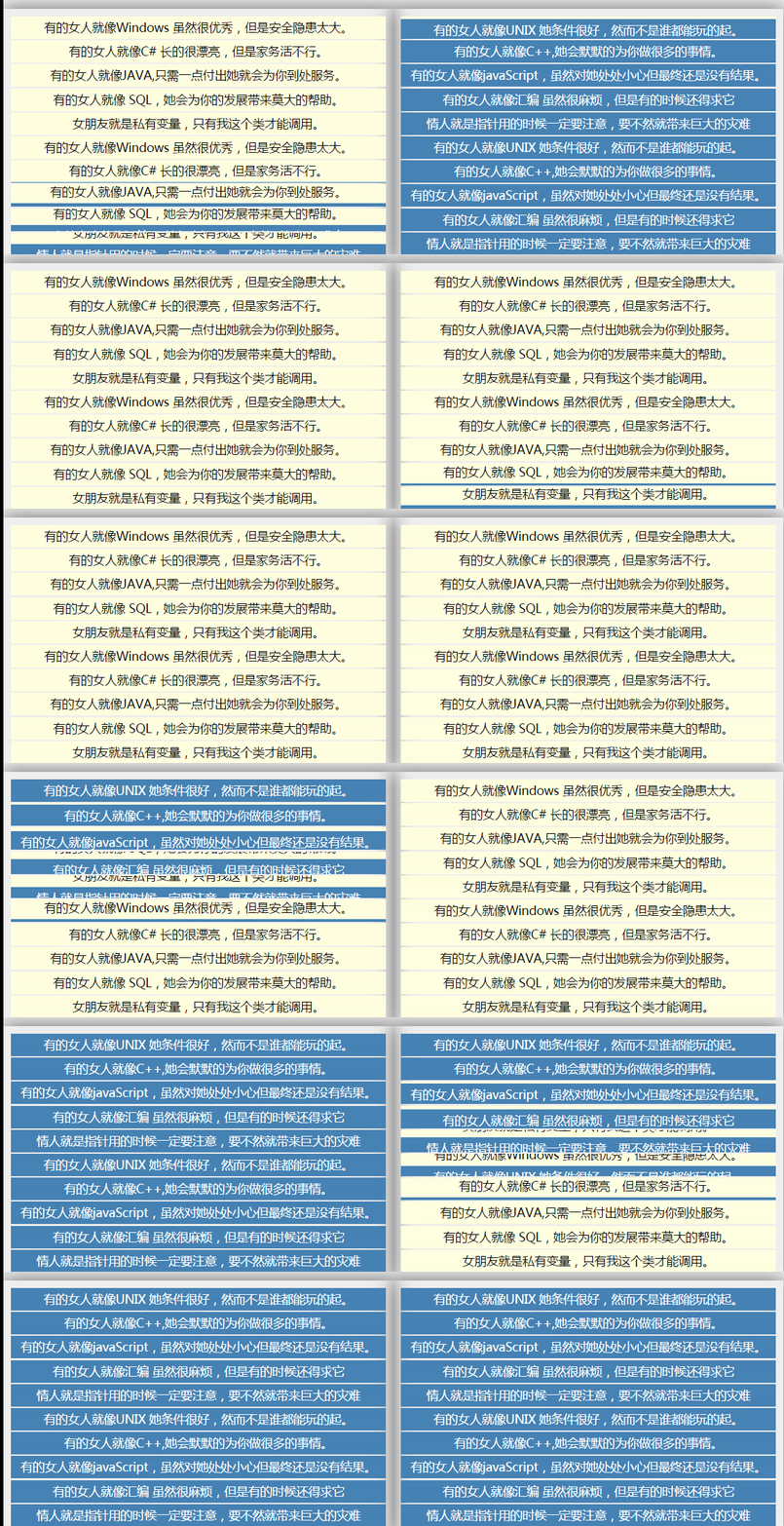
原理:
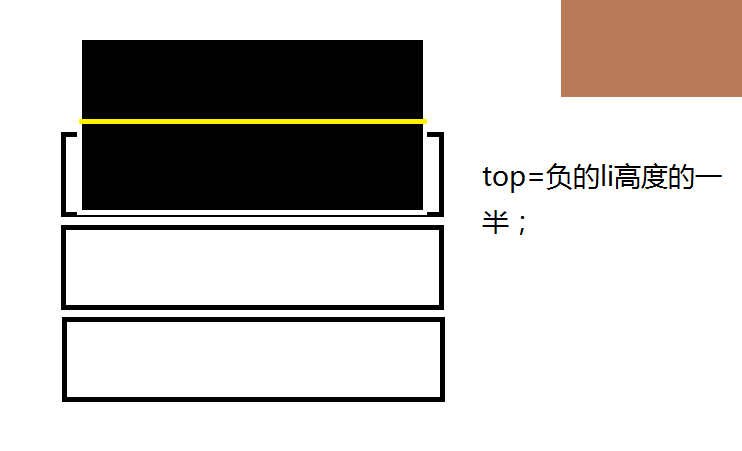
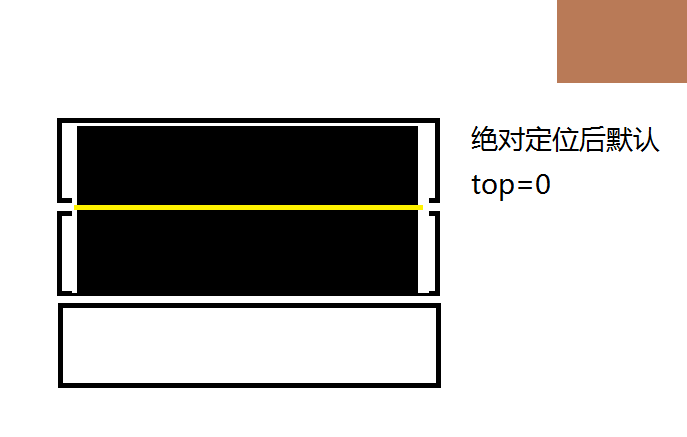
如圖所示,空心格子就好比是每個li,給它設定相對定位屬性,設置overflow:hidden;黑塊為li子元素,高度為li的2倍,設置absolute屬性,我們正是要改變它的top值從而獲得變化!(右上角多余塊與本圖無關)
布局分析:
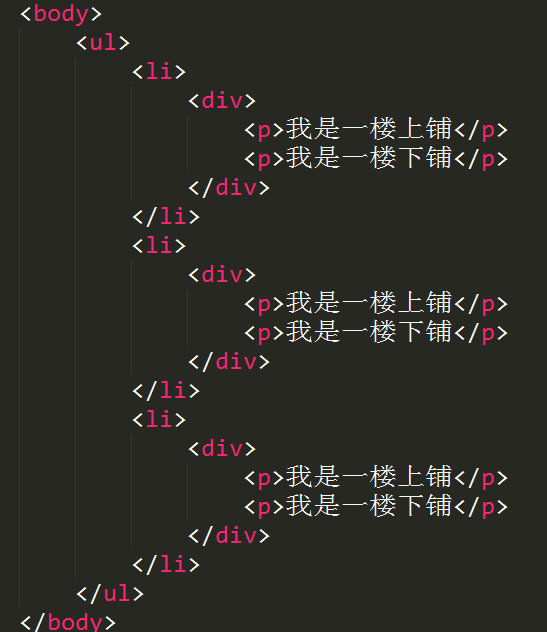
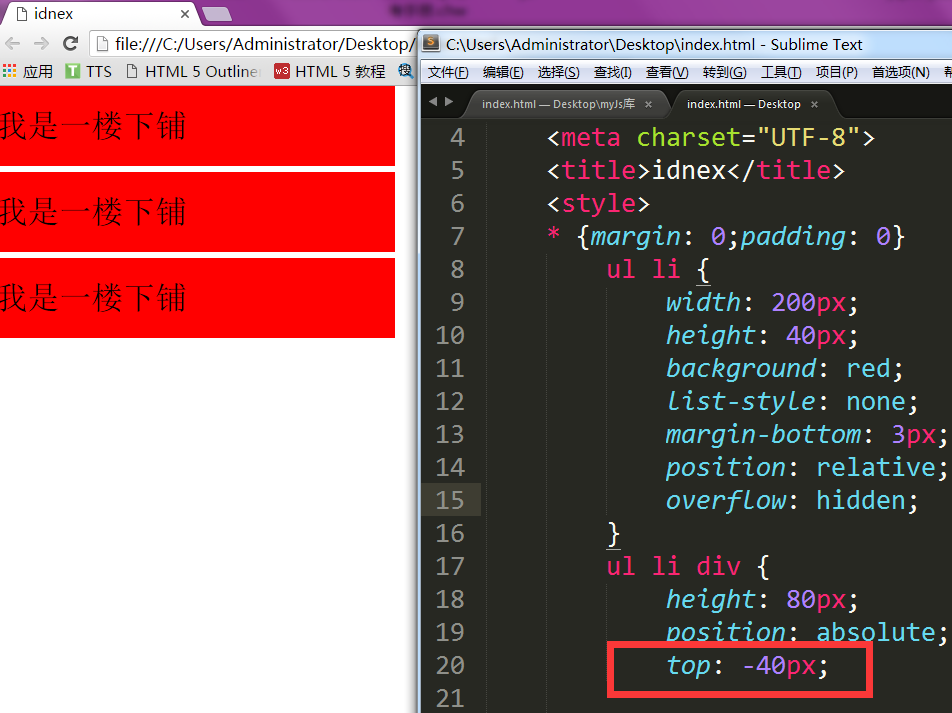
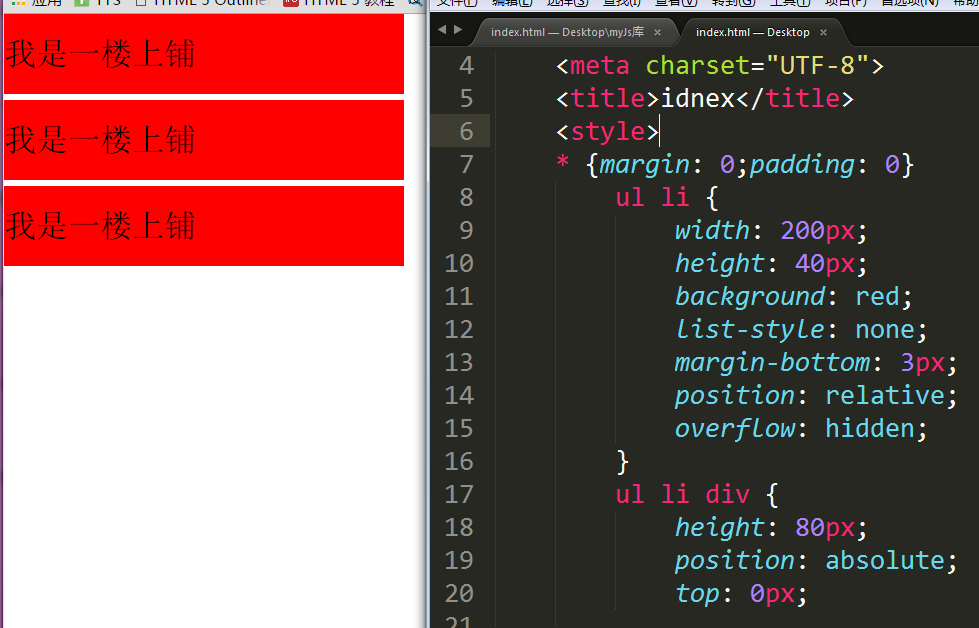
注意top值得變化!默認top=0時候,顯示的“一樓上鋪”,當top=-40px時候,li的子元素 上移40px,這時候顯示的內容就為“一樓下鋪”注意p元素的包裹層div
JS分析:
1、要開多個定時器來達到效果
2、執行相反方向
3、執行多組運動
4、累加產生錯落感
5、產生時間間隔的動畫
JS代碼如下:
<script>
  window.onload = function(){
   var oUl = document.getElementById('ul1');
   var oUl2 = document.getElementById('ul2');

   toShow(oUl);
   //每四秒執行一次
   setTimeout(function(){
    toShow(oUl2);
   },4000);
   function toShow(obj){
    var aDiv = obj.getElementsByTagName('div');
    var iNow = 0;
    var timer = null;
    var bBtn = true;

    setInterval(function(){
     toChange();
    },2000);
    function toChange(){
     timer = setInterval(function(){
      if(iNow==aDiv.length){
       clearInterval(timer);
       iNow = 0;
       bBtn = !bBtn;
      }
      else if(bBtn){
       startMove(aDiv[iNow],{top:0},function(){
        var p = document.getElementsByClassName('p-2');
        for(var i=0; i<p.length;i++){
         p[i].style.background = 'red';
        }
       });
       iNow++;
      }
      else{
       startMove(aDiv[iNow],{top:-30});
       iNow++;
      }
     },100);
    }
   }
  };
       //運動框架
  function startMove(obj,json,endFn){
   clearInterval(obj.timer);
   obj.timer = setInterval(function(){
    var bBtn = true;
    for(var attr in json){
     var iCur = 0;
      iCur = parseInt(getStyle(obj,attr)) || 0;
     var iSpeed = (json[attr] - iCur)/8;
      iSpeed = iSpeed >0 ? Math.ceil(iSpeed) : Math.floor(iSpeed);

     if(iCur!=json[attr]){
      bBtn = false;
     }
     obj.style[attr] = iCur + iSpeed + 'px';
    }
    if(bBtn){
     clearInterval(obj.timer);
     if(endFn){
      endFn.call(obj);
     }
    }
   },30);
  }
        //獲取非行間樣式
  function getStyle(obj,attr){
   if(obj.currentStyle){
    return obj.currentStyle[attr];
   }
   else{
    return getComputedStyle(obj,false)[attr];
   }
  }
 </script>
下載地址:js實現百葉窗效果
以上就是本文的全部內容,希望對大家學習實現js百葉窗效果有所幫助。
小編推薦
熱門推薦