DIV+CSS佈局教程網 >> 網頁腳本 >> JavaScript入門知識 >> 關於JavaScript >> JavaScript實現為input與textarea自定義hover,focus效果的方法
JavaScript實現為input與textarea自定義hover,focus效果的方法
編輯:關於JavaScript
本文實例講述了JavaScript實現為input與textarea自定義hover,focus效果的方法。分享給大家供大家參考。具體如下:
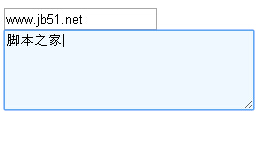
這裡演示JavaScript為input輸入框和textarea文本框自定義hover,focus效果,hover也就是鼠標放上去之後的效果,focus是鼠標焦點問題,要實現 這種效果,需要JS來配合,這個例子就是很不錯的,它把網頁上輸入框和文本框都加入了鼠標懸停和鼠標焦點效果。
運行效果截圖如下:
在線演示地址如下:
http://demo.jb51.net/js/2015/js-input-textarea-hover-focus-style-codes/
具體代碼如下:
<title>JavaScript為input/textarea自定義hover,focus效果</title>
<script type="text/javascript">
function suckerfish(type, tag, parentId) {
if (window.attachEvent) {
window.attachEvent("onload", function() {
var sfEls = (parentId==null)?document.getElementsByTagName(tag):document.getElementById(parentId).getElementsByTagName(tag);
type(sfEls);
});
}
}
sfHover = function(sfEls) {
for (var i=0; i < sfEls.length; i++) {
sfEls[i].onmouseover=function() {
this.className+=" iptHover";
}
sfEls[i].onmouseout=function() {
this.className=this.className.replace(new RegExp(" iptHover\\b"), "");
}
}
}
sfFocus = function(sfEls) {
for (var i=0; i < sfEls.length; i++) {
sfEls[i].onfocus=function() {
this.className+=" iptFocus";
}
sfEls[i].onblur=function() {
this.className=this.className.replace(new RegExp(" iptFocus\\b"), "");
}
}
}
</script>
<style type="text/css">
textarea{
border:1px solid #BBE1F1;
width:250px;
height:80px;
}
 .iptHover,input:hover,textarea:hover{
border:1px solid #77C2E3;
}
.iptFocus,input:focus,textarea:focus{
border:1px solid #77C2E3;
background-color:#EFF7FF;
}
</style>
<input type="text" name="textfield" /><br />
<textarea name="textarea"></textarea>
<script type="text/javascript">
suckerfish(sfHover, "input");
suckerfish(sfFocus, "input");
suckerfish(sfHover, "textarea");
suckerfish(sfFocus, "textarea");
</script>
希望本文所述對大家的javascript程序設計有所幫助。
小編推薦
熱門推薦