Javascript實現可旋轉的圓圈實例代碼
編輯:關於JavaScript
本文實例講述了Javascript實現可旋轉的圓圈。分享給大家供大家參考。具體如下:
這裡基於Javascript實現會旋轉的圓圈,有點三維變幻的效果,立體感很強,代碼主要是基於JS,學習Js腳本編程來說,是個學習JS生成動畫的好范例。
運行效果如下圖所示:
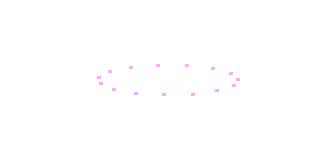
具體代碼如下:
<html>
<head>
<title>旋轉的圓圈</title>
<meta http-equiv="Content-Type" content="text/html; charset=gb2312">
</head>
<body>
<script language="JavaScript">
amount=ybase=15;
Color='#ffaaff';
GlowColor='#ff00ff';
xbase=-70;
step=c=0.05;
TrigSplit=360/amount;
xpos=ypos=currStep=Ci=0;
for (i=0; i < amount; i++)
  document.write('<div id="Div" style="position:absolute;top:0px;left:0px;height:20;width:20;text-align:center"><B>.</B></div>');
function running(){
  var MY=document.body.scrollTop+document.body.clientHeight/2 + document.body.clientHeight/2.8*Math.cos((Ci)/4)*Math.cos(Ci/10);
  var MX=document.body.scrollLeft+document.body.clientWidth/2 + document.body.clientWidth/2.4*Math.sin((Ci)/6)*Math.sin(Ci/20);
  ypos=MY;
  xpos=MX;
  for (i=0; i < amount; i++){
    var d=Div[i].style;
    if (d.pixelTop > ypos+2){
      d.fontSize=18;
       d.paddingTop=7;
       d.filter='glow(color='+GlowColor+', strength=7)';
      if (d.pixelTop > ypos+10){
         d.fontSize=15;
        d.paddingTop=10;
        d.filter='glow(color='+GlowColor+', strength=5)';
       }
    }
    else{
      d.fontSize=25;
       d.paddingTop=0;
      d.color=Color;
       d.filter='glow(color='+GlowColor+', strength=8)';
    }
    d.top=ypos+ybase*Math.sin(currStep+i*TrigSplit*Math.PI/180);
    d.left=xpos+xbase*Math.cos(currStep+i*TrigSplit*Math.PI/180);
  }
  Ci+=c;
  currStep+=step;
  setTimeout('running()',20);
}
running();
</script>
</body>
</html>
希望本文所述對大家的javascript程序設計有所幫助。
小編推薦
熱門推薦