jQuery EasyUI Tab 選項卡:切換時刷新頁面以獲取最新數據
編輯:關於JavaScript
在多頁簽的後台系統中,經常會遇到「A 頁簽新增了數據,切換到 B 頁簽時希望 B 能展示這條新數據」的需求。本文記錄一個使用 jQuery EasyUI Tabs 實現「切換頁簽時重新加載頁面」的思路與代碼。
需求描述
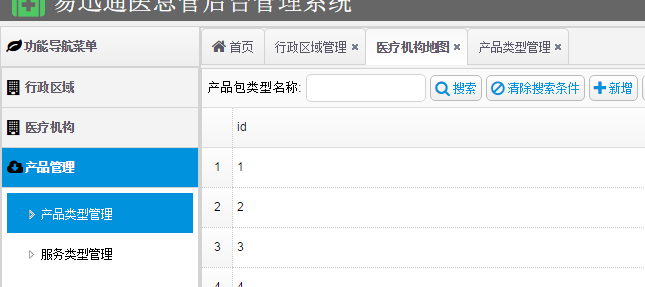
例如先打開「行政區域」頁面,再打開「產品類型管理」頁面,並在後者新增了一條數據。當切回「行政區域」頁簽時,希望它能用到剛新增的數據,但由於頁面沒有刷新,這條數據並不存在。於是我們希望:點擊頁簽時能重新加載對應頁面。
初始代碼
頁簽的 HTML 結構:
 <div data-options="region:'center',collapsible:false">
<div id="mainTabs" class="easyui-tabs" data-options="fit:true,narrow:true">
<div title="首頁" style="overflow:hidden;" data-options="iconCls:'fa fa-home'">
<div id="myclock" style="margin: 0 auto;width: 400px;" class="clock"></div>
</div>
</div>
</div>
添加頁簽與點擊左側菜單的方法:
 function addTab(title, url) {
    if ($('#mainTabs').tabs('exists', title)) {
        $('#mainTabs').tabs('select', title);
    } else {
        var content = '<iframe scrolling="auto" frameborder="0" src="' + url + '" style="width:100%;height:99%;"></iframe>';
        $('#mainTabs').tabs('add', {
            title: title,
            content: content,
            closable: true,
            cache: true
        });
    }
}
function clickTree(node) {
    if ($(this).tree('isLeaf', node.target)) {
        addTab(node.text, node.attributes.url);
    } else {
        $(this).tree('toggle', node.target);
    }
}
解決思路:切換時重新加載
核心想法是:在頁簽被選中(onSelect)時,重新獲取該頁簽 iframe 的 src,並用 tabs('update') 更新內容,從而達到重新加載的效果。
 function clickTree(node) {
    if ($(this).tree('isLeaf', node.target)) {
        addTab(node.text, node.attributes.url);
        $('#mainTabs').tabs({
            onSelect: function (title) {
                var currTab = $('#mainTabs').tabs('getTab', title);
                var iframe = $(currTab.panel('options').content);
                var src = iframe.attr('src');
                $('#mainTabs').tabs('update', {
                    tab: currTab,
                    options: {
                        title: title,
                        href: src
                    }
                });
            }
        });
    } else {
        $(this).tree('toggle', node.target);
    }
}
效果演示
先打開「產品類型」和「基礎產品」兩個頁面:
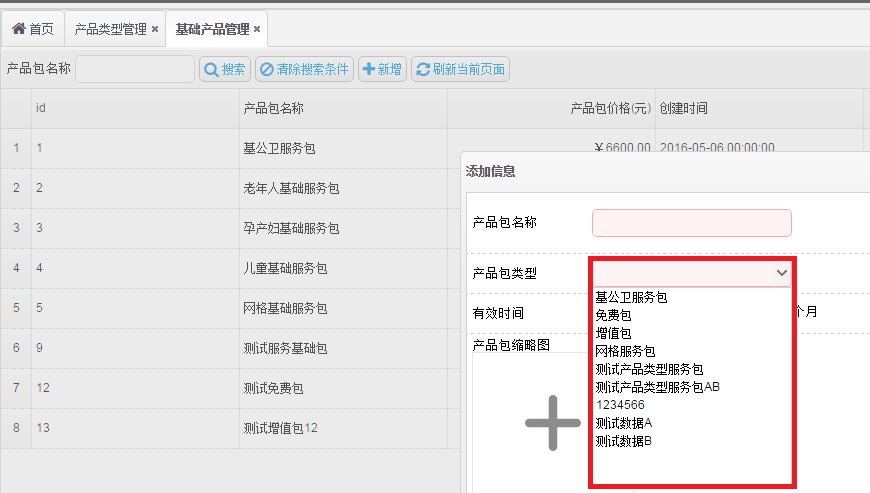
在「產品類型」中新增數據:
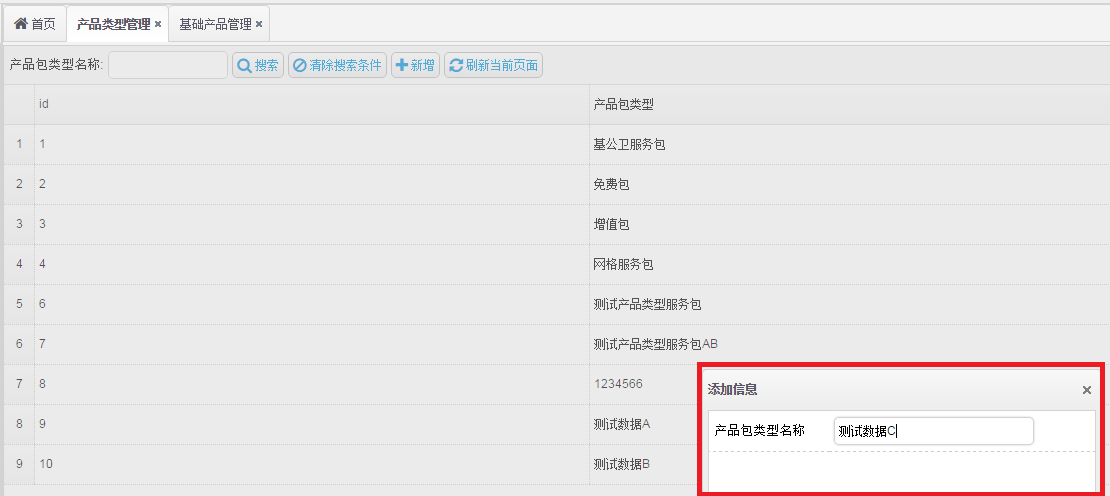
再到「基礎產品」中新增數據:
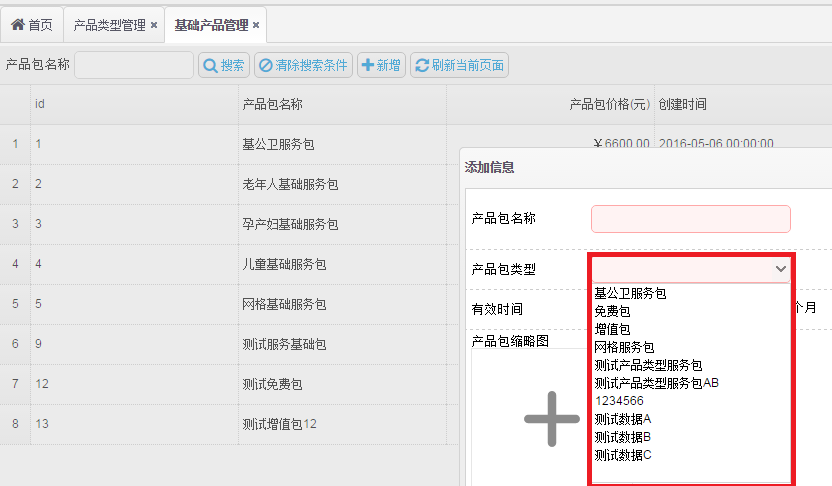
這樣一來,每次切換頁簽時頁面都會重新加載,新數據便能及時呈現,達到了預期效果。核心代碼就是通過 onSelect 事件拿到 iframe 的 src 並調用 tabs('update') 重新加載。