用 AngularJS 訪問 Android 手機的圖片庫
編輯:關於JavaScript
簡介
本文說明如何借助 AngularJS 調用 Android 應用暴露的 REST API,讀取手機中的圖片與視頻。
背景
Android 與 iOS 上有很多支持遠程訪問的應用,但開發者普遍缺少一套「遠程訪問手機特性」的標準 API。myMoKit 的開發正是為了填補這一塊空白。
接入方式
使用起來很簡單:通過 Web URL 引用 myMoKit 服務,就能看到所有暴露的 REST API。
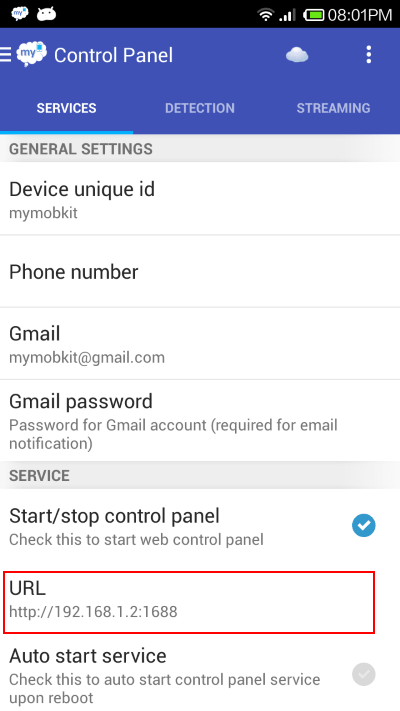
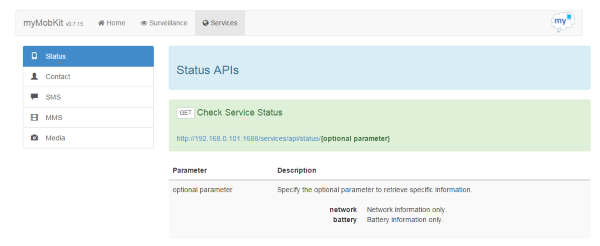
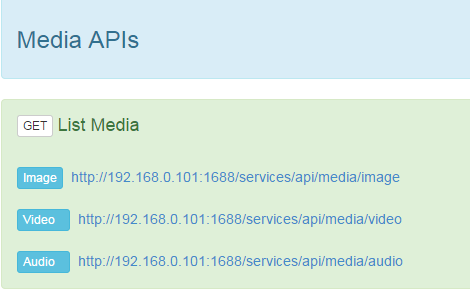
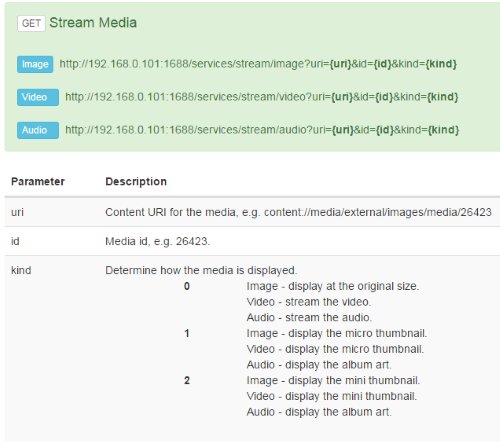
這些是手機端提供的 API 列表與流媒體接口。在 AngularJS 中調用 REST API 很方便,使用 $resource 服務即可。
建立資源模塊
先封裝一個返回媒體列表的資源:
angular.module('resources.media', ['ngResource']);

angular.module('resources.media').factory('Media',
  ['$rootScope', '$resource', '$location', '$http',
   function ($rootScope, $resource, $location, $http) {

  var mediaServices = {};

  mediaServices.getAllMedia = function (media) {
    var path = $rootScope.host + '/services/api/media/' + media;
    return $resource(path, {}, {
      get: { method: 'GET', isArray: false }
    });
  };

  return mediaServices;
}]);
這裡把服務地址前綴抽到 $rootScope.host,便於日後切換環境;isArray: false 表示響應是一個對象而非數組。
取數據
有了這個模塊,取圖片與視頻列表就很輕鬆:
var getAllImages = function () {
  Media.getAllMedia('image').get().$promise.then(
    function success(resp, headers) {
      $scope.allImages = resp;
      $scope.images = $scope.allImages.images;
    },
    function err(httpResponse) {
      $scope.errorMsg = httpResponse.status;
    }
  );
};

var getAllVideos = function () {
  Media.getAllMedia('video').get().$promise.then(
    function success(resp, headers) {
      $scope.allVideos = resp;
      $scope.videos = $scope.allVideos.videos;
    },
    function err(httpResponse) {
      $scope.errorMsg = httpResponse.status;
    }
  );
};
渲染圖片牆
接下來可以在瀏覽器裡展示拿到的一系列圖片:
<div class="alert alert-info">
  <h4 class="alert-heading">Usage - <i>Image Gallery</i></h4>
  <ul class="row">
    <li class="col-lg-2 col-md-2 col-sm-3 col-xs-4"
        ng-repeat="image in images"
        style="margin-bottom:25px">
      <img class="img-responsive"
           ng-click="showImage($index)"
           ng-src="{{streamImageLink}}?uri={{image.contentUri}}&&id={{image.id}}&kind=1" />
    </li>
  </ul>
</div>
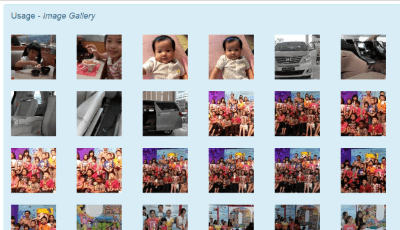
這裡用 ng-repeat 遍歷圖片集合,用 ng-src 而非 src 綁定動態地址——這一點很重要:若直接用 src="{{...}}",瀏覽器會在表達式求值前就先發一次請求,導致大量無效的 404。 ng-click 則把點擊事件交給 showImage 處理預覽。
此外,由於要訪問的是手機本地的媒體流,實戰中還需要考慮授權(把 token 附在請求上)、加載中的佔位與失敗重試。這些屬於工程細節,可依項目需要補充。
- 上一篇文章: 在 fibers 中實現「阻塞」:異步代碼同步化的一種思路
- 下一篇文章: 用 Ajax 讀取 XML 並動態渲染表格