事件流描述的是事件從頁面中被接收的傳播順序。最早提出這個概念的是 IE 與 Netscape 兩家,有趣的是,IE 主張的是我們今天最常用的事件冒泡流,而 Netscape 提出的是事件捕獲流。
第一部分:事件冒泡
冒泡的含義是:事件由最具體的元素先接收,然後逐級向上傳播到較不具體的節點,最終抵達文檔。
用一個嵌套結構來觀察:
<!DOCTYPE html> <html lang="en"> <head> <meta charset="UTF-8"> <title>bubble</title> <style> button{ background: red; color:white; } #third{ width: 50px; height: 50px; border:thin solid red; } #second{ width: 100px; height: 100px; border:thin solid red; } #first{ width:200px; height: 200px; border:thin solid red; } </style> </head> <body> <div id="first"> <div id="second" > <div id="third" > <button id="button">事件冒泡</button> </div> </div> </div> <script> document.getElementById("button").addEventListener("click",function(){ alert("button"); },false); document.getElementById("third").addEventListener("click",function(){ alert("third"); },false); document.getElementById("second").addEventListener("click",function(){ alert("second"); },false); document.getElementById("first").addEventListener("click",function(){ alert("first"); },false); </script> </body> </html>
只點擊 button,結果是:
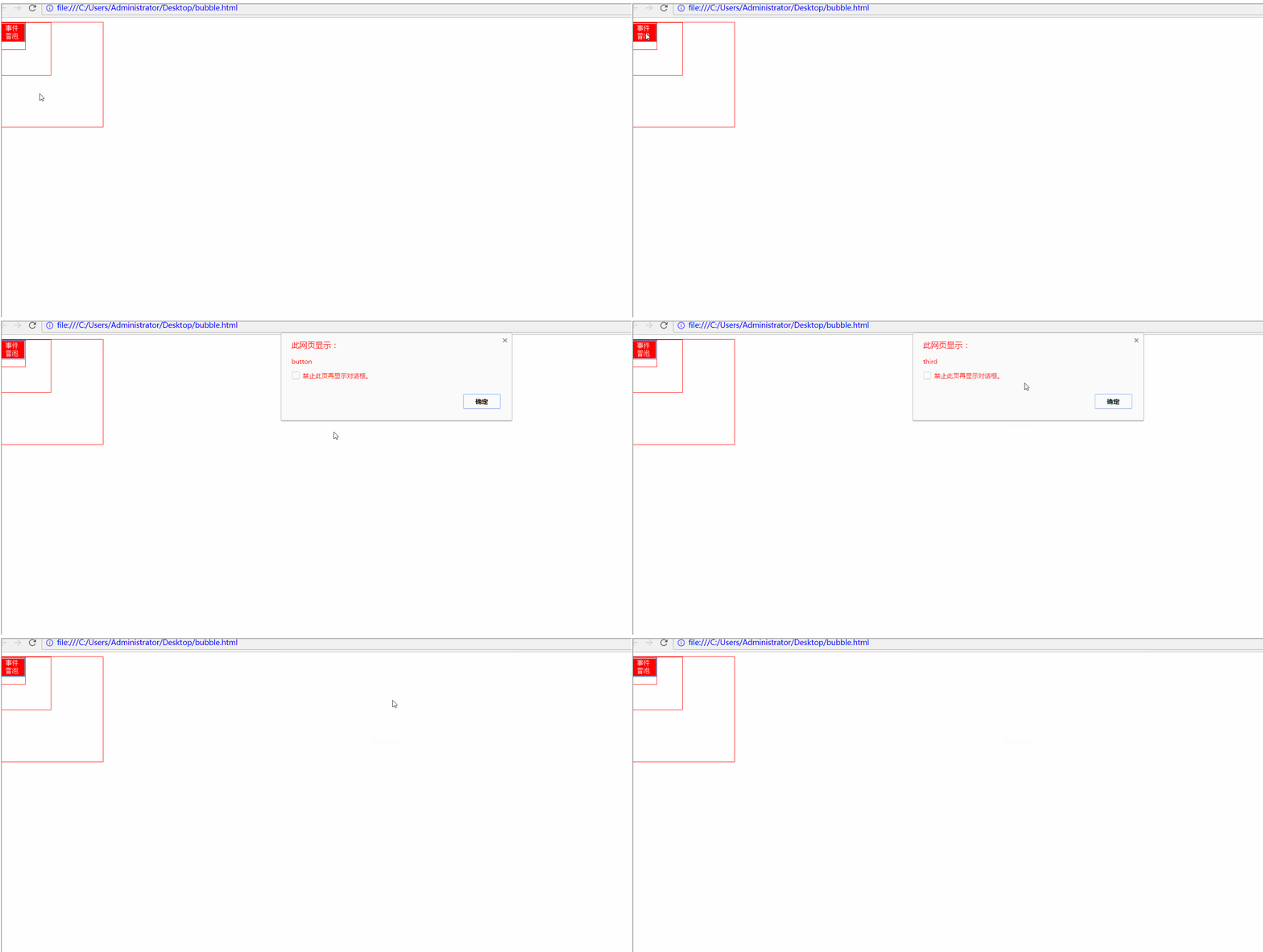
明明只點了 button,但外層的 third、second、first 上的監聽器由內而外依次觸發,順序是從 DOM 樹下層往最上層走,這就是「冒泡」名稱的由來。
(說明:這裡示範用的是 DOM2 級事件處理程序,並顯式把每個監聽設為冒泡階段;即使改用 DOM0 級寫法,結果也一樣——冒泡是瀏覽器的默認行為。)
如果不希望事件繼續往上傳,該怎麼辦?事件對象提供了 stopPropagation() 方法,只要改動 button 的處理函數:
document.getElementById("button").addEventListener("click",function(event){ alert("button"); event.stopPropagation(); },false);
這樣點擊 button 只會彈出一個提示。值得一提的是,現代所有瀏覽器都支援事件冒泡,只是實現細節上略有差異。
第二部分:事件捕獲
捕獲與冒泡恰好相反:不太具體的節點更早接收到事件,最具體的節點最後才收到。
<!DOCTYPE html> <html lang="en"> <head> <meta charset="UTF-8"> <title>bubble</title> <style> button{ background: red; color:white; } #third{ width: 50px; height: 50px; border:thin solid red; } #second{ width: 100px; height: 100px; border:thin solid red; } #first{ width:200px; height: 200px; border:thin solid red; } </style> </head> <body> <div id="first"> <div id="second" > <div id="third" > <button id="button">事件冒泡</button> </div> </div> </div> <script> document.getElementById("button").addEventListener("click",function(){ alert("button"); },true); document.getElementById("third").addEventListener("click",function(){ alert("third"); },true); document.getElementById("second").addEventListener("click",function(){ alert("second"); },true); document.getElementById("first").addEventListener("click",function(){ alert("first"); },true); </script> </body> </html>
這裡唯一的改動,是把 addEventListener() 的第三個參數從 false 換成 true,也就是改用捕獲方式註冊。結果如下:
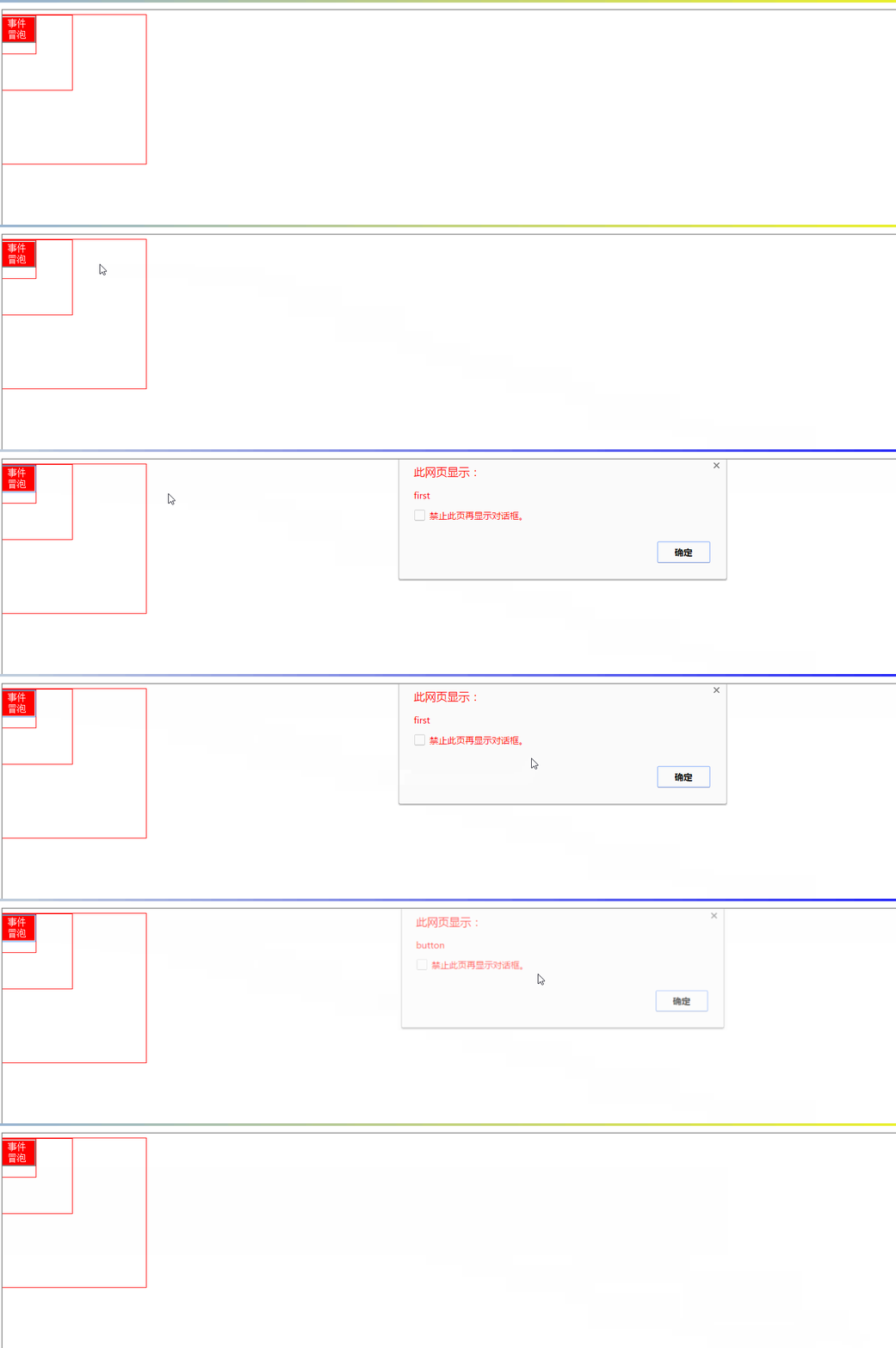
最外層的事件先觸發,最後才輪到我們實際點擊的 button。
那麼如何阻止捕獲?用 event.stopPropagation() 嗎?答案是否定的——它只能阻止冒泡,管不到捕獲。真正能用的是 DOM3 級新增的 stopImmediatePropagation(),它既能阻止捕獲,也能阻止冒泡:
document.getElementById("second").addEventListener("click",function(){ alert("second"); event.stopImmediatePropagation(); },true);
如此一來,事件流在 id 為 second 的節點處就被截斷了。
(說明:捕獲流雖由 Netscape Navigator 提出,如今主流瀏覽器都已支援,但由於早期瀏覽器不支援,實務上很少有人真的使用捕獲。)
第三部分:DOM 事件流
DOM2 級事件規範把事件流劃分為三個階段:
- 事件捕獲階段
- 處於目標階段
- 事件冒泡階段
這裡有個容易混淆的細節:在 DOM 事件流中,真實的目標元素在捕獲階段其實不會接收到事件;流程先進入「處於目標」階段,此時事件才被觸發,最後才進入冒泡階段。一般我們把「處於目標」階段視為冒泡階段的一部分來理解。
以上就是本次整理的完整內容,希望對你的學習有所幫助。
- 上一篇文章: require.js 模塊化實講:從為何需要到 AMD 寫法
- 下一篇文章: 純 JS 焦點圖特效實作:同一頁面可重複使用