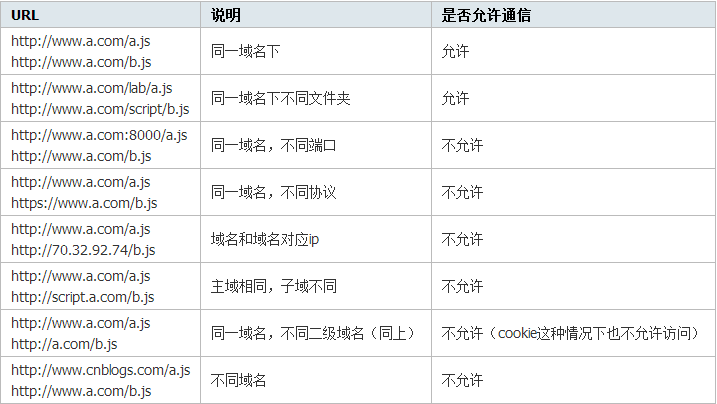
本文整理實際專案中常見的跨域請求資源方案,包含 JSONP、Proxy 代理、CORS 與 XDR。由於瀏覽器的同源策略,只要請求URL的協議、域名、端口三者任一與當前頁面不同,即構成跨域:
JSONP
主要透過動態插入一個 script 標籤。瀏覽器對 script 的資源引用沒有同源限制,且資源載入後會立即執行:
 <script>
var _script = document.createElement('script');
_script.type = "text/javascript";
_script.src = "https://localhost:8888/jsonp?callback=f";
document.head.appendChild(_script);
</script>
實際專案中,JSONP通常用來取JSON資料,前後端會約定一個 callback 參數,其值就是處理回傳資料的函數名:
 <script>
var f = function(data){
  alert(data.name);
};
</script>
<script>
var _script = document.createElement('script');
_script.type = "text/javascript";
_script.src = "https://localhost:8888/jsonp?callback=f";
document.head.appendChild(_script);
</script>
缺點:一是無法發送POST請求;二是不易判定請求是否失敗,多數框架都靠結合超時時間來判斷。
Proxy 代理
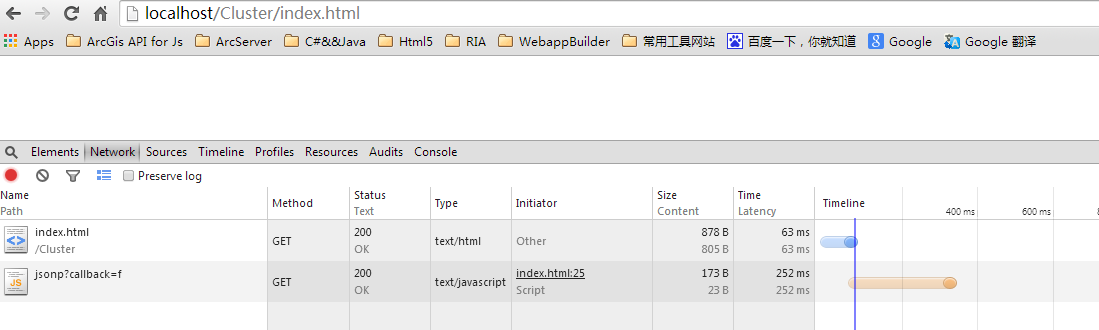
先把請求發給後端服務器,由服務器代為發送,再把結果回傳前端:
 <script>
var xhr = new XMLHttpRequest();
xhr.onload = function(){ alert(xhr.responseText); };
xhr.open('POST', 'https://localhost:8888/proxy?https://geocode.arcgis.com/arcgis/rest/services/World/GeocodeServer', true);
xhr.send("f=json");
</script>
 var proxyUrl = "";
if (req.url.indexOf('?') > -1) {
  proxyUrl = req.url.substr(req.url.indexOf('?') + 1);
}
if (req.method === 'GET') {
  request.get(proxyUrl).pipe(res);
} else if (req.method === 'POST') {
  var post = '';
  req.on('data', function(chunk){ post += chunk; });
  req.on('end', function(){
    post = qs.parse(post);
    request({ method: 'POST', url: proxyUrl, form: post }).pipe(res);
  });
}
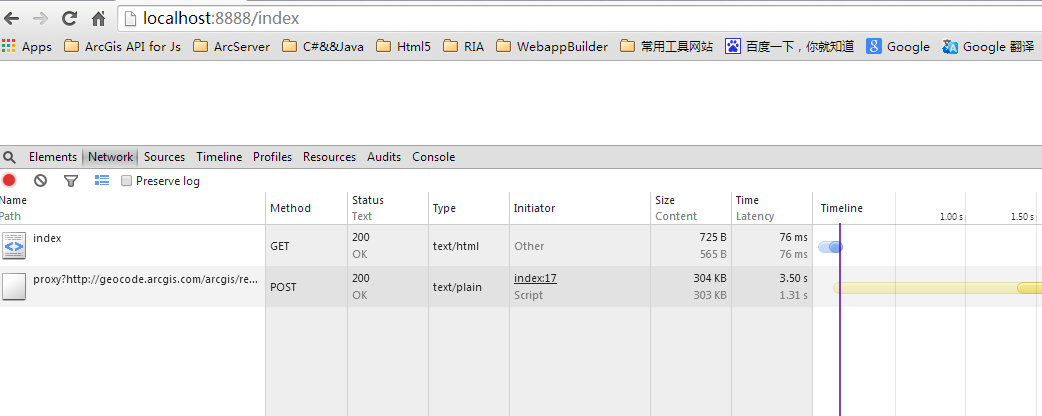
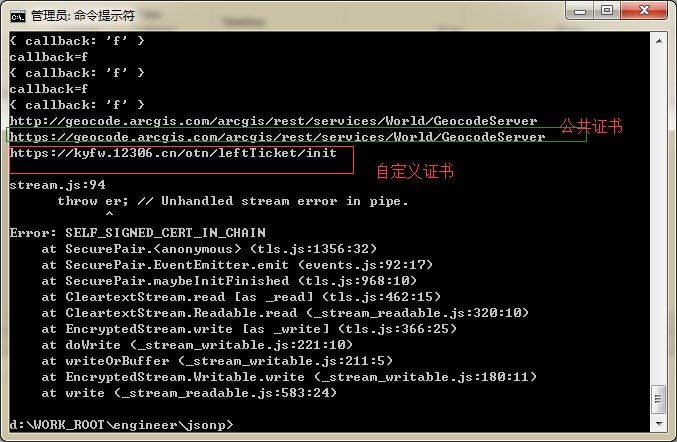
若代理的是 https 請求,proxy 需要先信任該證書(尤其是自簽名證書)或忽略證書檢查,否則請求會失敗。另外要注意快取與 preventCache 參數拼接時可能出現的URL錯誤問題。
CORS
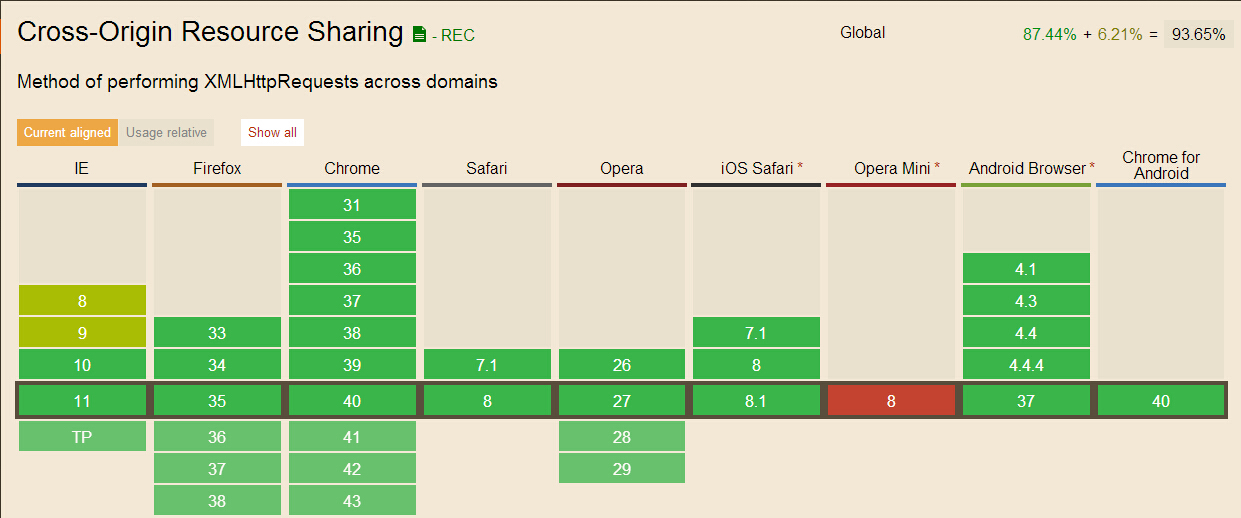
這是現代瀏覽器支援跨域資源請求的標準方式:
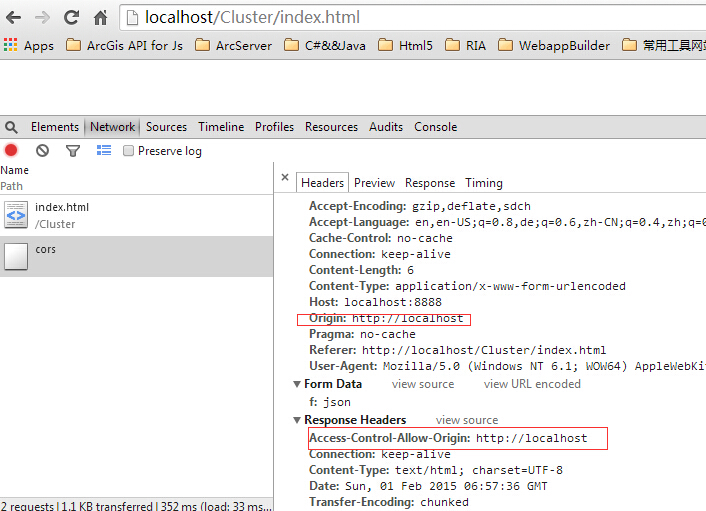
當你以 XMLHttpRequest 發送請求,瀏覽器發現不符合同源策略時,會加上一個 Origin 請求頭;後端處理後若允許,會在回應中加入 Access-Control-Allow-Origin;瀏覽器判斷該頭是否包含 Origin 的值,有則處理回應、沒有則直接駁回。
 var xhr = new XMLHttpRequest();
xhr.onload = function(){ alert(xhr.responseText); };
xhr.open('POST', 'https://localhost:8888/cors', true);
xhr.setRequestHeader("Content-Type", "application/x-www-form-urlencoded");
xhr.send("f=json");
 if (req.headers.origin) {
  res.writeHead(200, {
    "Content-Type": "text/html; charset=UTF-8",
    "Access-Control-Allow-Origin": 'https://localhost'
  });
  res.write('cors');
  res.end();
}
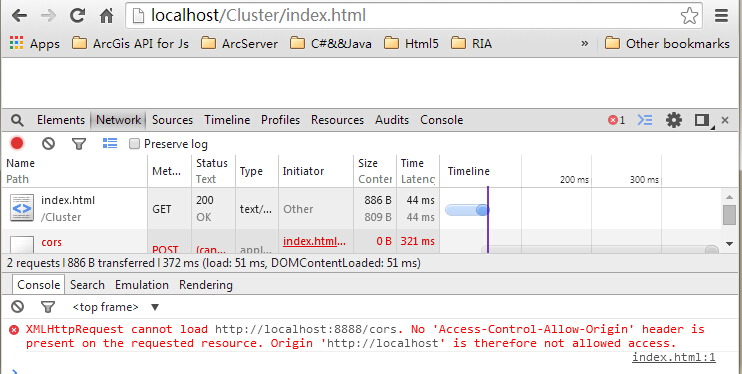
如果把 Access-Control-Allow-Origin 去掉,瀏覽器會駁回回應,我們就拿不到資料:
需要注意的是 Preflighted Request(預檢請求)機制。以下情況會觸發 OPTIONS 預檢:非GET/POST請求;POST的 content-type 不是 application/x-www-form-urlencoded、multipart/form-data、text/plain 三者之一;POST的 payload 為 text/html;或設定了自定義頭部。此時 OPTIONS 請求會攜帶 Origin、Access-Control-Request-Method、Access-Control-Request-Headers,服務器則以 Access-Control-Allow-Origin、Access-Control-Allow-Method、Access-Control-Allow-Headers 回應。預檢請求對程式是透明的,其結果會被快取。
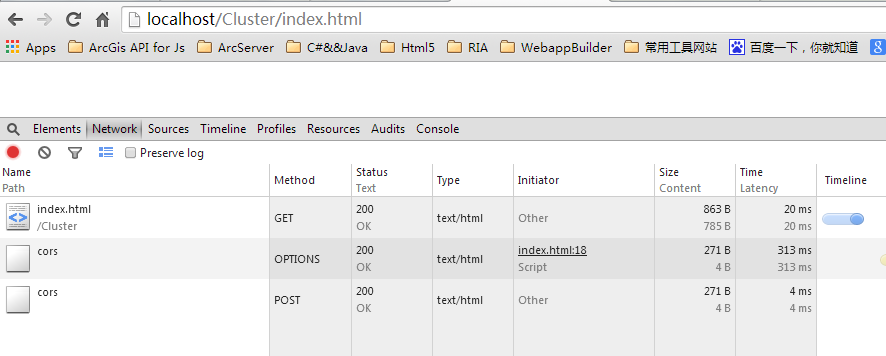
根據測試,當CORS跨域請求失敗時,後端其實收到了請求、也可能執行了查詢,只是回應頭部不符合要求而被瀏覽器阻斷。
XDR
這是IE8、IE9提供的跨域方案,功能較弱,只支援GET與POST,且對協議不同的跨域無能為力。以下微軟官方範例:
 <!DOCTYPE html>
<html>
<body>
<h2>XDomainRequest</h2>
<script>
var xdr;
function mytest() {
  if (window.XDomainRequest) {
    xdr = new XDomainRequest();
    xdr.onerror = err;
    xdr.ontimeout = timeo;
    xdr.onprogress = progres;
    xdr.onload = loadd;
    xdr.timeout = 10000;
    xdr.open("get", "https://www.contoso.com/xdr.txt");
    xdr.send();
  }
}
</script>
</body>
</html>
特別提醒:在 https 協議下請求 https 資源,除了使用 proxy 代理外,其他方法都會被瀏覽器直接 block 掉。
完整測試後端(node-server)
 var http = require('http');
var url = require('url');
var fs = require('fs');
var qs = require('querystring');
var request = require('request');
http.createServer(function(req, res){
  var _url = url.parse(req.url);
  if (_url.pathname === '/jsonp') {
    var params = qs.parse(_url.query);
    var f = params.callback;
    res.writeHead(200, {"Content-Type": "text/javascript"});
    res.write(f + "({name:'hello world'})");
    res.end();
  } else if (_url.pathname === '/proxy') {
    var proxyUrl = req.url.substr(req.url.indexOf('?') + 1);
    if (req.method === 'GET') {
      request.get(proxyUrl).pipe(res);
    } else if (req.method === 'POST') {
      var post = '';
      req.on('data', function(chunk){ post += chunk; });
      req.on('end', function(){
        post = qs.parse(post);
        request({ method: 'POST', url: proxyUrl, form: post }).pipe(res);
      });
    }
  } else if (_url.pathname === '/cors') {
    if (req.headers.origin) {
      res.writeHead(200, {
        "Content-Type": "text/html; charset=UTF-8",
        "Access-Control-Allow-Origin": 'https://localhost',
        'Access-Control-Allow-Methods': 'GET,POST,OPTIONS',
        'Access-Control-Allow-Headers': 'X-Requested-With, Content-Type'
      });
      res.write('cors');
      res.end();
    }
  }
}).listen(8888);
- 上一篇文章: JavaScript幾種實用跨域方法的原理詳解
- 下一篇文章: 用JavaScript計算笛卡爾積的實作詳解