Vue.js 學習筆記:以 vue-router 實作頁面跳轉
編輯:關於JavaScript
單頁應用(SPA)最核心的能力之一,就是在不重新整理整頁的前提下切換畫面,而 vue-router 正是 Vue.js 用來完成這件事的官方路由工具。本文記錄如何在專案裡設定 vue-router,讓不同網址對應到不同組件。
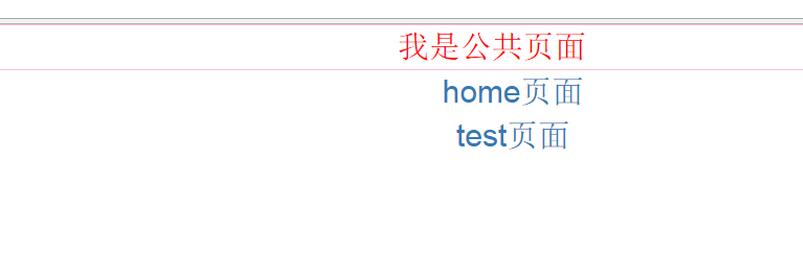
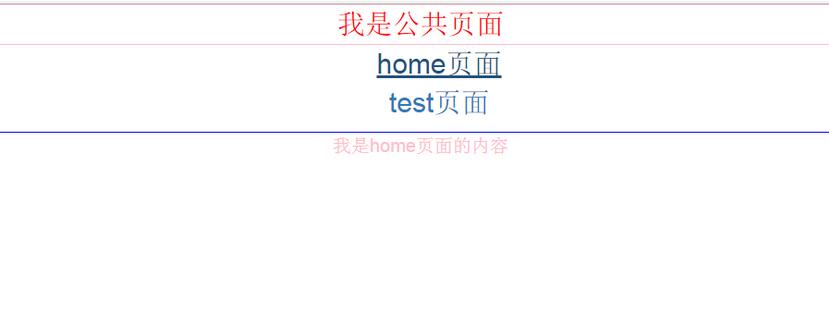

main.js 設定(ES6 寫法)
在引用相關套件前,請先用 npm 安裝所需的 vue 等相依套件,接著在進入點檔案中掛載路由:
import Vue from 'vue' import App from './App.vue' import Router from 'vue-router' import Resource from 'vue-resource' //import VueTouch from 'vue-touch' var VueTouch = require('vue-touch') //引入home頁面 import homepage from './page/home.vue' //引入test頁面 import test from './page/test.vue' Vue.use(Router); Vue.use(Resource); Vue.use(VueTouch); var router = new Router({ abstract: true, hashbang: false }); //實現頁面跳轉 router.map({ '/home':{ component:homepage }, '/test':{ component:test }, }) router.start(App, '#app') // router.go('test'); 默認直接跳轉到 test 頁面
index.html 引入 app.vue 與打包後的 build.js
<!DOCTYPE html> <html> <head> <meta http-equiv="Content-Type" content="text/html; charset=utf-8" /> <title>vue.js學習筆記(2)</title> <link rel="stylesheet" type="text/css" href="style/bootstrap.css"> </head> <body> <!--此處注意加載順序,需要先加載dom在加載js,否則會'Cannot find element: #app'--> <div id='app'></div> <script src="static/build.js"></script> </body> </html> <style> body { } </style>
這裡要特別注意載入順序:必須先有 DOM 節點,再載入 JS,否則會出現找不到 #app 的錯誤。
app.vue 中放入 router-view
<template> <div class='all-container'> <div class="public-content">我是公共頁面</div> <div class='menu'> <ul class="list"> <li><a v-link='"/home"'>home頁面</a></li> <li><a v-link='"/test"'>test頁面</a></li> </ul> </div> <router-view transition='animation' class='container' keep-alive></router-view> </div> </template>
home.vue
<template> <div class="home"> <div class="htmleaf-content"> 我是home頁面的內容 </div> </div> </template>
test.vue
<template> <div class="test"> <div class="test-content"> 我是test頁面的內容 </div> </div> </template>
最後再用 webpack 把整個專案打包上線。關於 webpack 的用法,可以參考官方文件或相關入門教學,例如「60 分鐘 webpack 專案模板快速入門」。
透過 router-view 搭配路由對應表,畫面切換時只會重新渲染 router-view 內的組件,其餘如公共頁首、選單等區塊則保持不變,這正是 SPA 流暢體驗的關鍵。
- 上一篇文章: 好用的文字向上滾動公告效果,滑鼠移入即暫停(兩種寫法)
- 下一篇文章: JavaScript 為每個 li 節點綁定點擊事件的實作方式