仿支付寶支付密碼輸入框的 JavaScript 實作
編輯:關於JavaScript
支付密碼輸入框通常只允許輸入數字,並且以固定格數呈現。以下範例用一個透明 input 接收輸入,再用六個顯示格呈現密碼樣式。
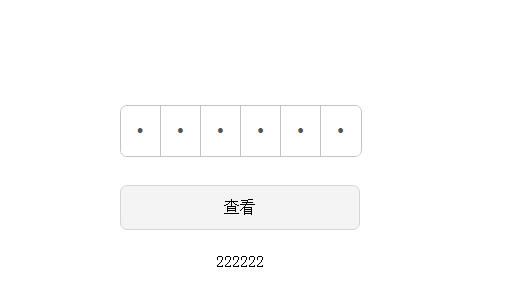
HTML 結構
<div class="inputBoxContainer" id="inputBoxContainer">
  <input type="text" class="realInput" />
  <div class="bogusInput">
    <input type="password" maxlength="6" disabled />
    <input type="password" maxlength="6" disabled />
    <input type="password" maxlength="6" disabled />
    <input type="password" maxlength="6" disabled />
    <input type="password" maxlength="6" disabled />
    <input type="password" maxlength="6" disabled />
  </div>
</div>
核心邏輯
realInput 負責接收使用者輸入,bogusInput 負責顯示六格密碼。每次輸入時,先過濾非數字字元,再把值分配到各格中。
that.realInput.oninput = function() {
  that.setValue();
};

setValue: function() {
  this.realInput.value = this.realInput.value.replace(/\D/g, '');
  var real_str = this.realInput.value;

  for (var i = 0; i < this.maxLength; i++) {
    this.bogusInputArr[i].value = real_str[i] ? real_str[i] : '';
  }

  if (real_str.length >= this.maxLength) {
    this.realInput.value = real_str.substring(0, 6);
    this.callback();
  }
}
這種寫法的好處是視覺上呈現格狀密碼框,但實際輸入仍由單一 input 控制,方便表單取值與驗證。