JavaScript toUpperCase():把字串轉成全大寫
編輯:關於JavaScript
toUpperCase() 的作用是把字串裡所有小寫字母換成大寫,並回傳一個新字串——原字串本身不受影響。
語法很單純:
stringObject.toUpperCase()
基本用法
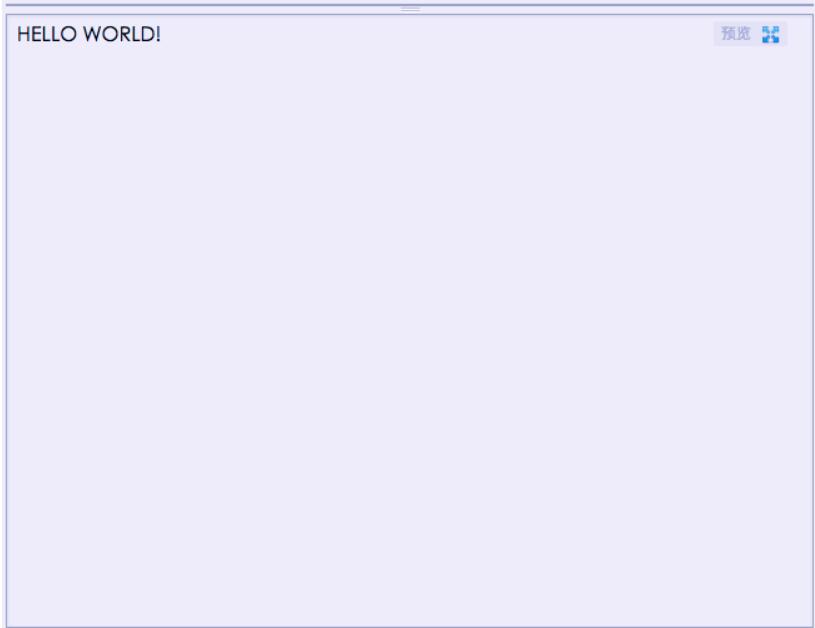
把 "Hello world!" 整串轉成大寫:
<script type="text/javascript">
var str = "Hello World!";
document.write(str.toUpperCase());
</script>
順帶認識其他字串方法
它有一個反向操作 toLowerCase(),兩者常成對出現。此外還有一批較早期的 HTML 包裝方法,雖然現在實務上已不建議使用(該用 CSS 處理樣式),但看過一次有助於讀懂舊程式碼:
<html>
<body>
<script type="text/javascript">
var txt = "Hello World!";
document.write("<p>Big: " + txt.big() + "</p>");
document.write("<p>Small: " + txt.small() + "</p>");
document.write("<p>Bold: " + txt.bold() + "</p>");
document.write("<p>Italic: " + txt.italics() + "</p>");
document.write("<p>Blink: " + txt.blink() + " (does not work in IE)</p>");
document.write("<p>Fixed: " + txt.fixed() + "</p>");
document.write("<p>Strike: " + txt.strike() + "</p>");
document.write("<p>Fontcolor: " + txt.fontcolor("Red") + "</p>");
document.write("<p>Fontsize: " + txt.fontsize(16) + "</p>");
document.write("<p>Lowercase: " + txt.toLowerCase() + "</p>");
document.write("<p>Uppercase: " + txt.toUpperCase() + "</p>");
document.write("<p>Subscript: " + txt.sub() + "</p>");
document.write("<p>Superscript: " + txt.sup() + "</p>");
document.write("<p>Link: " + txt.link("https://www.jb51.net") + "</p>");
</script>
</body>
</html>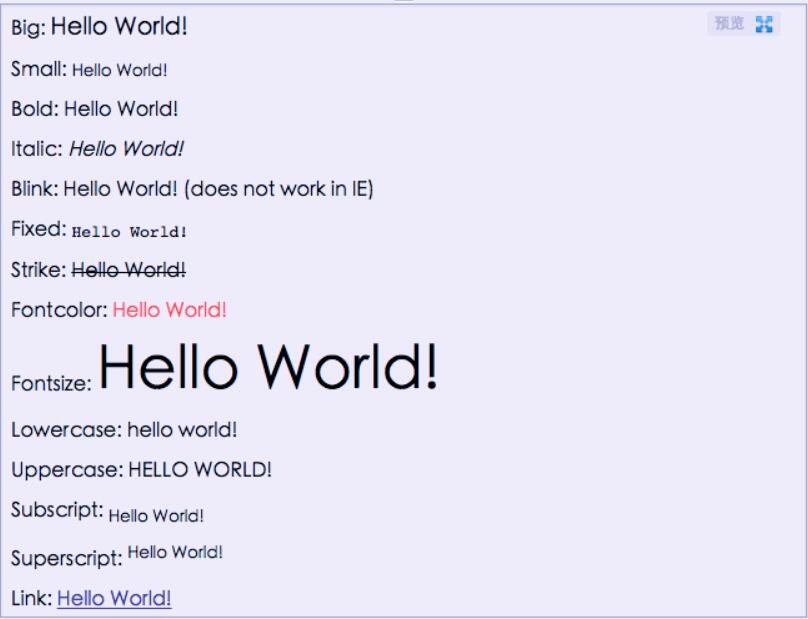
實務上的提醒:toUpperCase() 只影響字母,數字、符號與中文都不會改變;而 big()、fontcolor() 這類方法直接產生 HTML 標籤,在現代開發中請改用 CSS class 來達到同樣效果,樣式與結構分離才好維護。
- 上一篇文章: js 計算時間差:兩個時分秒字串相減怎麼做
- 下一篇文章: js 遍歷 map:用 for-in 走訪物件的所有鍵值
相關文章
-
JavaScript 字元大小寫轉換與首字母大寫實作 JavaScript toLowerCase() 方法:將字串轉為小寫 JavaScript toUpperCase() 方法:將字串轉為大寫 JavaScript charAt():取得字串指定位置的字元 JavaScript 取得字串最後一位的四種方法 JavaScript 大小寫轉換:toUpperCase 與 toLowerCase 的正確用法 JavaScript toUpperCase() 方法使用說明 用 JS 從 YouTube 連結中擷取影片 key substring() 用法實解:擷字元與大小寫轉換 JavaScript 入門:用 substring() 把名字的首字母大寫