模態對話框(Modal Dialog)在打開後會讓父頁面失去焦點、無法操作,直到對話框關閉,非常適合表單填寫、詳情查看等場景。本文介紹標準寫法、Firefox 差異、瀏覽器判斷以及父頁面變灰的效果實現。
1. 標準方法
代碼如下:
<script type="text/javascript">
function openWin(src, width, height, showScroll){
window.showModalDialog (src,"","location:No;status:No;help:No;dialogWidth:"+width+";dialogHeight:"+height+";scroll:"+showScroll+";");
}
</script>
例:<span style="CURSOR: pointer" onclick="openWin ('https://www.example.com', '500px', '400px', 'no')">點擊</span>
2. Firefox 的兼容寫法
Firefox 並不支持 showModalDialog,它支持的是:
window.open ('openwin.html','newWin', 'modal=yes, width=200,height=200,resizable=no, scrollbars=no' );
3. 自動判斷瀏覽器
代碼如下:
<input type="button" value="打開對話框" onclick="showDialog('#')"/>
<SCRIPT LANGUAGE="JavaScript">
function showDialog(url)
{
if( document.all ) //IE
{
feature="dialogWidth:300px;dialogHeight:200px;status:no;help:no";
window.showModalDialog(url,null,feature);
}
else
{
feature ="width=300,height=200,menubar=no,toolbar=no,location=no,";
feature+="scrollbars=no,status=no,modal=yes";
window.open(url,null,feature);
}
}
</SCRIPT>
4. 注意事項
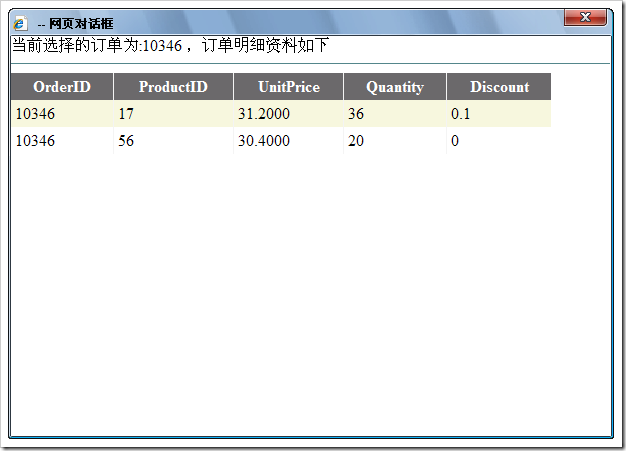
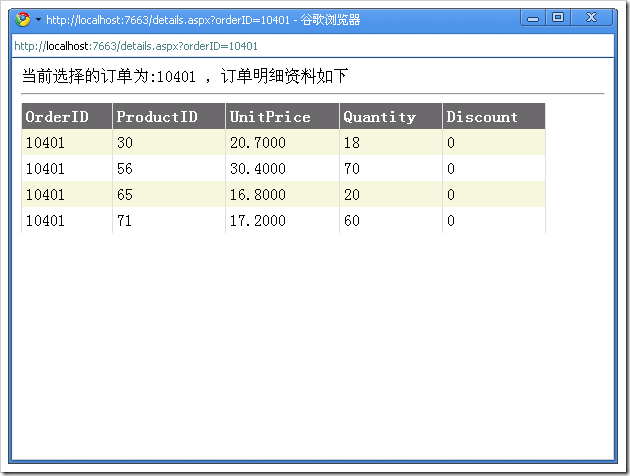
在 IE 中,模態對話框會隱藏地址欄,而其他瀏覽器則不一定。此外,在 Chrome 中這種模態效果會失效,退化為普通新窗口。
5. 讓父頁面變灰(半透明遮罩)
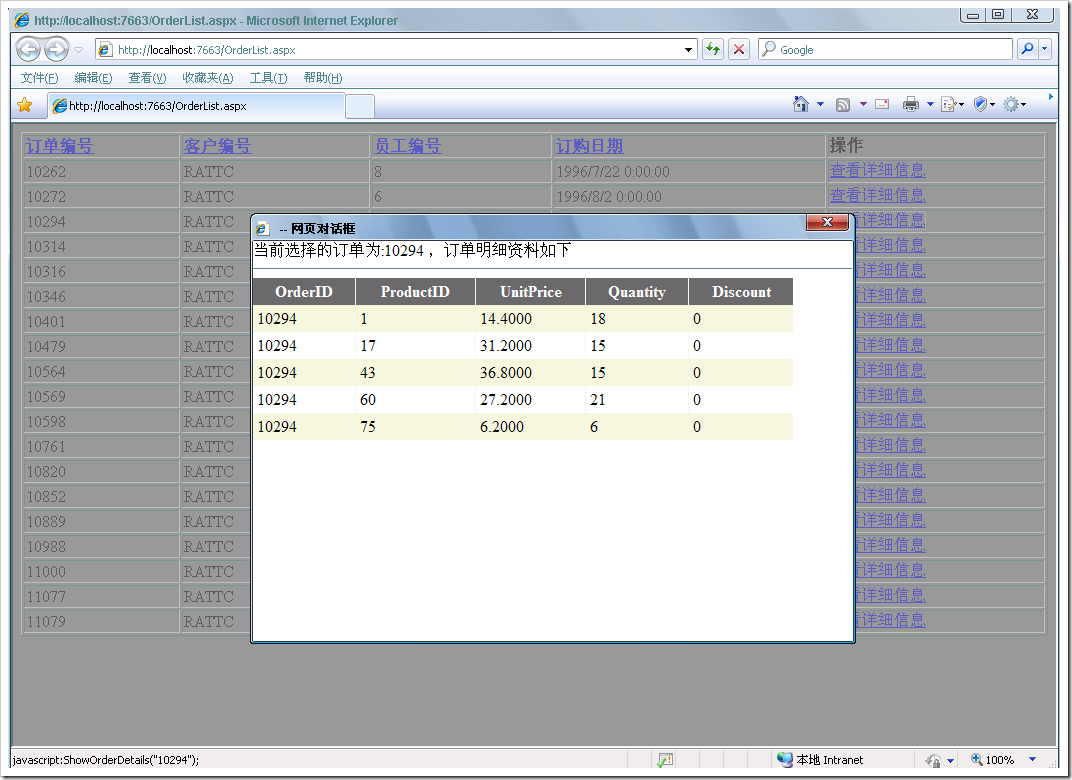
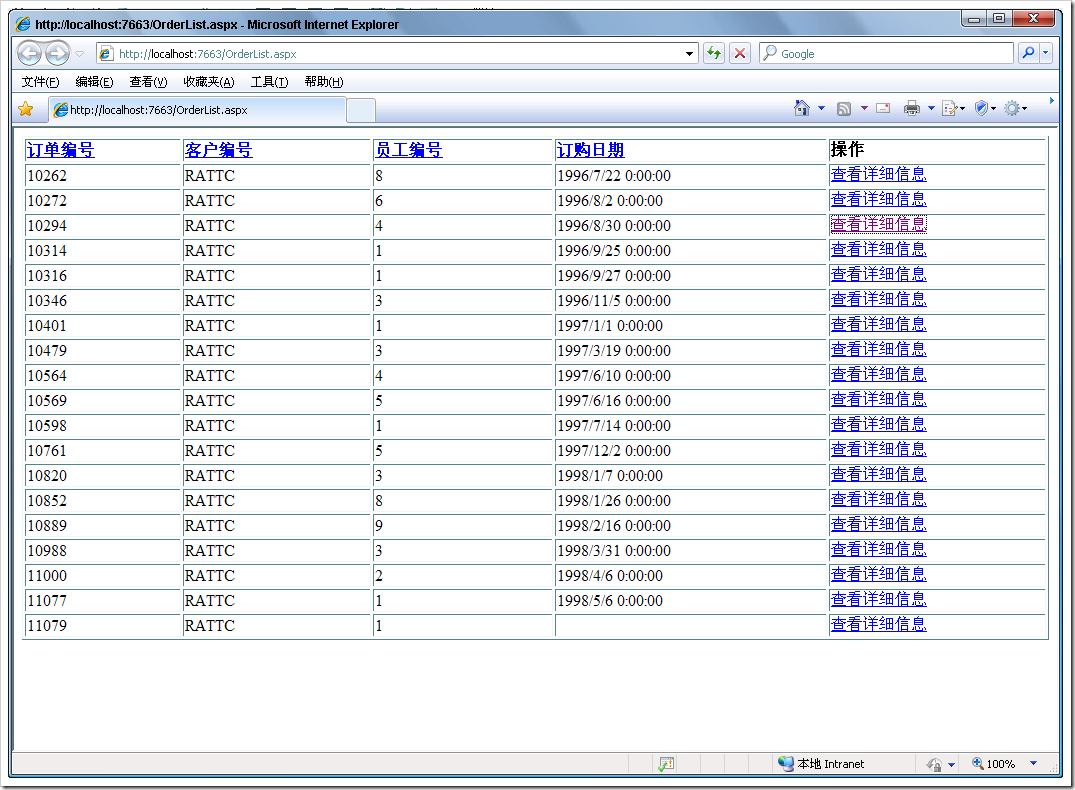
彈出對話框時,通常希望父頁面背景變成半透明,暗示用戶當前不可操作;關閉後再還原。做法是在打開前給 body 加一個 class,關閉後再移除:
代碼如下:
function ShowOrderDetails(orderId) {
var url = "details.aspx?orderID=" + orderId;
$("body").addClass("body1");
ShowDetailsDialog(url, "600px", "400px", "yes");
$("body").removeClass("body1");
}
配套的樣式表:
.body1
{
background-color:#999999;
filter:Alpha(Opacity=40);
}
透過 addClass 添加遮罩樣式、removeClass 移除,即可實現「彈窗時變灰、關閉後還原」的視覺效果。完整頁面示例中,ShowDetailsDialog 封裝了 showModalDialog 調用,並以 orderId 拼接 URL 傳入參數。
- 上一篇文章: 兩個 select 多選模式下選項相互移動的實現
- 下一篇文章: showModalDialog 模態對話框使用詳解與瀏覽器兼容