這是一款相當時尚的文件上傳表單域美化特效,以下提供簡要的制作教學。
先來欣賞幾個效果圖養養眼:


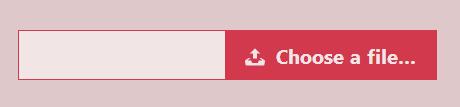
使用方法
這些文件上傳域的美化,核心思路都是隱藏原生的 <input type="file"> 元素,再用一個 <label> 元素來打造美觀的外觀。
HTML 結構
這個文件上傳域美化最基本的 HTML 結構如下:
<input type="file" name="file" id="file" class="inputfile" /> <label for="file">Choose a file</label>
CSS 樣式
首先要隱藏 <input> 元素。這裡不能用 display: none 或 visibility: hidden,因為那樣一來,<input> 裡的值就不會被上傳到伺服器端,而且按 TAB 鍵時也找不到這個元素。正確的隱藏方式如下:
.inputfile { width: 0.1px; height: 0.1px; opacity: 0; overflow: hidden; position: absolute; z-index: -1; }
接著為 <label> 元素設定樣式,把它做成一個按鈕的外觀。
.inputfile + label { font-size: 1.25em; font-weight: 700; color: white; background-color: black; display: inline-block; } .inputfile:focus + label, .inputfile + label:hover { background-color: red; }
當滑鼠移到 label 上時,需要把游標顯示為小手的形狀。
.inputfile + label { cursor: pointer; /* "hand" cursor */ }
為了支援鍵盤導航,還需加上下面的程式碼。
.inputfile:focus + label { outline: 1px dotted #000; outline: -webkit-focus-ring-color auto 5px; }
-webkit-focus-ring-color auto 5px 能在 Chrome、Opera 和 Safari 瀏覽器中取得預設的邊框外觀。

如果你使用了類似 FastClick(一個在行動觸控裝置上消除 300 毫秒 tap-pause 的工具庫)的東西,並且需要加上文字標籤,那麼除非設定 pointer-events: none,否則按鈕將無法正常運作。
<label for="file"><strong>Choose a file</strong></label> .inputfile + label * { pointer-events: none; }
JavaScript
最後要做的事,是標示使用者選了哪些檔案。原生的文件上傳域本來就有這個功能,但這裡用的是虛擬按鈕,因此得靠 JavaScript 來補上。
<input type="file" name="file" id="file" class="inputfile" data-multiple-caption="{count} files selected" multiple /> var inputs = document.querySelectorAll( '.inputfile' ); Array.prototype.forEach.call( inputs, function( input ) { var label = input.nextElementSibling, labelVal = label.innerHTML; input.addEventListener( 'change', function( e ) { var fileName = ''; if( this.files && this.files.length > 1 ) fileName = ( this.getAttribute( 'data-multiple-caption' ) || '' ).replace( '{count}', this.files.length ); else fileName = e.target.value.split( '\\' ).pop(); if( fileName ) label.querySelector( 'span' ).innerHTML = fileName; else label.innerHTML = labelVal; }); });
瀏覽器禁用 JavaScript 的處理
如果瀏覽器禁用了 JavaScript,那就只能退回使用原生的文件上傳域元件。我們要做的是在 <html> 元素上加上一個 .no-js 的 class,再用 JavaScript 把它替換掉。
<html class="no-js"> <head> <!-- remove this if you use Modernizr --> <script>(function(e,t,n){var r=e.querySelectorAll("html")[0];r.className=r.className.replace(/(^|\s)no-js(\s|$)/,"$1js$2")})(document,window,0);</script> </head> </html>
js .inputfile { width: 0.1px; height: 0.1px; opacity: 0; overflow: hidden; position: absolute; z-index: -1; } .no-js .inputfile + label { display: none; }
以上就是 js 實現文件上傳表單域美化特效的完整教學,希望對大家的學習有所幫助。
- 上一篇文章: js 動態載入腳本的七種方法完整彙整
- 下一篇文章: 純 JavaScript 移動優先的 Wallop 幻燈片效果