JS 點擊按鈕取得頁面高度:offsetHeight 與 scrollHeight 的差別
編輯:關於JavaScript
做浮層、遮罩或 lightbox 時,第一個要解決的問題往往就是「這個頁面到底有多高」。JavaScript 提供了好幾組看似相似的高度屬性,但它們的語意並不相同,用錯就會出現遮罩蓋不滿或高度異常的狀況。
下面的範例用一個按鈕把幾種高度值逐一 alert 出來,方便直接對照差異。
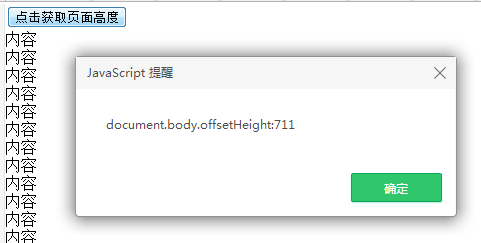
<!DOCTYPE html PUBLIC "-//W3C//DTD XHTML 1.0 Transitional//EN" "https://www.w3.org/TR/xhtml1/DTD/xhtml1-transitional.dtd">
<html xmlns="https://www.w3.org/1999/xhtml">
<head>
<meta http-equiv="Content-Type" content="text/html; charset=utf-8" />
<title>JavaScript 點擊取得網頁高度</title>
<style type="text/css">
html, body { overflow:hidden; height:100%; margin:0; padding:0; }
div { height:100%; overflow:auto; }
</style>
<script language="javascript">
function getHeight() {
  var wrapDiv = document.getElementById("wrapDiv");
  alert("document.body.offsetHeight:"  + document.body.offsetHeight);
  alert("document.body.scrollHeight:"  + document.body.scrollHeight);
  alert("wrapDiv.offsetHeight:"       + wrapDiv.offsetHeight);
  alert("wrapDiv.scrollHeight:"       + wrapDiv.scrollHeight);
}
</script>
</head>
<body>
<div id="wrapDiv">
  <input class="e_button" type="button" onclick="getHeight();" value="點擊取得頁面高度" /><br />
  內容<br />內容<br />內容<br />內容<br />內容<br />內容<br />
  內容<br />內容<br />內容<br />內容<br />內容<br />內容<br />
  內容<br />內容<br />內容<br />內容<br />內容<br />內容<br />
  內容<br />內容<br />內容<br />內容<br />內容<br />內容<br />
  <!-- 重複更多行以撐高內容 -->
</div>
</body>
</html>
幾個常用屬性的差別可以這樣記:
- offsetHeight:元素自身的佔用高度,包含置中框與邊框,但不含外距。
- scrollHeight:元素內容的完整高度,即使內容溢出被捲動,也會回報「全部內容」的高度,因此最常用來取得真正的頁面高度。
- clientHeight:可視區域高度,含撐內距但不含捲軸與邊框。
實務上要注意兩點。第一,跨瀏覽器取得頁面高度時,通常要對 documentElement 與 body 都取值再取最大值,因為不同瀏覽器與不同供模模式(quirks mode)回報的來源不一樣。第二,如果只是想讓遮罩覆蓋整個可視區域,其實不需要算高度——用 position: fixed 搭配 top: 0; left: 0; right: 0; bottom: 0 就能自動填滿視窗,這也是現代做法。上面這段程式在 IE6 時代確實有用,因為那時 fixed 定位還不受支援。
- 上一篇文章: 純 JavaScript 移動優先的 Wallop 幻燈片效果
- 下一篇文章: 用極短 JavaScript 程式碼實作滑鼠拖曳