JavaScript 淡入淡出:opacity 漸變的簡潔實作
編輯:關於JavaScript
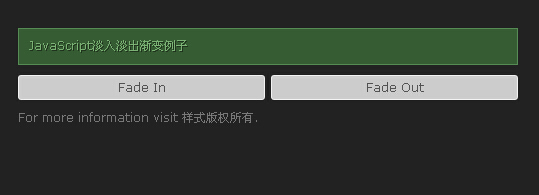
淡入淡出是所有網頁動效裡最基礎也最常用的一種。這個範例用不到三十行 JavaScript,就讓任何一個元素能平滑地浮現或消失,而且寫成一個物件函式,只要呼叫 fadeEffect.init('元素id', 方向) 就能用。
為什麼看起來特別順
關鍵在這一行:value = alpha + (target - alpha) * 0.05 + flag。它不是固定每次加 1,而是依「距離目標還有多遠」按比例推進,加上一個小小的固定步長收尾。這種「先快後慢」的 easing 讓動畫尾段自然減速,比線性位移舒服得多,最後再靠那個 +1 確保能真正到達 0 或 100 而不會無限逼近。
完整程式碼
<!DOCTYPE html>
<head>
<meta http-equiv="Content-Type" content="text/html; charset=utf-8" />
<title>js代碼控制元素簡單的淡入淡出效果</title>
<style>
* {margin:0; padding:0}
body {font:12px Verdana,Arial; color:#777; background:#222}
a {color:#999; text-decoration:none}
a:hover {color:#bbb}
#wrapper {width:500px; margin:75px auto}
#buttons {height:35px}
.button {border:1px solid #eee; background:#ccc; border-radius:3px; -moz-border-radius:3px;
         padding:4px 0 5px; width:245px; text-align:center; cursor:pointer; float:left; color:#555}
.button:hover {border:1px solid #fff; background:#d9d9d9; color:#333}
.floatright {float:right}
#fade {opacity:0; filter:alpha(opacity='0') border-radius:3px; -moz-border-radius:3px;
       margin-bottom:10px; padding:9px 10px 0; height:26px; border:1px solid #548954;
       background:#355c33; color:#79af72; text-shadow:1px 1px #21341d}
</style>
<script type="text/javascript">
var fadeEffect=function(){
  return{
    init:function(id, flag, target){
      this.elem = document.getElementById(id);
      clearInterval(this.elem.si);
      this.target = target ? target : flag ? 100 : 0;
      this.flag = flag || -1;
      this.alpha = this.elem.style.opacity ? parseFloat(this.elem.style.opacity) * 100 : 0;
      this.si = setInterval(function(){fadeEffect.tween()}, 20);
    },
    tween:function(){
      if(this.alpha == this.target){
        clearInterval(this.si);
      }else{
        var value = Math.round(this.alpha + ((this.target - this.alpha) * .05)) + (1 * this.flag);
        this.elem.style.opacity = value / 100;
        this.elem.style.filter = 'alpha(opacity=' + value + ')';
        this.alpha = value
      }
    }
  }
}();
</script>
</head>
<body>
<div id="wrapper">
<div id="fade">JavaScript淡入淡出漸變例子</div>
<div id="buttons">
 <div class="button" onclick="fadeEffect.init('fade', 1)">Fade In</div>
 <div class="button floatright" onclick="fadeEffect.init('fade', 0)">Fade Out</div>
</div>
<p>For more information visit 樣式版權所有.<br />
</p>
</div>
</body>
</html>
幾個實作細節
init() 一開頭先 clearInterval(this.elem.si),把計時器掛在元素身上,就能避免連續快速點擊時跑出好幾條動畫互相打架——這是很多新手會漏掉的一步。另外 filter: alpha(opacity=) 是 IE8 以下的寫法,現在可以安全移除;而 opacity 若再加上 transition: opacity .3s,其實連一行 JavaScript 都不需要。
這個淡入淡出框架的價值在於它足够通用:任何包在標籤裡的內容都能套用,改 duration、改 easing 都很容易,適合當作自己動畫小工具的起點。
以上就是這個淡入淡出漸變效果的完整說明。
- 上一篇文章: JS 可拖曳浮動視窗:createdialog 逐行拆解
- 下一篇文章: HTML5 拖放 API:把本地圖片直接拖進瀏覽器預覽