用 JavaScript 實現自定義網頁分享功能
編輯:關於JavaScript
騰訊、開心網等平台都提供過分享接口。相比直接接入百度分享、AddThis 這類第三方代碼,自己動手寫一個分享功能的好處是:樣式完全可控、代碼極簡、沒有過多 JS 依賴,能大大提升頁面加載速度。下面分享一個類似百度分享的自定義實現。
核心思路非常簡單:為每個分享渠道寫一個 a 標籤,href 裡用 javascript: 立即執行函數,調用 window.open 打開對應平台的分享頁,並用 encodeURIComponent 把當前頁面的標題和地址作為參數傳入。
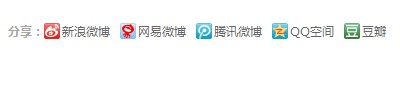
運行效果如下圖所示:
<!DOCTYPE html> <html> <head> <meta http-equiv="Content-Type" content="text/html; charset=utf-8" /> <title>網絡分享代碼分享</title> <style type="text/css"> #ak_share { padding:10px 0; font-size:12px; } .ak_share { height:1%; overflow:hidden; } .ak_share dt { float:left; font-weight:bold; color:#A5A5A5; height:16px; line-height:16px; } .ak_share dd { margin-right:10px; margin-left:0; height:16px; float:left; } .ak_share a { float:left; height:16px; line-height:16px; padding-left:18px; background:url(https://www.yem120.com/images/share.gif) left top no-repeat; color:#666; text-decoration:none; } </style> </head> <body> <div id="ak_share"> <dl class="ak_share"> <dt>分享:</dt> <dd> <a class="t_sina_s" href="javascript:(function(){window.open('https://v.t.sina.com.cn/share/share.php?title='+encodeURIComponent(document.title)+'&url='+encodeURIComponent(location.href),' _blank','width=450,height=400');})()" title="分享到新浪微博" rel="nofollow">新浪微博</a> </dd> <dd> <a class="t_qq_s" href="javascript:(function(){window.open('https://v.t.qq.com/share/share.php?title='+encodeURIComponent(document.title)+'&url='+encodeURIComponent(location.href),' _blank','width=610,height=350');})()" title="分享到騰訊微博" rel="nofollow">騰訊微博</a> </dd> <dd> <a class="qzone_s" href="javascript:void(window.open('https://sns.qzone.qq.com/cgi-bin/qzshare/cgi_qzshare_onekey?url='+encodeURIComponent(document.location.href)));" title="分享到QQ空間" rel="nofollow">QQ空間</a> </dd> </dl> </div> </body> </html>
這種寫法把分享鏈接的構造完全交給前端正則拼接,沒有任何外部 JS 庫,加載極快,樣式也易於自定義。需要注意各平台的分享接口規格可能隨時間變化,接入時應以對方最新文檔為準。
- 上一篇文章: for 循環中到底要不要緩存 length 值
- 下一篇文章: 純 JS 模擬 div 層的彈性運動效果