jQuery 動畫特效實戰九例:折疊、淡入淡出、自訂與佇列控制
編輯:JQuery特效代碼
jQuery 的動畫能力常被低估。除了現成的 show/hide/fade,它其實能做出相当細緻的自訂效果。以下用九個實例走一遍。
1. 自製可折疊內容塊
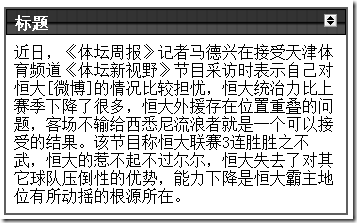
結構很單純,一個標題列加一個內容區:
<div class="module">
  <div class="caption">
    <span>標題</span>
    <img src="rollup.gif" alt="rollup" title="rolls up this module"/>
  </div>
  <div class="body">
    這裡放要折疊的內容。
  </div>
</div>
為圖示綁定點擊事件,先往上找到 module,再往下找 body:
$(function () {
    $('div.caption img').click(function () {
        var $body = $(this).closest('div.module').find('div.body');
        if ($body.is(':hidden')) {
            $body.show();
        } else {
            $body.hide();
        }
    });
});
切換顯示狀態其實用 toggle 更乾淨:
$(function () {
    $('div.caption img').click(function () {
        $(this).closest('div.module').find('div.body').toggle();
    });
});
但以上都沒有動畫,看起來會很唐突。show、hide、toggle 三個方法都接受速度參數:
$(this).closest('div.module').find('div.body').toggle('slow');
還可以在動畫結束後接一個回呼,依狀態切換外層的 class:
$(function () {
    $('div.caption img').click(function () {
        $(this).closest('div.module').find('div.body').toggle('slow', function () {
            $(this).closest('div.module').toggleClass('rolledup', $(this).is(':hidden'));
        });
    });
});
2. 淡入淡出
fadeIn(speed, callback)
fadeOut(speed, callback)
fadeTo(speed, opacity, callback)
3. 上下滑動
slideDown(speed, callback)
slideUp(speed, callback)
slideToggle(speed, callback)
4. 停止動畫
stop(clearQueue, gotoEnd)
兩個參數分別是「是否清空佇列」與「是否直接跳到最終狀態」。滑鼠快速進出時,.stop(true, true) 能避免動畫堆疊造成的延遲感。
5. 自訂動畫:animate
animate(properties, duration, easing, callback)

$('.classname').animate({ opacity: 'toggle' }, 'slow');
也可以包成擴充函式:
$.fn.fadeToggle = function (speed) {
    return this.animate({ opacity: 'toggle' }, 'slow');
};
6. 縮放動畫
$('.classname').each(function () {
    $(this).animate({
        width: $(this).width() * 2,
        height: $(this).height() * 2
    });
});
7. 掉落動畫
$('.classname').each(function () {
    $(this)
        .css("position", "relative")
        .animate({
            opacity: 0,
            top: $(window).height() - $(this).height() - $(this).position().top
        }, 'slow', function () {
            $(this).hide();
        });
});
8. 消散動畫
$('.classname').each(function () {
    var position = $(this).position();
    $(this)
        .css({ position: 'absolute', top: position.top, left: position.left })
        .animate({
            opacity: 'hide',
            width: $(this).width() * 5,
            height: $(this).height() * 5,
            top: position.top - ($(this).height() * 5 / 2),
            left: position.left - ($(this).width() * 5 / 2)
        }, 'normal');
});
先轉成絕對定位並記下原位座標,然後放大五倍的同時淡出,視覺上就像往外炸散。因為改成 absolute 後元素脫離文件流,下方內容會立刻補位——若不希望這樣,得先在外層墊一個同高的佔位元素。
9. 佇列中的動畫
// 把動畫插入名為 chain 的自訂佇列
$('img').queue('chain', function () { });
$('img').queue('chain', function () { });
$('img').queue('chain', function () { });

$('button').click(function () {
    $('img').dequeue('chain');   // 觸發下一個
});

clearQueue(name)             // 清除所有未執行的動畫
delay(duration, name)        // 為佇列中未執行的動畫加上延遲
幾個實務上的提醒
animate 只能動數字型屬性。要動顏色需要 jQuery UI 或 color 插件;要動 transform(例如 rotate、scale)則建議直接用 CSS transition,效能更好也免插件。
easing 函式預設只有 swing 與 linear。想要 easeOutExpo 這類彈性 curves,一樣得靠 jQuery UI 或自訂。
大量元素同時 animate 會卡。逐項跑動畫時用 .each() 搭配 stagger 延遲,或改用 CSS animation 讓瀏覽器合成層處理,會順很多。
記得在回呼裡做善後。像範例 1 那樣在 toggle 結束後切換 class,是讓 JS 狀態與視覺狀態保持一致的關鍵;少了這步,之後要依「目前是否折疊」做判斷時就會出錯。