純 jQuery 打造帶遮罩陰影的高質感彈出視窗
編輯:JQuery特效代碼
用一點點 jQuery 就能做出很有質感的模態視窗:點擊連結後視窗淡入、背景鋪上一層半透明黑幕,點擊關閉鈕或黑幕都能優雅淡出。整個效果不需要任何額外插件。
效果圖:
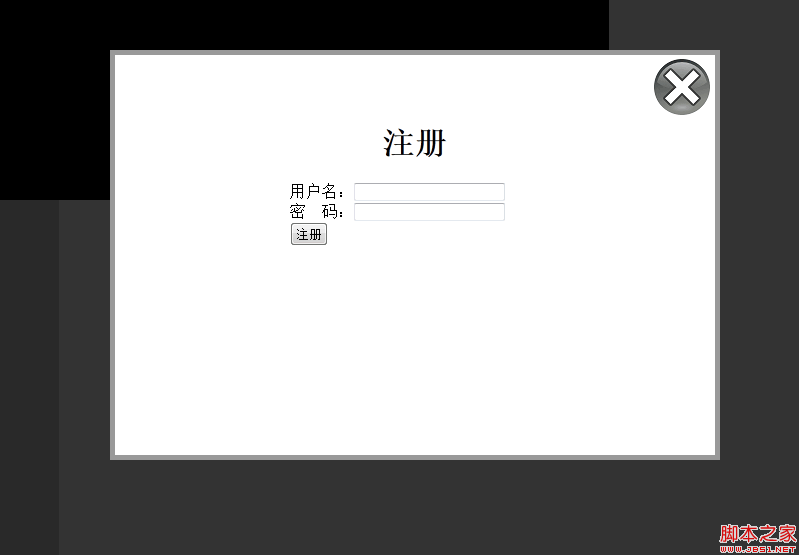
一、HTML 結構
觸發用的連結透過 rel 屬性指向要開啟的視窗 id,這是整個範例的設計核心:一個通用的 class 就能對應多個不同的彈出層。
<a href="#" rel="registerwindow" class="model">註冊</a>
二、CSS 樣式
img { border: 0px; }

#registerwindow {
    width: 600px; height: 400px;
    top: 50px; right: 100px;
    background: #FFF;
    display: none;
    border: 5px #999 solid;
    position: absolute;
    z-index: 999;
}

#modelshade {
    width: 100%; height: 100%;
    background: #000;
    display: none;
    position: absolute;
    top: 0px;
    z-index: 0;
}
三、建立並呼叫模態視窗
視窗本體就是一個隱藏的分層容器,裡面放表單即可:
<div id="registerwindow">
  <h1 align="center">註冊</h1><br>
  <div style="width:250px; margin:0 auto;">
    <form>
      用戶名:<input type="text" name="username" size="20"><br>
      密 碼:<input type="password" name="password" size="20"><br>
      <input type="submit" name="submit" value="註冊">
    </form>
  </div>
</div>
1. 建立 jQuery 敘述,選取帶有 model class 的標記:
<script>
$('document').ready(function(){
  $('a.model').click(function(){
2. 把當前元素的 rel 屬性值存成變數,也就是視窗的 id:
var modelID = $(this).attr('rel');
3. 設定視窗的顯示效果,並動態插入關閉圖片連結:
$('#' + modelID).fadeIn(2000).prepend(
  '<a href="#" class="close"><img src="images/close.png" class="close_button" title="close window" alt="close"></a>'
);
$('.close_button').css({'margin-left': '535px', 'margin-top': '0px'});
四、建立陰影背景
把黑幕的透明度設為 0.8 後淡入,視窗立刻有了層次感:
$('#modelshade').css('opacity', '0.8').fadeIn(2000);
五、關閉視窗
$('a.close, #modelshade').click(function(){
  var thismodelID = $('a.close').parent().attr('id');
  $('#modelshade, #' + thismodelID).fadeOut(function(){
    $('a.close, #modelshade').remove();
  });
  return false;
});
最後的 return false; 用來取消連結的預設行為,避免瀏覽器又跳去載入另一個頁面。整段腳本收尾:
  return false;
});
});  /* 註冊 model end */
</script>
- 上一篇文章: jQuery 1.7 全新事件綁定機制 on() 用法完整解析
- 下一篇文章: jQuery 點擊文字就地編輯並即時寫入資料庫的完整實作