checkbox 是表單開發中再常見不過的元素,而在 jQuery 裡操作它時,有幾個眉角特別值得留意,尤其是跨瀏覽器的相容性問題。本文透過實際測試,整理出取得選中項以及全選、反選的寫法。
先用來測試的 checkbox 如下:
<div>
<input type="checkbox" name="abc" value="一年級" id="in1" checked="checked" /><label for="in1">一年級</label>
<input type="checkbox" name="abc" value="二年級" id="in2" /><label for="in2">二年級</label>
<input type="checkbox" name="abc" value="三年級" id="in3" /><label for="in3">三年級</label>
……
</div>
一、取得 checkbox 的選中項
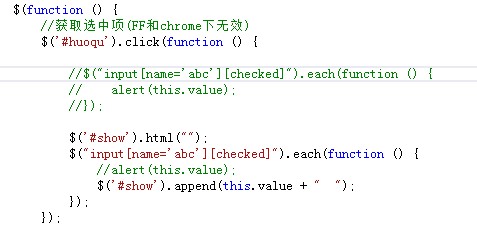
網路上常見的寫法是用 each 搭配 [checked] 屬性:
$("input[name='checkbox'][checked]").each(function () {
alert(this.value);
})
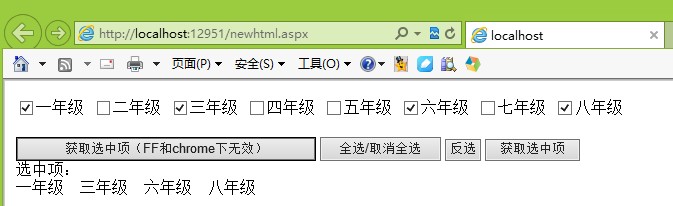
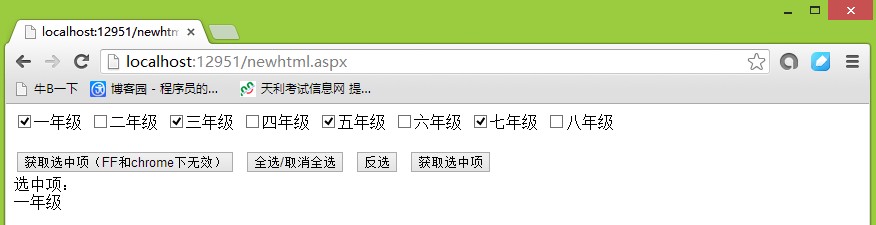
但實測時會發現一個陷阱:這種寫法在 IE 下可以正常取得選中項,換到 Firefox 與 Chrome 卻抓不到值。
IE10 下的測試效果:
Chrome 瀏覽器下的效果:
查詢資料後找到了原因:
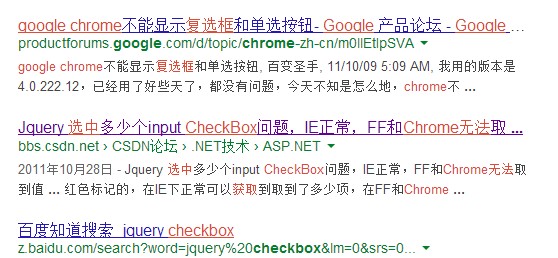
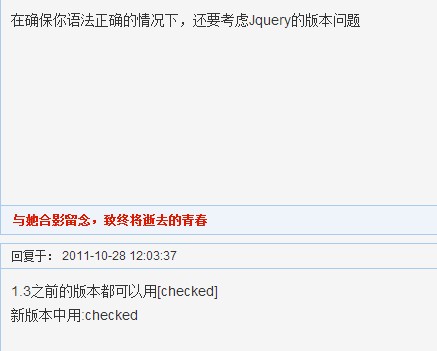
關鍵在於 jQuery 版本。筆者使用的是 1.7.2,在這個版本裡必須改用 :checked 選擇器才能正確取得選中項,修改後的程式碼如下:
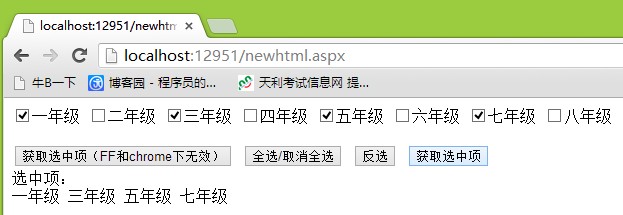
//取得選中項
$('#huoqu2').click(function () {
$('#show').html("");
$("input[name='abc']:checked").each(function () {
$('#show').append(this.value + " ");
});
});
在 Chrome 下的效果:
二、全選與反選
這兩個操作相對單純,直接看程式碼:
//全選/取消全選
$('#quanxuan').toggle(function () {
$("input[name='abc']").attr("checked", 'true');
}, function () {
$("input[name='abc']").removeAttr("checked");
});
//反選
$('#fanxuan').click(function () {
$("input[name='abc']").each(function () {
if ($(this).attr("checked")) {
$(this).removeAttr("checked");
} else {
$(this).attr("checked", 'true');
}
});
});
版本差異小結
jQuery 1.3 之前,取得選中項的寫法:
$("input[name='abc'][checked]").each(function () {
alert(this.value);
});
jQuery 1.3 之後,取得選中項的寫法:
$("input[name='abc']:checked").each(function () {
alert(this.value);
});
結論很明確:只要使用 1.3 以後的版本,一律改用 :checked 選擇器,就能避開跨瀏覽器抓不到值的問題。
作者:酷小孩
- 上一篇文章: 將取得網址 Get 參數的功能封裝成 jQuery 外掛
- 下一篇文章: 撰寫 jQuery 外掛不可不知的基礎知識與標準結構